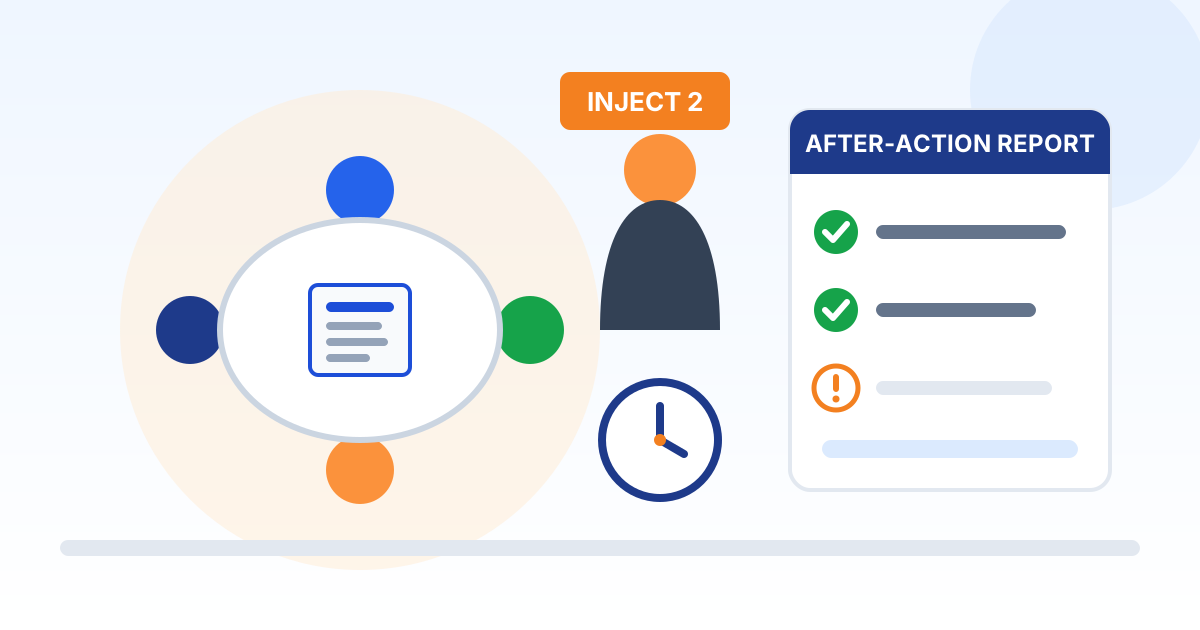
Tabletop Exercise Plan and After-Action Report
- Document ID
- PDC-TTX-SAMPLE
- Document version
- 1.0
- Template version
- v1.1.2
- Effective date
- October 13, 2026
- Next review
- October 13, 2027
1. Purpose, Scope and Objectives
This plan sets out how [Company Name] (the "company") rehearses its Incident Response Policy and Plan through a tabletop exercise, and how the results are recorded and fixed. The goal is to find gaps in the plan, the contact roster, and the team's decisions in a meeting room rather than during a real attack.
Scope. The exercise involves the people named in the Incident Response Plan and the company's key IT and security service providers. No production system, account, or device is touched. It covers 2 scenario modules:
- Ransomware with data-theft extortion
- Business email compromise and a fraudulent wire change
Objectives. The exercise is evaluated against these objectives. Each one appears on the evaluation sheet and in the after-action report.
- Confirm that each participant knows their role and decision authority under the Incident Response Plan, and who steps in when someone is unavailable.
- Test how quickly a suspected incident is reported, assigned a severity level, and escalated to the executive decision-maker.
- Confirm that the contact roster is current and reachable after hours, including the IT provider, cyber insurer, legal counsel, forensics firm, and bank.
- Practice who tells employees, customers, suppliers, and the media what, and how the team communicates if email or chat is compromised.
- Practice how possible legal, regulatory, insurance, and contract notices are identified, recorded, and routed to legal counsel for a decision.
Relationship to the plan. This exercise tests the Incident Response Policy and Plan; it does not change it. Changes that come out of the exercise are approved by the Chief Executive Officer and made to the plan itself, with the after-action report as the record of why.
2. Exercise Type and Ground Rules
What a tabletop exercise is. A tabletop exercise is a facilitated discussion of a realistic scenario. Participants talk through what they would do, in order, using the plan as written. NIST describes a tabletop as discussion-based only: no equipment is deployed and no system is changed. FEMA describes its purpose as identifying strengths and areas for improvement in plans, policies, and procedures.
Everyone in the room agrees to these ground rules:
- No fault. This is a test of the plan, not of people. Mistakes and "I don't know" answers are exactly what the exercise is for, and nobody is evaluated on their performance.
- No real systems are touched. Nobody logs in, disconnects, resets, emails, or calls anyone outside the room as part of the exercise. Say what you would do instead.
- Assume the scenario is real. Do not argue that it could not happen here. Accept the facts as given and respond to them.
- Use the plan as written. When a question comes up, find the answer in the Incident Response Plan. If the plan is silent, unclear, or wrong, say so; that is a finding.
- Decisions are recorded. The evaluator writes down each decision, who made it, and why. Side issues are written on a parking-lot list and dealt with later.
- Stay in role. Answer as the person who holds your role in the plan, and say so if you would normally hand the decision to someone else.
- What is said in the room stays in the room. The findings go into the after-action report; individual comments are not repeated outside the exercise.
- Real-world stop. If a real incident or emergency happens during the exercise, anyone may say "real world" and the exercise pauses until it is handled.
3. Exercise Roles
| Exercise role | Responsibilities |
|---|---|
| Facilitator | A facilitator provided by the managed IT provider. If the provider also has a role in the scenario, a different person from the provider plays that role. Presents the scenario and injects, asks the discussion questions, keeps time, keeps the discussion on the objectives, and leads the hot wash. Does not supply answers. |
| Participants | The people who hold each role in the Incident Response Plan, listed in the participant roster. They answer as they would in a real incident. |
| Evaluator and note-taker | Records decisions, times, and gaps against each objective and the expected decision points, and drafts the after-action report. Takes no part in the discussion. One person can do both jobs in a small exercise. |
| Exercise sponsor | The Chief Executive Officer, who approves the exercise, makes sure the right people attend, and approves the improvement plan. |
| Plan owner | The Incident Response Lead, who schedules the exercise, sends pre-reads, and updates the Incident Response Plan afterward. |
| Service provider participants | The managed IT provider and any other key security providers take part in their real roles, so the exercise tests how the company and its providers work together. |
| Observers (optional) | Others who learn by watching, such as a backup for a key role, the insurance broker, or legal counsel. Observers do not take part unless the facilitator invites them. |
Real-world contact. One person stays out of the exercise to watch for real alerts and calls, so the people in the room can focus.
4. Participant Roster
Fill in this roster before the exercise and confirm attendance at the start. Where a role holder cannot attend, their alternate takes part, which also tests the backup.
| Plan role | Name | Organization or department | Attended |
|---|---|---|---|
| Executive decision-maker (Chief Executive Officer) | Blank | Blank | Blank |
| Incident Response Lead | Blank | Blank | Blank |
| Alternate Incident Response Lead | Blank | Blank | Blank |
| Technical response (managed IT provider) | Blank | Blank | Blank |
| Legal counsel (or a stand-in who knows when to call counsel) | Blank | Blank | Blank |
| Finance | Blank | Blank | Blank |
| Human resources | Blank | Blank | Blank |
| Communications spokesperson | Blank | Blank | Blank |
| Facilitator | Blank | Blank | Blank |
| Evaluator and note-taker | Blank | Blank | Blank |
5. Logistics and Agenda
| Item | Detail |
|---|---|
| Date | Blank |
| Start time | Blank |
| Length | 2 hours |
| Format | In person, in one room |
| Location | Conference room (record the room) |
| Facilitator | Our managed IT provider |
| Evaluator and note-taker | Blank |
| Real-world contact (stays out of the exercise) | Blank |
Planning timeline. Start planning at least one month before the exercise, which NIST SP 800-84 gives as the usual lead time for a less complex exercise. Get the Chief Executive Officer's agreement and put the date on every participant's calendar first. Send pre-reads about one week before; NIST notes that guides sent too early may be forgotten and sent too late may not be read.
Agenda. Times are measured from the start of the session.
| Starts at | Length | Activity |
|---|---|---|
| 0:00 | 15 minutes | Welcome, introductions by name and plan role, objectives, and ground rules |
| 0:15 | 35 minutes | Scenario: Ransomware with Data-Theft Extortion |
| 0:50 | 35 minutes | Scenario: Business Email Compromise and Fraudulent Wire Change |
| 1:25 | 25 minutes | Hot wash: strengths, areas for improvement, plan changes |
| 1:50 | 10 minutes | Feedback forms, next steps, and close |
6. Materials and Pre-Reads
Pre-reads. Send these about one week before the exercise:
- The Incident Response Policy and Plan, especially the roles, the severity levels, the First-Hour Checklist, and the playbooks.
- The incident contact roster, as printed or offline copies, so participants can check whether the numbers they would call are correct.
- The cyber insurance policy's incident notice terms, the breach hotline number, and any list of approved vendors the insurer requires.
- The incident notice, response time, and cooperation terms in the IT and security providers' contracts.
- The improvement plan from the last exercise or real incident, if there is one, so the team can see whether earlier fixes worked.
Materials on the day. The facilitator brings or prepares:
- Printed copies of the Incident Response Plan and the contact roster for each participant.
- The scenario modules with each inject on a separate card or slide, held by the facilitator and revealed one at a time.
- The evaluation sheet and an observation log for the evaluator.
- A visible clock or timer, and a whiteboard or flip chart for the parking-lot list.
- Name tents showing each person's plan role, and seating that mixes departments.
- A participant feedback form for each person.
7. Facilitator Guide
- Open the session. Welcome participants, ask each person to give their name and plan role, and read the objectives and ground rules aloud.
- Read the scenario narrative aloud. Do not hand out the injects in advance.
- Reveal the first inject. Ask the discussion questions for the phase it belongs to, and let the discussion run.
- When someone proposes an action, ask "What does the plan say?" and have someone find the section. Note where the plan is silent, unclear, or ignored.
- If discussion stalls, ask the next question on the list until each objective has been covered, as NIST SP 800-84 suggests. Do not supply the answer.
- Keep time. When a side issue takes over, write it on the parking-lot list and move on.
- Reveal the next inject only when the current one is finished, and repeat until the scenario is complete.
- Close each scenario by asking the evaluator to read back the key decisions, so the group can correct the record.
- Run the hot wash immediately after the last scenario, while details are fresh.
Pitch the questions to the room. With leaders and technical responders in one room, alternate between decision questions for leaders and procedure questions for responders, and watch for moments where one group assumes the other will act.
Keep the scenario short. NIST SP 800-84 notes that a short, concise scenario is often more effective than a long, detailed one, because participants otherwise spend their time picking the scenario apart instead of meeting the objectives. Add company-specific details, such as real system names, only where they make a decision clearer.
8. Scenario Module: Ransomware with Data-Theft Extortion
Scenario. It is Friday evening before a holiday weekend. An employee working late at [Company Name] notices that files on the shared drive will not open and have a strange new extension. A text file appears in several folders. It says the company's data has been encrypted and copied, and that it will be published on a leak site unless the company pays within five days.
Injects. The facilitator reads each inject aloud only when discussion of the previous one is finished. The times are simulated.
| Inject | Simulated time | What happens |
|---|---|---|
| 1 | Friday, 6:40 p.m. | The employee reports it. Within 30 minutes more workstations show the same problem and the accounting system will not open. Someone suggests turning every computer off. |
| 2 | Saturday, 9:00 a.m. | The managed IT provider reports that the attacker also reached the backup server, but an offline copy from Thursday night appears intact. The attacker sends a sample of real employee payroll records as proof that data was stolen. |
| 3 | Monday, 8:00 a.m. | Employees arrive and cannot work. A customer calls asking why an order confirmation has not arrived. A local reporter emails asking whether the company has been hacked. |
| 4 | Tuesday, 2:00 p.m. | The attacker emails a lower demand and a new deadline. An owner asks, "Why don't we just pay and make this go away?" |
Discussion questions: Detect
- How did we find out, and how would we find out at 2 a.m. on a Saturday? Did the employee know who to call without logging in?
- How do we tell whether this is one device or the whole network?
Discussion questions: Escalate
- What severity level does the plan assign, and who declares it?
- Who briefs the executive decision-maker, and within how long?
- When is the cyber insurer's breach hotline called, who makes the call, and does that person have the policy number without logging in to company systems?
Discussion questions: Contain
- Do we disconnect devices or power them off? What does the First-Hour Checklist say?
- How do we protect the backup copy that is still intact?
- Which remote access tools and vendor connections do we cut off, and who has the authority to do it?
Discussion questions: Notify and communicate
- The attacker claims to have stolen employee data. What facts will legal counsel need to decide whether that triggers notification?
- What do we tell employees on Monday morning, and through which channel if email is down?
- Who answers the customer and the reporter, and with what approved statement?
- Do we report to the FBI and CISA, and who decides?
Discussion questions: Recover
- Which systems come back first under the plan's recovery priorities?
- How do we confirm a restored system is clean before it is reconnected?
- Who decides about the ransom demand, and what conditions does the plan set before a payment could even be considered?
Expected decision points. Under the Incident Response Policy and Plan, the evaluator listens for the following. A different decision is not automatically wrong, but the reason for it is recorded, and so is any place where the plan was unclear or silent.
- Severity is set at Critical (Level 1), because the plan lists ransomware spreading across systems as an example, and the executive decision-maker is briefed within the time the plan sets (Severity Levels and Escalation).
- Affected devices are disconnected from the network rather than powered off, except where the plan allows it (First-Hour Checklist).
- Backups are protected and checked before anything is restored.
- The cyber insurer is called before any outside firm is hired, any payment is discussed, or any fault is admitted (First-Hour Checklist).
- Legal counsel is engaged because data theft is claimed. Counsel, not the room, decides whether any notice is required (Legal, Regulatory and Contractual Notification).
- Any ransom question follows only the rules in Playbook: Ransomware and Extortion. No employee or vendor contacts, negotiates with, or pays the attacker on their own.
- An incident log is opened and evidence is preserved before systems are wiped or rebuilt (Evidence Preservation and Documentation).
- Only the communications spokesperson answers the reporter and customers (Internal and External Communications).
9. Scenario Module: Business Email Compromise and Fraudulent Wire Change
Scenario. The accounts payable clerk at [Company Name] receives an email that appears to come from a long-time supplier, replying in an existing thread about an open invoice. It says the supplier has changed banks and asks that this week's payment go to the new account. The email looks normal, and the payment is sent on Tuesday.
Injects. The facilitator reads each inject aloud only when discussion of the previous one is finished. The times are simulated.
| Inject | Simulated time | What happens |
|---|---|---|
| 1 | Thursday, 10:15 a.m. | The real supplier calls to ask why its invoice is still unpaid. It never changed banks. |
| 2 | Thursday, 10:35 a.m. | A quick review shows the request came from a look-alike email domain, and an inbox rule in the clerk's own mailbox has been moving the supplier's real replies to a hidden folder. |
| 3 | Thursday, 12:30 p.m. | Two customers forward emails that appear to come from the clerk's account, asking them to send future payments to a new bank account. |
| 4 | Friday, 9:00 a.m. | The bank says it has started a recall request but cannot promise the money will be recovered. The supplier asks whether its information was exposed. |
Discussion questions: Detect
- Which step in our payment process should have caught the bank change? Was a call-back to a phone number already on file made?
- How do we find out whether, and since when, the clerk's mailbox was accessed?
Discussion questions: Escalate
- What severity does the plan assign to a completed fraudulent transfer?
- Who calls the bank, how fast, and can they find the bank's fraud number without searching email?
- When is the cyber insurer's breach hotline called, who makes the call, and does that person have the policy number without logging in to company systems?
Discussion questions: Contain
- Which account lockdown steps does the business email compromise playbook list, and who performs each one?
- Which pending payments do we hold until bank details are verified?
Discussion questions: Notify and communicate
- Who files the complaint at ic3.gov, and what transaction details will they need?
- How do we warn customers and suppliers without using the account that may be compromised?
- The attacker may have read the mailbox. What will legal counsel need to know to decide whether information in it triggers notification?
Discussion questions: Recover
- What would we change in how payment instructions are verified?
- How are the bank recall, the costs, and the timeline recorded for the insurer and for the after-action report?
Expected decision points. Under the Incident Response Policy and Plan, the evaluator listens for the following. A different decision is not automatically wrong, but the reason for it is recorded, and so is any place where the plan was unclear or silent.
- Finance calls the bank's fraud department immediately and asks it to recall the transfer (Playbook: Business Email Compromise and Payment Fraud). The FBI says that when a fraudulent transfer is discovered, time is of the essence.
- A complaint is filed at ic3.gov as soon as possible, regardless of the amount, as the FBI advises.
- Severity is set at Critical (Level 1), because the plan lists a completed fraudulent wire transfer as an example.
- The compromised account has its password reset and its sessions revoked, multi-factor authentication is required, and inbox rules the attacker added are removed.
- The cyber insurer is called before any outside firm is hired, any payment is discussed, or any fault is admitted (First-Hour Checklist).
- Customers and suppliers are warned by phone or from a clean account, and pending payments to recently changed bank accounts are held.
- Legal counsel decides whether information in the mailbox triggers notification.
- Any gap in payment verification is recorded as an area for improvement, with reference to the Wire Transfer and Payment Verification Policy where adopted.
10. Exercise Evaluation Sheet
The evaluator completes this sheet during and right after the exercise, using the expected decision points in each scenario module as a guide. Ratings describe how well the plan and the team performed together, never an individual.
- Met
- The team reached the decision or action the plan calls for, in a reasonable time, without significant confusion.
- Partially met
- The team got there, but late, with confusion over who decides, or only after a missing step was pointed out.
- Not met
- The team did not reach the decision or action, or the plan, the roster, or a tool would have failed in a real incident.
| Objective | Rating (met, partially met, not met) | Evidence and observations |
|---|---|---|
| Roles and decision authority | Blank | Blank |
| Reporting, severity and escalation | Blank | Blank |
| Contact roster and outside help | Blank | Blank |
| Internal and external communications | Blank | Blank |
| Routing notification questions to counsel | Blank | Blank |
Observation log. Record anything notable as it happens: a good decision, a delay, a wrong phone number, a missing step, or a place where the plan was unclear.
| Time | Observation | Strength or area for improvement | Plan section |
|---|---|---|---|
| Blank | Blank | Blank | Blank |
| Blank | Blank | Blank | Blank |
| Blank | Blank | Blank | Blank |
| Blank | Blank | Blank | Blank |
11. Hot Wash and Participant Feedback
Immediately after the last scenario, the facilitator leads a short debrief, often called a hot wash, and keeps it constructive. The evaluator records the answers for the after-action report. Ask each participant:
- What went well, and where did you feel the team excelled?
- Where would you need more training, information, or authority to do your part?
- Which parts of the Incident Response Plan or the contact roster should be updated?
- What is the one thing you would fix first?
Participant feedback form. Each participant answers these questions in writing before leaving. Names are optional.
| Question | Answer |
|---|---|
| Did you understand your role in the plan before today? (yes, partly, no) | Blank |
| What surprised you most during the exercise? | Blank |
| What is the biggest gap you saw in the plan or in our preparation? | Blank |
| Was the scenario realistic for our company? What would make it more so? | Blank |
| How would you rate the exercise overall, from 1 (poor) to 5 (excellent)? | Blank |
12. After-Action Report
The evaluator drafts this report within 14 days after the exercise, using the evaluation sheet, the observation log, and the hot wash notes. Participants review the draft, then agree on strengths, areas for improvement, corrective actions, owners, and due dates before it is approved.
Exercise overview
| Item | Record |
|---|---|
| Exercise name | [Company Name] incident response tabletop exercise |
| Date and length | Blank |
| Format | In person, in one room |
| Scenarios exercised | Ransomware with data-theft extortion; Business email compromise and a fraudulent wire change |
| Objectives | Roles and decision authority; Reporting, severity and escalation; Contact roster and outside help; Internal and external communications; Routing notification questions to counsel |
| Facilitator | Blank |
| Evaluator and note-taker | Blank |
| Participants | See the participant roster |
Summary
In three to five sentences: what was exercised, how the team performed against the objectives overall, and the most important fixes. Write it for the executive who did not attend.
| Summary |
|---|
| Blank |
| Blank |
Results by objective
| Objective | Rating | Key observation |
|---|---|---|
| Roles and decision authority | Blank | Blank |
| Reporting, severity and escalation | Blank | Blank |
| Contact roster and outside help | Blank | Blank |
| Internal and external communications | Blank | Blank |
| Routing notification questions to counsel | Blank | Blank |
Strengths
| Strength observed | Objective | Why it matters |
|---|---|---|
| Blank | Blank | Blank |
| Blank | Blank | Blank |
| Blank | Blank | Blank |
Areas for improvement (gaps)
| Gap observed | Objective | Impact if not fixed |
|---|---|---|
| Blank | Blank | Blank |
| Blank | Blank | Blank |
| Blank | Blank | Blank |
Root causes
For each gap, look for the most basic reason it happened, not just the symptom. A wrong phone number is a symptom; no one owning roster updates is a root cause. Useful questions:
- Was the step in the plan at all? If it was, was it clear, and did people know where to find it?
- Did the people involved have the training, authority, information, and tools they needed?
- Was the problem a person, a process, a contract, or a technology gap?
- Has the same gap appeared in an earlier exercise or a real incident?
| Gap | Root cause |
|---|---|
| Blank | Blank |
| Blank | Blank |
| Blank | Blank |
13. Improvement Plan
Turn every area for improvement into a corrective action that is specific, measurable, achievable, relevant, and time-bound, the SMART test FEMA HSEEP uses. "Improve communications" fails the test; "Add the bank fraud department's after-hours number to the contact roster and reprint offline copies by the due date" passes it.
| No. | Corrective action | Owner | Due date | Status |
|---|---|---|---|---|
| Example | Add the bank fraud department's after-hours number to the contact roster and reprint the offline copies. | Finance manager | 30 days after the exercise | Open |
| 1 | Blank | Blank | Blank | Blank |
| 2 | Blank | Blank | Blank | Blank |
| 3 | Blank | Blank | Blank | Blank |
| 4 | Blank | Blank | Blank | Blank |
| 5 | Blank | Blank | Blank | Blank |
Status values. Open, In progress, Done, or Deferred. A deferred action records the reason and who approved deferring it.
Tracking. The Incident Response Lead reviews open actions every month and reports progress to the Chief Executive Officer until every action is done. An action is closed only when the change is in place, for example when the updated plan is approved or the new number has been tested, not when someone says it will be done.
14. After-Action Report Approval
By signing, each person confirms that this after-action report fairly records the [Company Name] tabletop exercise, and the Chief Executive Officer approves the improvement plan, its owners, and its due dates.
Facilitator: name, signature, date
Plan owner (Incident Response Lead): name, signature, date
Executive sponsor (Chief Executive Officer): name, signature, date
15. Exercise Cadence and Follow-Up
Cadence. [Company Name] runs a tabletop exercise of its Incident Response Plan at least once a year. This is the company's own choice. NIST SP 800-84 (2006) recommends exercising periodically and after organizational changes or plan updates. It noted that the version of NIST SP 800-53 in force at the time required federal agencies to test incident response capabilities at least annually; the current SP 800-53 Rev. 5 leaves the frequency to each organization. None of this binds a private business, although insurers, customer contracts and industry standards may set their own expectations.
Extra exercises. An additional, shorter exercise is held after a change of IT or security provider, a change of cyber insurer, new staff in a key plan role, a major new system, or a significant update to the Incident Response Plan.
Scenarios. Each exercise uses a different scenario module from the last, until all relevant modules have been used, so that over time every part of the plan is tested. A scenario that went badly is repeated once its corrective actions are done, to confirm they worked.
Updating the plan. Within 30 days of approving the after-action report, the Incident Response Lead updates the Incident Response Plan and the contact roster for every finding that requires it, records the change in the plan's revision history, and replaces printed and offline copies.
Records. The plan, evaluation sheet, feedback forms, after-action report, and improvement plan are kept with the company's incident response records, under the retention period in the Incident Response Plan. They are evidence that the plan is tested and improved, which insurers, customers, and auditors may ask to see. Because the report describes the company's weaknesses, it is shared only with people who need it, and the Incident Response Lead asks legal counsel how it should be labeled and stored.
16. Protected Reports
Nothing in this document prohibits or restricts anyone from reporting a possible violation of law to, filing a charge or complaint with, communicating with, or taking part in an investigation by any government agency, including law enforcement, the U.S. Department of Health and Human Services, the Securities and Exchange Commission, the National Labor Relations Board, or a state attorney general, or from making any other disclosure protected by law. No approval is needed for these reports, and no one will be disciplined for making one in good faith.
17. Document Control and Revision History
| Field | Value |
|---|---|
| Status | Draft generated from a template. Not in effect until reviewed by your legal counsel and approved and signed below. |
| Document | Tabletop Exercise Plan and After-Action Report |
| Organization | [Company Name] |
| Document ID | PDC-TTX-SAMPLE |
| Document version | 1.0 |
| Effective date | October 13, 2026 |
| Next scheduled review | October 13, 2027 |
| Policy owner | Incident Response Lead |
| Approver (title) | Chief Executive Officer |
| Source template | Preferred Data Corporation Tabletop Exercise Plan template v1.1.2 |
| Template content last reviewed | October 13, 2026 |
Approval. Sign below to approve this document for adoption by [Company Name] after it has been reviewed by your legal counsel. Until it is signed, it is a draft and is not in effect.
Name
Title
Signature
Date
Revision history. Record every change to this exercise kit below. Increase the document version and obtain approval again each time the exercise kit is revised.
| Version | Date | Description of change | Approved by |
|---|---|---|---|
| 1.0 | October 13, 2026 | Draft generated from template v1.1.2; pending legal review and approval | Blank |
| Blank | Blank | Blank | Blank |
| Blank | Blank | Blank | Blank |
18. Template Notice and Legal Disclaimer
This document was generated from a starter template provided by Preferred Data Corporation. It is general information only. It is not legal advice and it is not a substitute for advice from a licensed attorney. Using the template does not create an attorney-client, consulting, or other professional relationship.
Preferred Data Corporation is not a law firm or an insurer. It makes no representation that this document is complete, current, or suitable for any particular organization, industry, jurisdiction, or regulatory requirement. To the fullest extent permitted by law, it is not responsible or liable for any loss or damage arising from the use of this template or of any policy created from it. You are solely responsible for how you adapt, adopt, and enforce it.
Laws, regulations, insurance requirements, and contracts that apply to your organization may require different or additional terms. The facts, deadlines, and legal references in this template were checked against their sources on the date shown as "Template content last reviewed" in Document Control, not on the effective date, and may have changed since. Before you adopt, publish, or rely on this document, and in every case where you have a legal, regulatory, or contractual obligation, have it reviewed by qualified legal counsel.
In an actual security incident or data breach, contact your attorney, your cyber insurer, and law enforcement where appropriate. Do not rely on this template alone to decide whether, when, or how to notify anyone.
If Preferred Data Corporation prepared this document for you as part of its services, your service agreement governs those services. The content of this document is still general information and should be reviewed by your own counsel before you adopt it.
This template is provided "as is", without warranties of any kind, including accuracy, completeness, or fitness for a particular purpose. Links to laws, agencies, and other websites are provided for convenience and may change. Use of this template is also subject to the Website and Free Resources Disclaimer and the Terms of Service at preferreddata.com/legal/disclaimer and preferreddata.com/legal/terms-of-service.
To report an error, contact Preferred Data Corporation at preferreddata.com/contact or (336) 886-3282 and include the Document ID shown in Document Control. Corrections are listed in the template changelog on the template's page at preferreddata.com/policy-templates.