System Security Plan (SSP) for NIST SP 800-171 and CMMC Level 2
- Document ID
- PDC-SSP-SAMPLE
- Document version
- 1.0
- Template version
- v1.0.2
- Effective date
- October 12, 2026
- Next review
- October 12, 2027
1. How to Use This Starter Plan
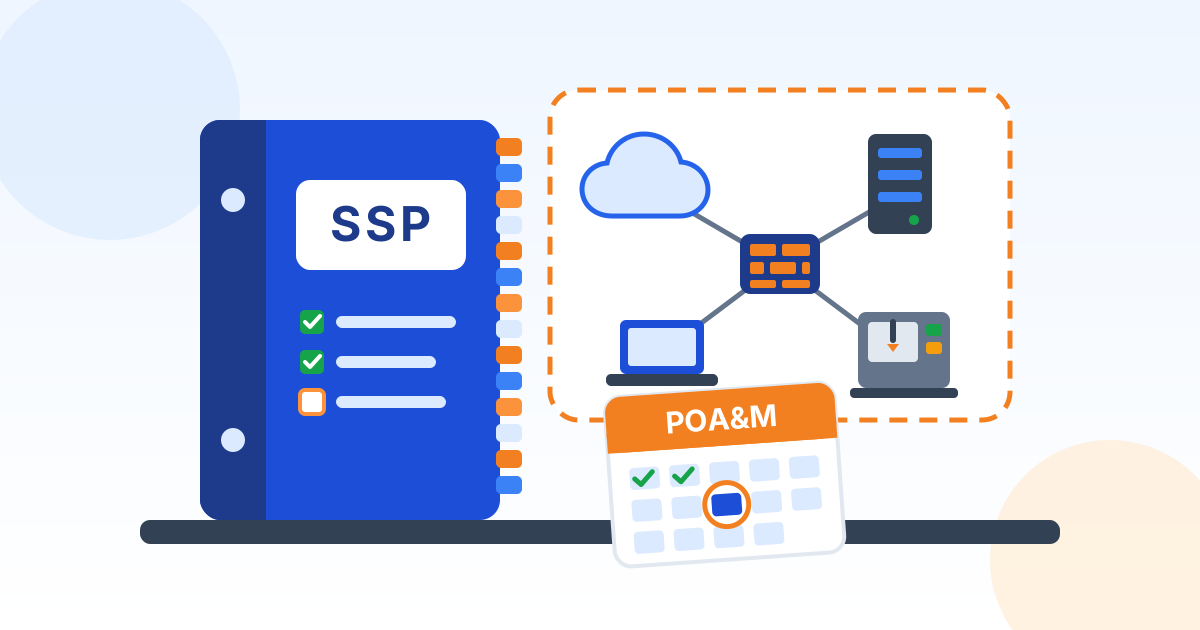
This System Security Plan (SSP) describes the CUI Information System of [Company Name] (the "company"): where Controlled Unclassified Information (CUI, government information that must be protected but is not classified) is stored, processed, and sent, who is responsible for it, and how the company meets the security requirements of NIST Special Publication 800-171 Revision 2. It includes a Plan of Action and Milestones (POA&M), the list of requirements not yet met and how and when they will be.
Why this plan is required. DFARS 252.204-7012 requires defense contractors that handle covered defense information to implement NIST SP 800-171, and requirement 3.12.4 requires the company to develop, document, and periodically update a system security plan. Under the CMMC Program rule, an up-to-date SSP must be in place at the time of a CMMC Level 2 assessment. Without one, the assessment cannot be completed (32 CFR 170.24).
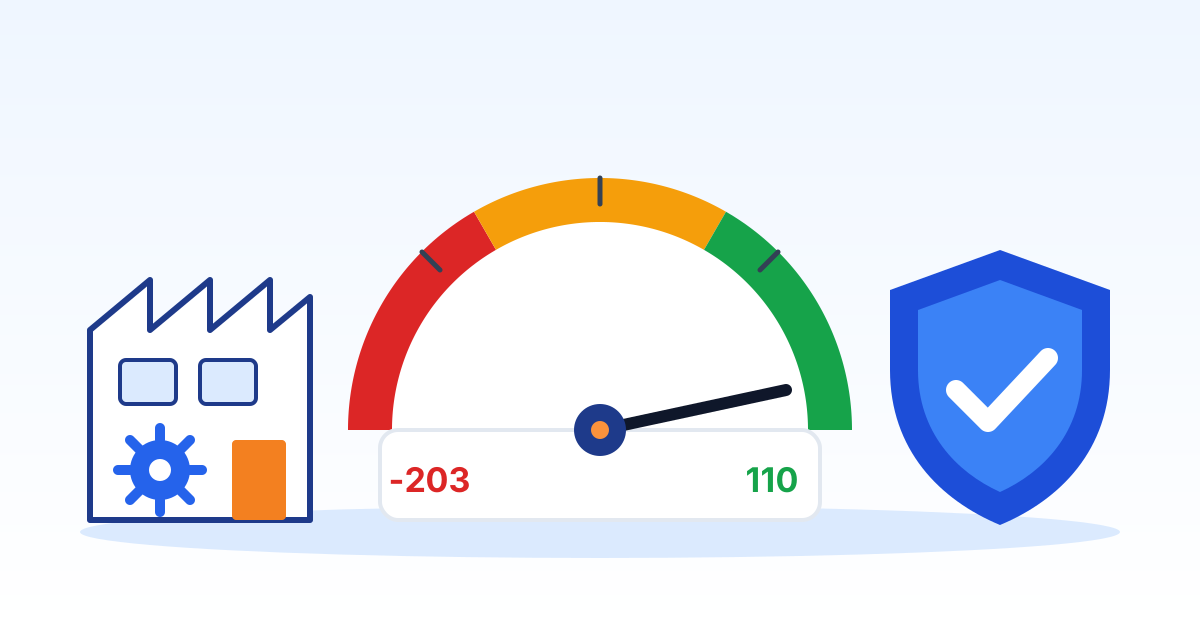
Which version. NIST published Revision 3 of SP 800-171 in May 2024, but the CMMC Program rule (32 CFR Part 170) incorporates Revision 2, so this plan follows the 110 requirements of Revision 2. Confirm the revision named in each contract.
Final, not draft. The CMMC scoring rule accepts only evidence in final form: drafts, working papers, and unapproved policies are not acceptable evidence (32 CFR 170.24). This plan and the policies it refers to must be approved and dated before an assessment.
2. System Identification
| Item | Detail |
|---|---|
| System name | CUI Information System |
| Organization | [Company Name] |
| CAGE code(s) | [Enter every CAGE code this system supports] |
| System owner | President |
| Affirming official | Chief Executive Officer |
| Information security lead | Information Security Lead |
| IT and security support | Outside IT provider |
| Required assessment | CMMC Level 2, assessment type to be confirmed from the contract or the prime contractor |
| Plan effective date | October 12, 2026 |
CUI handled. The system stores, processes, or sends the following CUI:
- Technical drawings, specifications, and engineering data received from a customer or created for a defense contract
- Contract documents, statements of work, and purchase orders marked as CUI
[List the contracts or subcontracts that require this system to protect CUI, and the CUI marking and handling instructions each one gives.]
3. System Boundary and Scope
Boundary. The system is an enclave: a separate set of user accounts, devices, and services used only by the people who work with CUI. It is physically or logically separated from the rest of the company network, which is outside the boundary and must not be used to store, process, or send CUI.
Locations. CUI is used at the main office and the plant or shop floor. [Give the address of each site and describe where in it CUI systems and paper are kept.]
Cloud services. CUI email, files, and collaboration are kept in Microsoft 365 GCC High, the Microsoft government cloud that Microsoft positions for defense contractors handling CUI. The company keeps a copy of, or refers to, Microsoft's customer responsibility matrix (the list of which security tasks Microsoft handles and which the company handles) as part of this plan.
Asset categories. Under the CMMC scoping rule (32 CFR 170.19), every asset is placed in one of the categories below. CUI assets, security protection assets, contractor risk managed assets, and specialized assets are listed in the asset inventory, described in this plan, and shown on the network diagram. For out-of-scope assets, the company must be ready to explain why each one cannot handle CUI. The diagram and inventory are attached to or referred to by this plan.
| Category | What it means | Assets in this system |
|---|---|---|
| CUI assets | Store, process, or send CUI. | [List them] |
| Security protection assets | Provide security for the system, such as firewalls, endpoint protection, and log tools. | [List them] |
| Contractor risk managed assets | Could handle CUI but are kept from it by policy and practice. | [List them, or write None] |
| Specialized assets | Can handle CUI but cannot be fully secured, such as CNC machines, test equipment, and other operational technology. | [List each machine and how it is managed] |
| Out-of-scope assets | Cannot handle CUI and do not protect CUI assets, or are physically or logically separated from them. | [List them and why they are out of scope] |
Connections to other systems. [List every connection between this system and anything outside it: the internet, the rest of the company network, customer and government portals, the IT provider, vendors, and cloud services. For each, say what flows across it and how it is protected.]
4. Roles and Responsibilities
| Role | Responsibilities |
|---|---|
| System owner (President) | Accountable for the system and its security, approves this plan and the resources it needs, and accepts any remaining risk. |
| Affirming official (Chief Executive Officer) | The senior person from within the company who confirms in SPRS, after each assessment and every year, that the company still meets the requirements. Reviews this plan and the POA&M before each affirmation. |
| Information security lead (Information Security Lead) | Keeps this plan and the POA&M current, coordinates assessments, tracks gaps to closure, and is the first contact for security questions and incidents. |
| Outside IT provider | Operates the technical controls assigned to it in this plan and in the provider's customer responsibility matrix, reports problems and incidents to the Information Security Lead immediately, and provides evidence for assessments. |
| All users | Follow this plan and the company policies it refers to, complete training, handle and mark CUI correctly, and report suspected incidents at once. |
Outside providers. Each External Service Provider (an outside company that provides IT or security services and handles CUI or security data for this system) is documented here with the services it provides, and those services are described in its customer responsibility matrix, as the CMMC scoping rule requires (32 CFR 170.19). Its services are in scope for the company assessment (a cloud provider that stores, processes, or sends CUI must instead meet the FedRAMP Moderate requirement in DFARS 252.204-7012), so the company makes sure every requirement a provider performs is met. [List each provider, its services, and where its customer responsibility matrix is kept.]
5. System Environment
Users. About 10 people use the system, including administrators. [Attach or refer to the current user list with each person's role and access level.]
Devices. The system includes these kinds of devices:
- Company Windows or Mac desktops and laptops
- Servers, on site or hosted
- Firewalls, switches, and wireless access points
- Printers, scanners, and copiers that handle CUI
- CNC machines, test equipment, and other shop-floor or operational technology
Key systems. These business systems are inside the boundary:
- Email, file storage, and collaboration tools
- ERP or MRP system (orders, job travelers, purchasing)
- CAD, CAM, and engineering software
- Backup system and backup copies
- Security tools: endpoint protection, monitoring, and log collection
- Remote access (VPN or remote desktop)
Inventory. [Refer to the asset inventory by name and location. For each asset it lists the name, type, location, owner, asset category, operating system or firmware version, and whether it stores, processes, or sends CUI.]
6. Access Control (AC)
What this family covers. Who can use the system, what each person is allowed to do, and how remote access, wireless, mobile devices, outside systems, and public websites are controlled. NIST SP 800-171 Rev. 2 has 22 requirements in this family (3.1.1 to 3.1.22).
Planned approach (confirm or edit). [Edit this list before approval. Keep only what is true today. Move anything not yet in place to the POA&M.] [Company Name] plans to meet this family as follows:
- Only authorized people and company devices can reach the system, and each person gets only the access their job needs (least privilege).
- Administrators use a separate administrator account only for admin work, and everyday accounts cannot change security settings.
- Repeated failed sign-ins lock the account, and screens lock and hide their contents after a short period of inactivity.
- Remote access goes through company-managed, encrypted connections that are monitored, and wireless networks that reach the system require authentication and encryption.
- Phones and tablets are not allowed to reach CUI unless they are company-managed and encrypted, and this plan is updated first.
- Personal computers and other outside systems may not be used with CUI unless the Information Security Lead approves it in writing, and CUI is never posted on a public website or social media.
Implementation details. [Describe, for each requirement from 3.1.1 to 3.1.22, how it is actually done in this system: the tools and settings used, who does it, how often, and which policy or procedure holds the detail. Mark each requirement Met, Not Met, or Not Applicable, and explain any Not Applicable.]
Evidence. [List the evidence an assessor can examine, for example user and administrator account lists, access approvals, sign-in and lockout settings, remote access and wireless settings, and the rule for outside systems.]
7. Awareness and Training (AT)
What this family covers. Making sure everyone knows the security risks of their work and the rules, that people with security duties are trained for them, and that staff can spot and report insider threats. NIST SP 800-171 Rev. 2 has 3 requirements in this family (3.2.1 to 3.2.3).
Planned approach (confirm or edit). [Edit this list before approval. Keep only what is true today. Move anything not yet in place to the POA&M.] [Company Name] plans to meet this family as follows:
- Everyone with access to the system completes security awareness training before getting access and at least once a year.
- Training covers CUI handling and marking, phishing, reporting incidents, and recognizing and reporting possible insider threats.
- Administrators and the IT provider receive training for their specific security duties.
- Training completion is recorded for each person.
Implementation details. [Describe, for each requirement from 3.2.1 to 3.2.3, how it is actually done in this system: the tools and settings used, who does it, how often, and which policy or procedure holds the detail. Mark each requirement Met, Not Met, or Not Applicable, and explain any Not Applicable.]
Evidence. [List the evidence an assessor can examine, for example training materials, completion records with dates, and role-based training records for administrators.]
8. Audit and Accountability (AU)
What this family covers. Keeping activity logs (audit logs, records of who did what and when) so problems can be found, traced to a person, and investigated. NIST SP 800-171 Rev. 2 has 9 requirements in this family (3.3.1 to 3.3.9).
Planned approach (confirm or edit). [Edit this list before approval. Keep only what is true today. Move anything not yet in place to the POA&M.] [Company Name] plans to meet this family as follows:
- Systems that hold or protect CUI record sign-ins, administrator actions, and security events, and every action can be traced to one person.
- Logs are collected in one place, kept long enough to investigate an incident, reviewed regularly, and correlated to spot suspicious activity.
- An alert is raised if logging stops working.
- System clocks are synchronized to a trusted time source so log times line up.
- Logs are protected from change or deletion, and only a few administrators can manage logging.
Implementation details. [Describe, for each requirement from 3.3.1 to 3.3.9, how it is actually done in this system: the tools and settings used, who does it, how often, and which policy or procedure holds the detail. Mark each requirement Met, Not Met, or Not Applicable, and explain any Not Applicable.]
Evidence. [List the evidence an assessor can examine, for example log settings, log retention period, sample log reviews and alerts, time synchronization settings, and the list of people who can manage logs.]
9. Configuration Management (CM)
What this family covers. Knowing exactly what hardware and software make up the system, setting them up securely, and controlling changes. NIST SP 800-171 Rev. 2 has 9 requirements in this family (3.4.1 to 3.4.9).
Planned approach (confirm or edit). [Edit this list before approval. Keep only what is true today. Move anything not yet in place to the POA&M.] [Company Name] plans to meet this family as follows:
- The company keeps an inventory of the hardware, software, and firmware in the system, and a standard secure setup (baseline configuration) for each type of device.
- Changes are requested, checked for security impact, approved, and logged before they are made, and only authorized people can make them.
- Systems run only the programs, ports, and services they need. Unneeded features are turned off.
- Only approved software can run (an allow list), and users cannot install software on their own.
Shop-floor machines. CNC machines and other operational technology that can receive CUI, such as drawings or the programs made from them, but cannot be fully secured are treated as Specialized Assets under the CMMC scoping rule (32 CFR 170.19): they are listed in the inventory, shown on the network diagram, described in this plan, and managed with the company's risk-based policies, such as keeping them on a separate network segment and controlling how files reach them.
Implementation details. [Describe, for each requirement from 3.4.1 to 3.4.9, how it is actually done in this system: the tools and settings used, who does it, how often, and which policy or procedure holds the detail. Mark each requirement Met, Not Met, or Not Applicable, and explain any Not Applicable.]
Evidence. [List the evidence an assessor can examine, for example the asset inventory, baseline configuration documents, change records, the approved software list, and the software restriction settings.]
10. Identification and Authentication (IA)
What this family covers. Making sure every user and device is identified and proves who it is before it gets in, including multi-factor authentication and password rules. NIST SP 800-171 Rev. 2 has 11 requirements in this family (3.5.1 to 3.5.11).
Planned approach (confirm or edit). [Edit this list before approval. Keep only what is true today. Move anything not yet in place to the POA&M.] [Company Name] plans to meet this family as follows:
- Every person has their own account. Shared accounts are not used for CUI.
- Multi-factor authentication (MFA, a second check such as an app prompt or security key) is required for all network access and for any sign-in with an administrator account.
- Sign-in methods resist replay attacks (stolen sign-in data cannot simply be reused).
- Account names are not reused for a set period, and accounts unused for a set period are disabled.
- Passwords follow the company password rules, cannot repeat recent passwords, are stored and sent only in encrypted form, and are hidden as they are typed. Temporary passwords must be changed at first sign-in.
Implementation details. [Describe, for each requirement from 3.5.1 to 3.5.11, how it is actually done in this system: the tools and settings used, who does it, how often, and which policy or procedure holds the detail. Mark each requirement Met, Not Met, or Not Applicable, and explain any Not Applicable.]
Evidence. [List the evidence an assessor can examine, for example MFA settings and enrollment reports, password policy settings, inactive account reports, and the account naming rules.]
11. Incident Response (IR)
What this family covers. Being ready to detect, contain, and recover from a security incident, reporting it to the right people, and testing the plan. NIST SP 800-171 Rev. 2 has 3 requirements in this family (3.6.1 to 3.6.3).
Planned approach (confirm or edit). [Edit this list before approval. Keep only what is true today. Move anything not yet in place to the POA&M.] [Company Name] plans to meet this family as follows:
- The company keeps a written incident response plan covering preparation, detection, analysis, containment, recovery, and what users should do. Staff report suspected incidents to the Information Security Lead immediately.
- Incidents are tracked and documented from start to finish.
- Cyber incidents that affect the system or the covered defense information on it are reported to the Department of Defense at dibnet.dod.mil within 72 hours of discovery, as DFARS 252.204-7012 requires. The company keeps the DoD-approved medium assurance certificate needed to file that report, keeps images of affected systems and relevant monitoring and packet capture data for at least 90 days after reporting, and, when working as a subcontractor, gives the prime contractor (or the next higher-tier subcontractor) the DoD incident report number as soon as practicable.
- The incident response plan is tested at least once a year, for example with a tabletop exercise.
Implementation details. [Describe, for each requirement from 3.6.1 to 3.6.3, how it is actually done in this system: the tools and settings used, who does it, how often, and which policy or procedure holds the detail. Mark each requirement Met, Not Met, or Not Applicable, and explain any Not Applicable.]
Evidence. [List the evidence an assessor can examine, for example the incident response plan, incident records, the medium assurance certificate record, and tabletop exercise notes.]
12. Maintenance (MA)
What this family covers. Controlling who maintains the system, with which tools, and how, including remote maintenance and equipment sent out for repair. NIST SP 800-171 Rev. 2 has 6 requirements in this family (3.7.1 to 3.7.6).
Planned approach (confirm or edit). [Edit this list before approval. Keep only what is true today. Move anything not yet in place to the POA&M.] [Company Name] plans to meet this family as follows:
- System maintenance is performed by the outside IT provider on a schedule, and maintenance tools are approved and controlled.
- Remote maintenance sessions require MFA and are ended when the work is done.
- Equipment sent out for repair is wiped of CUI first, and media with diagnostic programs is scanned for malicious code before use.
- Outside technicians without system access are supervised while they work.
Outside IT provider. Under the CMMC scoping rule (32 CFR 170.19), an External Service Provider (an outside company that provides IT or security services and handles CUI or security data) must be documented in this plan, and its services described in the provider's customer responsibility matrix, which says which security tasks the provider handles and which the company handles.
Implementation details. [Describe, for each requirement from 3.7.1 to 3.7.6, how it is actually done in this system: the tools and settings used, who does it, how often, and which policy or procedure holds the detail. Mark each requirement Met, Not Met, or Not Applicable, and explain any Not Applicable.]
Evidence. [List the evidence an assessor can examine, for example maintenance records, the list of approved maintenance tools, remote access logs, and sanitization records for equipment sent out.]
13. Media Protection (MP)
What this family covers. Protecting CUI on paper and on storage media such as USB drives, hard drives, and backup copies, from creation to destruction. NIST SP 800-171 Rev. 2 has 9 requirements in this family (3.8.1 to 3.8.9).
Planned approach (confirm or edit). [Edit this list before approval. Keep only what is true today. Move anything not yet in place to the POA&M.] [Company Name] plans to meet this family as follows:
- Paper and digital media containing CUI are stored securely and only authorized people can get to them.
- CUI media is marked with the required CUI markings.
- Media leaving a controlled area is tracked, and CUI on digital media in transit is encrypted unless other physical protection is used.
- Removable media such as USB drives is restricted, and storage devices with no identifiable owner are not allowed.
- Backup copies of CUI are protected, and media is wiped or destroyed before disposal or reuse.
Implementation details. [Describe, for each requirement from 3.8.1 to 3.8.9, how it is actually done in this system: the tools and settings used, who does it, how often, and which policy or procedure holds the detail. Mark each requirement Met, Not Met, or Not Applicable, and explain any Not Applicable.]
Evidence. [List the evidence an assessor can examine, for example marking procedures, USB and removable media settings, media transport logs, backup protection settings, and certificates of destruction.]
14. Personnel Security (PS)
What this family covers. Screening people before they get access to CUI and protecting the system when someone leaves or changes jobs. NIST SP 800-171 Rev. 2 has 2 requirements in this family (3.9.1 to 3.9.2).
Planned approach (confirm or edit). [Edit this list before approval. Keep only what is true today. Move anything not yet in place to the POA&M.] [Company Name] plans to meet this family as follows:
- People are screened, for example with a background check appropriate to the role, before they are given access to systems with CUI.
- When someone leaves or changes jobs, their access is removed or changed promptly and company equipment and badges are collected.
Implementation details. [Describe, for each requirement from 3.9.1 to 3.9.2, how it is actually done in this system: the tools and settings used, who does it, how often, and which policy or procedure holds the detail. Mark each requirement Met, Not Met, or Not Applicable, and explain any Not Applicable.]
Evidence. [List the evidence an assessor can examine, for example screening records, offboarding checklists, and account removal records with dates.]
15. Physical Protection (PE)
What this family covers. Controlling physical access to offices, server rooms, and equipment, and protecting CUI at other work sites such as homes. NIST SP 800-171 Rev. 2 has 6 requirements in this family (3.10.1 to 3.10.6).
Planned approach (confirm or edit). [Edit this list before approval. Keep only what is true today. Move anything not yet in place to the POA&M.] [Company Name] plans to meet this family as follows:
- Only authorized people can enter areas with CUI systems and equipment, and the facility and its support systems are protected and monitored.
- Visitors are escorted and their activity is monitored.
- A log of physical access is kept, and keys, badges, and door codes are managed and changed when needed.
- Working with CUI away from company sites is not allowed unless the safeguards for alternate work sites are approved and added to this plan.
Implementation details. [Describe, for each requirement from 3.10.1 to 3.10.6, how it is actually done in this system: the tools and settings used, who does it, how often, and which policy or procedure holds the detail. Mark each requirement Met, Not Met, or Not Applicable, and explain any Not Applicable.]
Evidence. [List the evidence an assessor can examine, for example the access list, visitor logs, badge or key records, camera or alarm records, and the rules for working from home.]
16. Risk Assessment (RA)
What this family covers. Regularly judging the risks to the business from operating the system, scanning for weaknesses, and fixing them. NIST SP 800-171 Rev. 2 has 3 requirements in this family (3.11.1 to 3.11.3).
Planned approach (confirm or edit). [Edit this list before approval. Keep only what is true today. Move anything not yet in place to the POA&M.] [Company Name] plans to meet this family as follows:
- The company assesses risk to its operations, assets, and people at least once a year and whenever the system changes significantly.
- Systems and applications are scanned for vulnerabilities (known weaknesses) on a schedule and when new vulnerabilities are announced.
- Vulnerabilities are fixed based on risk, starting with the most serious.
Implementation details. [Describe, for each requirement from 3.11.1 to 3.11.3, how it is actually done in this system: the tools and settings used, who does it, how often, and which policy or procedure holds the detail. Mark each requirement Met, Not Met, or Not Applicable, and explain any Not Applicable.]
Evidence. [List the evidence an assessor can examine, for example the written risk assessment, vulnerability scan reports, and records of fixes.]
17. Security Assessment (CA)
What this family covers. Checking that security controls work, planning fixes for what does not, monitoring controls continuously, and keeping this plan current. NIST SP 800-171 Rev. 2 has 4 requirements in this family (3.12.1 to 3.12.4).
Planned approach (confirm or edit). [Edit this list before approval. Keep only what is true today. Move anything not yet in place to the POA&M.] [Company Name] plans to meet this family as follows:
- The Information Security Lead checks the security controls at least once a year to confirm they work as intended.
- Gaps and problems are recorded and fixed through the plan of action and milestones described in this plan.
- Controls are monitored on an ongoing basis, for example through security alerts and regular reports.
- This system security plan is kept current and updated whenever the system or its environment changes.
Implementation details. [Describe, for each requirement from 3.12.1 to 3.12.4, how it is actually done in this system: the tools and settings used, who does it, how often, and which policy or procedure holds the detail. Mark each requirement Met, Not Met, or Not Applicable, and explain any Not Applicable.]
Evidence. [List the evidence an assessor can examine, for example self-assessment results, the POA&M, monitoring reports, and the revision history of this plan.]
18. System and Communications Protection (SC)
What this family covers. Protecting information as it moves across networks and while it is stored, including firewalls, network separation, and encryption. NIST SP 800-171 Rev. 2 has 16 requirements in this family (3.13.1 to 3.13.16).
Planned approach (confirm or edit). [Edit this list before approval. Keep only what is true today. Move anything not yet in place to the POA&M.] [Company Name] plans to meet this family as follows:
- Firewalls monitor and control traffic at the edge of the system and between the enclave and the rest of the company network, blocking everything not specifically allowed.
- Anything the public can reach, such as a website, is kept on a network separated from internal systems, and administrator functions are separated from everyday use.
- Remote devices cannot connect to the system and the internet through a separate path at the same time (no split tunneling).
- CUI is encrypted when sent and when stored, using FIPS-validated encryption (encryption validated under the federal FIPS 140 testing program), and encryption keys are managed.
- Network sessions are ended when they finish or after a set period of inactivity.
- Cameras and microphones on collaboration devices cannot be turned on remotely, and they show people nearby when they are in use.
- Mobile code (code that runs in a browser or document) and internet phone systems are controlled and monitored, and network sessions are protected against hijacking.
Cloud services. Where CUI is kept in the cloud, and which security tasks the cloud provider handles under its customer responsibility matrix, is described in the System Boundary and Scope section of this plan.
Implementation details. [Describe, for each requirement from 3.13.1 to 3.13.16, how it is actually done in this system: the tools and settings used, who does it, how often, and which policy or procedure holds the detail. Mark each requirement Met, Not Met, or Not Applicable, and explain any Not Applicable.]
Evidence. [List the evidence an assessor can examine, for example network diagrams, firewall rules, encryption settings and FIPS validation certificates, VPN settings, and the cloud provider's customer responsibility matrix.]
19. System and Information Integrity (SI)
What this family covers. Finding and fixing software flaws, stopping malicious code, and watching for attacks and unauthorized use. NIST SP 800-171 Rev. 2 has 7 requirements in this family (3.14.1 to 3.14.7).
Planned approach (confirm or edit). [Edit this list before approval. Keep only what is true today. Move anything not yet in place to the POA&M.] [Company Name] plans to meet this family as follows:
- Security updates are installed promptly, based on risk.
- Malware protection runs on systems where it is supported, updates automatically, and scans files as they are downloaded or opened, plus regular full scans.
- Security alerts and advisories are monitored and acted on.
- Systems and network traffic are monitored to detect attacks and unauthorized use.
Implementation details. [Describe, for each requirement from 3.14.1 to 3.14.7, how it is actually done in this system: the tools and settings used, who does it, how often, and which policy or procedure holds the detail. Mark each requirement Met, Not Met, or Not Applicable, and explain any Not Applicable.]
Evidence. [List the evidence an assessor can examine, for example patch reports, endpoint protection reports, alert handling records, and monitoring reports.]
20. Plan of Action and Milestones (POA&M)
The POA&M is the company's list of security requirements that are not fully met, with the plan to fix each one. NIST SP 800-171 requirement 3.12.2 requires plans of action designed to correct deficiencies and reduce or eliminate vulnerabilities. The POA&M is kept in a controlled spreadsheet kept with this plan and is part of this plan.
What goes in each item. Every POA&M item records:
- The requirement, by NIST number and name.
- The gap: what is missing or not working, and where.
- The planned fix, and any temporary measure that reduces the risk in the meantime.
- The owner: one named role responsible for closing it.
- Milestones with dates, ending in a scheduled completion date.
- The resources needed: money, staff time, outside help, or purchases.
- Status and the evidence used to close it.
| Requirement | Gap | Planned fix | Owner | Milestones and dates | Resources | Status |
|---|---|---|---|---|---|---|
| Example: 3.1.10 Session lock | Two shop-floor computers do not lock after inactivity. | Apply the screen lock setting to every in-scope computer. | IT provider | Setting applied by [date]; checked by [date]. | About two hours of IT time. | Open |
| Blank | Blank | Blank | Blank | Blank | Blank | Blank |
| Blank | Blank | Blank | Blank | Blank | Blank | Blank |
Review. The Information Security Lead reviews the POA&M at least once a month with the outside IT provider, updates each item's status, and reports overdue items to the President. An item is closed only when the fix is in place and the evidence is filed. The Chief Executive Officer reviews the POA&M before every SPRS affirmation.
A POA&M is not a pass. Under the CMMC scoring rule, a requirement on the POA&M is still scored as NOT MET until it is fixed, and the POA&M is not a substitute for a completed requirement (32 CFR 170.24).
CMMC rules for a Conditional status. Under 32 CFR 170.21, these rules decide whether a company with open POA&M items can hold a Conditional CMMC status. Check the current rule before relying on this summary.
- Level 1: no POA&M is allowed at any time. Every Level 1 requirement must be met.
- Level 2: the assessment score is at least 88, which is 80 percent of the 110 requirements.
- Only requirements worth 1 point in the CMMC scoring method may be on the POA&M, with one exception: 3.13.11 (FIPS-validated encryption) may be on it when encryption is used but is not FIPS-validated.
- These requirements may never be on it: 3.1.20 (external connections), 3.1.22 (CUI on public systems), 3.12.4 (this system security plan), 3.10.3 (escorting visitors), 3.10.4 (physical access logs), and 3.10.5 (managing physical access devices).
- Every item must be closed and confirmed by a POA&M closeout assessment within 180 days of the Conditional CMMC status date. If not, the Conditional status expires. For Level 2 (Self), the company performs the closeout self-assessment the same way as the original one; for Level 2 (C3PAO), an authorized assessment organization performs it.
Problems found after a requirement is in place. The CMMC rule separates the POA&M above from an operational plan of action, which tracks temporary deficiencies: problems that appear after a requirement was already implemented, such as a failed update, when a fix is known or under way. Temporary deficiencies that are properly tracked and show progress are assessed as MET (32 CFR 170.4 and 170.24). The company records them in the same POA&M tool, marked as operational items.
Permanent exceptions. Some equipment can never meet a requirement, such as a CNC machine whose controller cannot run endpoint protection. These enduring exceptions are not POA&M items. They are described in this plan, in the family section concerned, with the measures that reduce the risk (32 CFR 170.4 and 170.24). [List each enduring exception and its mitigating measures.]
21. Keeping This Plan Current
Scheduled review. The Information Security Lead reviews this plan, the asset inventory, and the network diagram in full no later than October 12, 2027, and at least once a year after that. Changes are approved by the system owner (President) and recorded in the revision history.
Update when something changes. The plan is also updated, before the change takes effect where possible, when any of the following happens:
- A new system, cloud service, or type of device is added, or one is retired.
- An office, plant, or other site is added, moved, or closed.
- The IT provider or another outside service provider changes.
- A new contract brings new kinds of CUI or a different CMMC requirement.
- A security incident, an assessment, or a vulnerability scan reveals a gap.
- A POA&M item is closed, so the plan describes the new control.
Assessments and affirmations. Under the CMMC rule, a Level 2 (Self) assessment is performed at least every three years and results are posted in SPRS (the Supplier Performance Risk System), and the affirming official affirms continuing compliance every year (32 CFR 170.16). DFARS 252.204-7019 also expects a current assessment in SPRS, not more than three years old unless the solicitation sets a shorter time. The Chief Executive Officer reviews this plan before each affirmation.
Records. Evidence used for a CMMC assessment is kept for six years from the CMMC status date (32 CFR 170.16). Earlier versions of this plan and closed POA&M items are kept for the same period.
22. Plan Approval
By signing below, we confirm that we have reviewed and edited this System Security Plan for the CUI Information System of [Company Name], that, as edited, it accurately describes the system as it is currently implemented, and that every requirement not fully met is recorded in the POA&M.
System owner (President): name, signature, date
Affirming official (Chief Executive Officer): name, signature, date
Information security lead (Information Security Lead): name, signature, date
23. Document Control and Revision History
| Field | Value |
|---|---|
| Status | Draft generated from a template. Not in effect until reviewed by your legal counsel and approved and signed below. |
| Document | System Security Plan (SSP) for NIST SP 800-171 and CMMC Level 2 |
| Organization | [Company Name] |
| Document ID | PDC-SSP-SAMPLE |
| Document version | 1.0 |
| Effective date | October 12, 2026 |
| Next scheduled review | October 12, 2027 |
| Policy owner | Information Security Lead |
| Approver (title) | President |
| Source template | Preferred Data Corporation System Security Plan (SSP) Starter template v1.0.2 |
| Template content last reviewed | October 12, 2026 |
Approval. Sign below to approve this document for adoption by [Company Name] after it has been reviewed by your legal counsel. Until it is signed, it is a draft and is not in effect.
Name
Title
Signature
Date
Revision history. Record every change to this plan below. Increase the document version and obtain approval again each time the plan is revised.
| Version | Date | Description of change | Approved by |
|---|---|---|---|
| 1.0 | October 12, 2026 | Draft generated from template v1.0.2; pending legal review and approval | Blank |
| Blank | Blank | Blank | Blank |
| Blank | Blank | Blank | Blank |
24. Template Notice and Legal Disclaimer
This document was generated from a starter template provided by Preferred Data Corporation. It is general information only. It is not legal advice and it is not a substitute for advice from a licensed attorney. Using the template does not create an attorney-client, consulting, or other professional relationship.
Preferred Data Corporation is not a law firm or an insurer. It makes no representation that this document is complete, current, or suitable for any particular organization, industry, jurisdiction, or regulatory requirement. To the fullest extent permitted by law, it is not responsible or liable for any loss or damage arising from the use of this template or of any policy created from it. You are solely responsible for how you adapt, adopt, and enforce it.
Laws, regulations, insurance requirements, and contracts that apply to your organization may require different or additional terms. The facts, deadlines, and legal references in this template were checked against their sources on the date shown as "Template content last reviewed" in Document Control, not on the effective date, and may have changed since. Before you adopt, publish, or rely on this document, and in every case where you have a legal, regulatory, or contractual obligation, have it reviewed by qualified legal counsel.
In an actual security incident or data breach, contact your attorney, your cyber insurer, and law enforcement where appropriate. Do not rely on this template alone to decide whether, when, or how to notify anyone.
If Preferred Data Corporation prepared this document for you as part of its services, your service agreement governs those services. The content of this document is still general information and should be reviewed by your own counsel before you adopt it.
This template is provided "as is", without warranties of any kind, including accuracy, completeness, or fitness for a particular purpose. Links to laws, agencies, and other websites are provided for convenience and may change. Use of this template is also subject to the Website and Free Resources Disclaimer and the Terms of Service at preferreddata.com/legal/disclaimer and preferreddata.com/legal/terms-of-service.
To report an error, contact Preferred Data Corporation at preferreddata.com/contact or (336) 886-3282 and include the Document ID shown in Document Control. Corrections are listed in the template changelog on the template's page at preferreddata.com/policy-templates.