Access Control and Account Management Policy
- Document ID
- PDC-ACM-SAMPLE
- Document version
- 1.0
- Template version
- v1.0.1
- Effective date
- October 2, 2026
- Next review
- October 2, 2027
1. Purpose
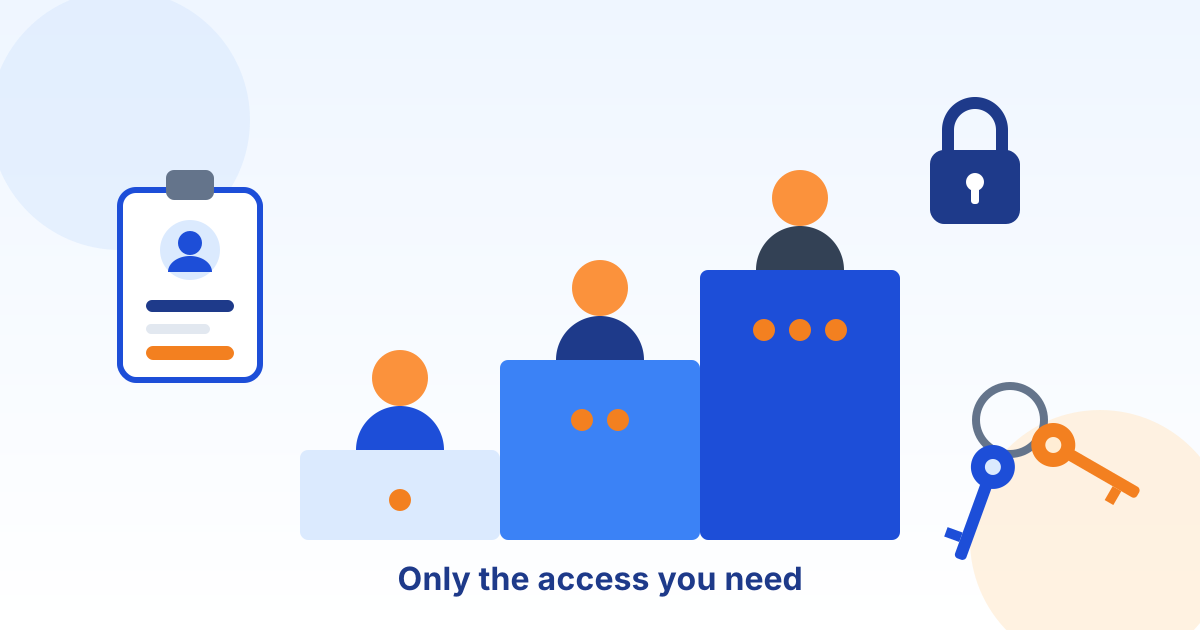
This policy sets how [Company Name] (the "company") grants, protects, reviews, and removes access to its systems and information, so that each person can reach what they need for their job and nothing more, and so that access ends as soon as it is no longer needed.
Framework. The policy follows CIS Critical Security Controls v8.1 Control 5 (Account Management) and Control 6 (Access Control Management). Where a law, contract, or insurance policy sets a stricter requirement, the stricter requirement applies. Have qualified legal counsel review this policy before relying on it.
2. Scope and Definitions
This policy applies to every employee, contractor, temporary worker, vendor, and service account with access to [Company Name] systems or information, including email, cloud applications, business software, networks, devices, and physical spaces that hold company systems or records.
- Least privilege
- Giving each person or system only the access needed to do its job, and no more.
- Privileged (administrator) account
- An account that can change settings, security controls, or other people's access, such as a domain, cloud, firewall, or backup administrator.
- Multi-factor authentication (MFA)
- Signing in with two different kinds of proof, such as a password plus a code from an app, a security key, or a fingerprint.
- Phishing-resistant MFA
- MFA that cannot be relayed through a fake sign-in page, such as FIDO2 security keys and passkeys.
- Service account
- An account used by software or a device rather than a person, for example to run a backup or connect an application to a database.
- Joiner, mover, leaver
- The three moments when access must change: when someone starts, changes roles, and leaves.
3. Roles and Responsibilities
| Role | Responsibilities |
|---|---|
| IT Manager (policy owner) | Maintains this policy, the account inventory, and the access review schedule, approves privileged access, and reports results to leadership. |
| System and information owners | Business managers named for each major system or data set. Decide who should have access and take part in access reviews. |
| Managers | Request access for new and moving staff, approve requests, and confirm in reviews that their team's access is still needed. |
| Human resources | Notifies IT of every start, role change, and departure, before or on the day it happens, and immediately for involuntary departures. |
| IT staff or IT provider | Creates, changes, and disables accounts as approved, enforces MFA and other technical controls, and keeps records. |
| All users | Protect their credentials, never share accounts or approve MFA prompts they did not start, and report suspected misuse. |
4. Access Principles
- Access is granted based on job role and business need, with the least privilege required, and is approved before it is created.
- Every person has their own unique account. Shared and generic accounts are not allowed unless a system cannot support individual accounts and an exception is approved.
- Wherever possible, access is granted through role-based groups rather than to individuals one at a time, so a change of role is a change of group.
- Access to Confidential and regulated information is limited to named roles, and duties are separated where one person could otherwise commit and hide a fraud, such as creating a vendor and paying it.
- Default accounts and passwords on devices and software are disabled or changed before use.
5. Authentication and Multi-Factor Authentication
Multi-factor authentication. MFA is required for every user and administrator account on every system that supports it. Security keys, passkeys, and authenticator apps with number matching are approved. Text message and voice codes are allowed only where nothing stronger is supported. Users must never approve an MFA prompt they did not start, and must report unexpected prompts immediately.
Single sign-on. Cloud applications are connected to the company sign-in system (single sign-on) wherever they support it, so MFA and account removal are enforced in one place. Applications that cannot be connected are listed in the account inventory.
Passwords. Passwords are long (passphrases are encouraged), unique to each system, and never reused between work and personal accounts. They are stored only in a company-approved password manager and are changed immediately if they may have been exposed.
Sessions. Computers and phones lock automatically after no more than 15 minutes of inactivity. Users lock their screens when they step away.
6. Administrator and Privileged Access
Separate accounts. Administrators use a separate privileged account only for administrative work, and a standard account for email, web browsing, and everyday tasks. Privileged accounts are approved by the IT Manager, kept to the smallest practical number, and never used to read email or browse the web.
Stronger sign-in. Privileged accounts must use phishing-resistant MFA, such as FIDO2 security keys or passkeys.
Computer administrator rights. Standard users do not have administrator rights on their computers. IT installs approved software on request, or through a self-service catalog of approved applications.
Emergency accounts. Two emergency ("break-glass") administrator accounts exist for use only when normal sign-in fails. Their credentials are long, unique, and stored securely offline or in a sealed vault, every use triggers an alert and is reviewed, and they are tested at least once a year.
7. New Employees and Contractors (Joiners)
- Human resources or the hiring manager notifies IT of the start date, role, and manager before the person starts.
- Access is requested for the role and approved by the person's manager and the owner of the system or information before it is created.
- IT creates a unique account, enrolls MFA during the first sign-in, and assigns the role's standard groups.
- The new user receives the acceptable use and security policies and completes security awareness training within their first 30 days.
- Contractor and temporary accounts are created with an automatic expiry date no more than 90 days away, renewable on the manager's request.
8. Role Changes (Movers)
When someone changes roles, the new manager requests the access the new role needs, and access the new role does not need is removed at the same time, after any agreed handover period of no more than 30 days. Moving between groups, not adding to them, prevents people from collecting access over the years.
9. Departures (Leavers)
When a person leaves, all of their access is disabled no later than 4 hours after their departure, and at or before the moment they are told of an involuntary departure. Human resources notifies IT before the departure wherever possible. The departure steps are:
- Disable the user account in the company sign-in system and sign out all active sessions, including on phones.
- Disable or remove access to email, cloud applications, remote access, VPN, banking, and any application not connected to single sign-on.
- Remove the person from MFA, building access systems, alarm codes, and shared vaults, and recover badges, keys, and company devices.
- Change shared passwords, door codes, and Wi-Fi keys the person knew, and transfer ownership of their files, mailboxes, and accounts to their manager.
- Remove company data and accounts from any personal device used for work.
- Record the completed steps and keep the record with the personnel file.
10. Access Reviews
System owners and managers review all user, administrator, service, and vendor access at least every three months.
Each review confirms that every account belongs to a current person or approved system, that its access still matches the role, and that terminated users have no remaining access. Access that is no longer needed is removed within five business days, and the review, its findings, and the changes made are recorded.
11. Service, Vendor and Dormant Accounts
Service accounts. Each service account has a named owner, only the rights it needs, a long unique credential stored in an approved vault, and is not used for interactive sign-in. It is listed in the account inventory and reviewed with privileged accounts.
Vendor accounts. Vendors receive individual accounts with MFA, limited to the systems the work requires, enabled only while work is performed where practical, and removed when the work or contract ends.
Dormant accounts. Accounts not used for 45 days are disabled where systems support it, and deleted after a further review if they are not needed.
Remote access. Remote access to company networks requires a company-approved VPN or zero trust access service with MFA. Remote desktop and file sharing services are never exposed directly to the internet.
12. Regulated Information
Access to regulated information follows the rest of this policy and any stricter rule that applies:
- Personal information about employees and customers: access limited to HR, payroll, and staff who need it for their role.
13. Exceptions, Enforcement and Review
Exceptions. A requirement that cannot be met must be requested in writing from the IT Manager, with the business reason, the risk, and the compensating control. Exceptions are approved by the IT Manager, or by the Chief Executive Officer for high-risk exceptions, recorded, and limited to 12 months.
Enforcement. Sharing an account, giving someone else your password or MFA approval, or bypassing an access control may result in loss of access and disciplinary action, up to and including termination, consistent with applicable law.
Policy review. The IT Manager reviews this policy no later than October 2, 2027, and after any incident involving misuse of an account. Changes are approved by the Chief Executive Officer.
14. Acknowledgment
I have read and understand the [Company Name] Access Control and Account Management Policy. I will use only my own accounts, never share my password or approve an MFA prompt I did not start, use administrator accounts only for administrative work, and report suspected misuse of any account immediately.
Name
Job title
Signature
Date
15. Document Control and Revision History
| Field | Value |
|---|---|
| Status | Draft generated from a template. Not in effect until reviewed by your legal counsel and approved and signed below. |
| Document | Access Control and Account Management Policy |
| Organization | [Company Name] |
| Document ID | PDC-ACM-SAMPLE |
| Document version | 1.0 |
| Effective date | October 2, 2026 |
| Next scheduled review | October 2, 2027 |
| Policy owner | IT Manager |
| Approver (title) | Chief Executive Officer |
| Source template | Preferred Data Corporation Access Control Policy template v1.0.1 |
| Template content last reviewed | October 2, 2026 |
Approval. Sign below to approve this document for adoption by [Company Name] after it has been reviewed by your legal counsel. Until it is signed, it is a draft and is not in effect.
Name
Title
Signature
Date
Revision history. Record every change to this policy below. Increase the document version and obtain approval again each time the policy is revised.
| Version | Date | Description of change | Approved by |
|---|---|---|---|
| 1.0 | October 2, 2026 | Draft generated from template v1.0.1; pending legal review and approval | Blank |
| Blank | Blank | Blank | Blank |
| Blank | Blank | Blank | Blank |
16. Template Notice and Legal Disclaimer
This document was generated from a starter template provided by Preferred Data Corporation. It is general information only. It is not legal advice and it is not a substitute for advice from a licensed attorney. Using the template does not create an attorney-client, consulting, or other professional relationship.
Preferred Data Corporation is not a law firm or an insurer. It makes no representation that this document is complete, current, or suitable for any particular organization, industry, jurisdiction, or regulatory requirement. To the fullest extent permitted by law, it is not responsible or liable for any loss or damage arising from the use of this template or of any policy created from it. You are solely responsible for how you adapt, adopt, and enforce it.
Laws, regulations, insurance requirements, and contracts that apply to your organization may require different or additional terms. The facts, deadlines, and legal references in this template were checked against their sources on the date shown as "Template content last reviewed" in Document Control, not on the effective date, and may have changed since. Before you adopt, publish, or rely on this document, and in every case where you have a legal, regulatory, or contractual obligation, have it reviewed by qualified legal counsel.
In an actual security incident or data breach, contact your attorney, your cyber insurer, and law enforcement where appropriate. Do not rely on this template alone to decide whether, when, or how to notify anyone.
If Preferred Data Corporation prepared this document for you as part of its services, your service agreement governs those services. The content of this document is still general information and should be reviewed by your own counsel before you adopt it.
This template is provided "as is", without warranties of any kind, including accuracy, completeness, or fitness for a particular purpose. Links to laws, agencies, and other websites are provided for convenience and may change. Use of this template is also subject to the Website and Free Resources Disclaimer and the Terms of Service at preferreddata.com/legal/disclaimer and preferreddata.com/legal/terms-of-service.
To report an error, contact Preferred Data Corporation at preferreddata.com/contact or (336) 886-3282 and include the Document ID shown in Document Control. Corrections are listed in the template changelog on the template's page at preferreddata.com/policy-templates.