Security Awareness Training Policy
- Document ID
- PDC-SAT-SAMPLE
- Document version
- 1.0
- Template version
- v1.0.1
- Effective date
- October 2, 2026
- Next review
- October 2, 2027
1. Purpose
This policy sets the rules for cybersecurity training at [Company Name] (the "company"). Its goal is simple: everyone who uses company systems should be able to recognize common scams, protect company and customer information, and report anything suspicious quickly, without fear of blame.
Why it matters. Most cyberattacks on businesses of every size depend on a person clicking a link, opening an attachment, sharing a password, or approving a payment. Technology blocks many attacks, but trained people stop the ones that get through and raise the alarm early.
The policy is designed to follow NIST SP 800-50 Rev. 1 and the CISA Cybersecurity Performance Goals, and to support the company in meeting its legal, regulatory, insurance, and contractual obligations. It does not replace those obligations. Where a law, regulation, or contract sets a stricter requirement, the stricter requirement applies.
2. Scope
This policy applies to the following people ("personnel") whenever they have a [Company Name] account or access to company systems or information:
- All employees, full-time and part-time, including managers and executives.
- Contractors and consultants who use company email, systems, or data.
- Temporary and seasonal workers and interns who are given a company account.
Training covers threats that arrive through every channel personnel use for work, including email, text messages, phone calls, video meetings, messaging apps, websites, USB drives, and in-person visitors.
3. Definitions
- Social engineering
- Tricking a person into giving away information, access, or money, usually by pretending to be someone they trust.
- Phishing
- A fake email designed to make the reader click a link, open an attachment, enter a password, or send money or information.
- Smishing and vishing
- Phishing by text message (smishing) or by phone call or voicemail (vishing), including calls that use a cloned or synthetic voice.
- Pretexting
- A made-up story used to build trust before asking for something, such as a caller pretending to be from IT or a vendor.
- Business email compromise (BEC)
- A scam in which a criminal uses a stolen or look-alike email account of an executive, employee, vendor, or customer to request a payment, a change of bank details, or sensitive data.
- Phishing simulation
- A harmless practice message, sent by the company or its provider, that looks like a real scam and is used to teach people to spot and report the real thing.
- Role-based training
- Extra training for people whose jobs carry more risk, such as moving money, managing systems, or approving access.
- Training record
- Evidence of who completed which training and when, and of phishing simulation results, kept so the company can prove its program to insurers, customers, and auditors.
4. Roles and Responsibilities
| Role | Responsibilities |
|---|---|
| Executive sponsor (Chief Executive Officer) | Approves this policy and the time and budget for training, completes training like everyone else, and sets the expectation that reporting a mistake is always welcome. |
| Policy owner (IT Manager) | Owns the training program, chooses and updates content, schedules phishing simulations, tracks completion, manages exceptions, keeps records, and reports results to the Chief Executive Officer every quarter. |
| Program administrator | Training and simulations are delivered by a managed IT or security service provider, using a security awareness training platform. The administrator enrolls new personnel, removes people who leave, sends reminders, and produces completion reports. |
| Managers | Make time for their team to complete training, follow up on overdue training, and support coaching after missed phishing tests. |
| Human resources | Tells the program administrator about every new hire, role change, and departure, and keeps training acknowledgments with personnel records where appropriate. |
| All personnel | Complete assigned training on time, apply it, report suspicious messages and calls, and report their own mistakes immediately. |
5. Training Schedule and Completion
| When | Requirement |
|---|---|
| New personnel | Complete initial security awareness training before they receive access to company email, systems, or data, and acknowledge in writing that they have read the company security policies. |
| All personnel | Complete refresher training through short monthly lessons of a few minutes each, plus a full refresher at least once every 12 months. |
| Role changes | Complete any role-based training for the new role before, or within 30 days of, taking it on. |
| After an incident or new threat | Complete targeted training when the IT Manager assigns it, for example after a real phishing incident, a new scam aimed at the company or its industry, or a change to company systems. |
Deadlines. Assigned training must be completed within 30 days unless a shorter deadline is stated above. Reminders are sent before the deadline.
Overdue training. Training not completed by the deadline is reported to the person's manager. Training more than 30 days overdue is reported to the IT Manager, who may limit the person's access to email and company systems until it is complete. Repeated failure to complete training may be handled under the enforcement section.
Accessibility. Training is offered in formats and languages personnel can understand, with accommodations for disabilities on request. Time spent on required training is work time.
6. Training Topics
Training is kept short, practical, and current. At minimum it covers:
- Recognizing phishing email, text message, phone, and messaging app scams, including messages that appear to come from coworkers, executives, vendors, banks, and delivery companies.
- Business email compromise and payment fraud: never change bank, payroll, or payment details based on an email or text alone, and confirm every change by calling a known number already on file.
- Passwords and multi-factor authentication: using long passphrases and the company password manager, never sharing codes, and refusing unexpected sign-in approval requests.
- Handling company and customer data: what information is sensitive, where it may be stored, and how to share it safely.
- Safe use of devices, Wi-Fi, USB drives, and personal devices for work, and locking screens when away.
- Responsible use of AI tools: never pasting confidential company or customer information into tools the company has not approved.
- Physical security: badges, visitors, and not letting unknown people follow you through a secure door.
- How and where to report a suspicious message, a lost device, or a mistake, including the IT Manager.
Keeping content current. The IT Manager reviews training content at least once a year, and updates it when the company risk assessment, a real incident, or a new kind of scam shows a gap.
7. Role-Based Training
In addition to the training every person completes, people in these roles complete role-based training at least once a year and when they start the role:
| Role | Additional topics |
|---|---|
| Finance, accounting, and payroll | Business email compromise and fake invoices, changes to bank or payroll details, gift card requests, and the rule that every payment change is confirmed by phone at a number already on file. |
| IT administrators and anyone with administrator rights | Protecting privileged accounts, phishing-resistant multi-factor authentication, help desk and password reset scams, safe use of remote access tools, and spotting signs of an intruder. |
| Owners, executives, and their assistants | Targeted "whaling" messages, impersonation of executives to staff, voice and video deepfakes, travel and public Wi-Fi risks, and their role during an incident. |
| Human resources | Fake job applicants and resumes carrying malware, requests for employee tax forms and personal data, and direct deposit change scams. |
8. Phishing Simulations
- Practice phishing messages are sent to all personnel with company email at least once a month, at varied times and with varied difficulty.
- Training covers text message and phone call scams, and simulations include them where the company tools and applicable law allow.
- Simulations must never collect real passwords or personal data, and results are used only to improve training and measure the program.
- Simulations must not use themes that would cause real distress, such as fake layoffs, pay cuts, bonuses, medical results, or emergencies involving family members.
- Only the program administrator and the policy owner see individual results. Managers are told only what they need to support coaching.
After a missed test. A person who clicks a simulated link or enters information receives a short follow-up lesson right away. A person who misses three simulations in 12 months has a supportive conversation with their manager and completes additional training. Simulations are a learning tool: a missed test alone never leads to discipline.
Reporting counts. The most important result of a simulation is how many people report it, and how fast. Reporting rates are tracked and shared, and people who report are thanked.
9. Reporting Suspicious Messages and Mistakes
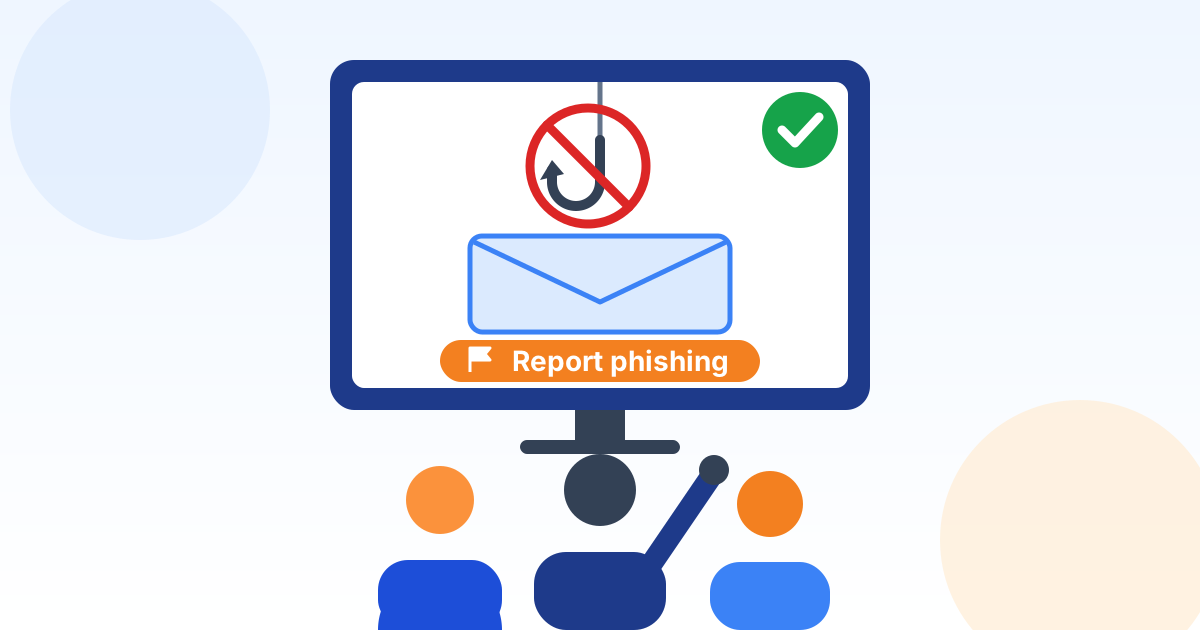
Personnel report suspicious email using the "Report phishing" button in their email program. Suspicious texts, calls, visitors, and anything that cannot be reported with the button are reported to the IT Manager.
- Report right away, even if unsure. A fast report lets IT remove a real phishing email from every inbox before others click.
- If you clicked a link, opened an attachment, entered a password, or approved a sign-in you did not start, report it immediately. Do not try to fix it yourself and do not wait.
- Never confirm a payment, bank change, gift card purchase, or password reset using contact details from the suspicious message. Call a known number already on file.
No-blame reporting. [Company Name] will not discipline anyone for promptly reporting a mistake or a suspected scam, including their own. Hiding or delaying a report is the problem this policy aims to prevent. Suspected real incidents are handled under the company incident response plan.
10. Training Records and Evidence
The program administrator keeps the following records:
- A roster of everyone in scope, with their role and start date.
- For each person: the training assigned, the date completed, and any score.
- Signed or electronic acknowledgments of the company security policies.
- Phishing simulation results: messages sent, clicks, data entered, and reports, by campaign.
- Role-based training completion and any exceptions granted.
- The training content used each year, or a description of it.
Retention. Training records are kept for at least 3 years after the training date, and longer if a law, contract, or legal hold requires it. Records are kept in company-controlled storage, so the company keeps them if it changes training providers.
Using the records. Cyber insurance applications and customer security questionnaires commonly ask about training and phishing tests. The IT Manager answers those questions using these records, so that every answer is accurate and can be proven. An answer the company cannot support with records must not be given.
Measuring results. The IT Manager reports to the Chief Executive Officer every quarter on training completion, overdue training, phishing click and report rates, trends over time, and any recommended changes.
11. Regulated Data Requirements
Because the company handles regulated information, the following additional requirements apply:
Personal information. Training covers what counts as personal information about employees and customers, such as Social Security, driver license, and bank account numbers, how it must be protected, and that a suspected loss must be reported immediately because breach notification laws may apply.
12. Exceptions, Enforcement and Review
Exceptions. Requests for an extension or exception, for example during extended leave, are made to the IT Manager. Extensions are limited to 60 days and recorded. No exception may remove a training requirement set by law or contract.
Enforcement. Repeatedly failing to complete required training, or deliberately ignoring it, may result in loss of system access and disciplinary action, up to and including termination of employment or of a contractor agreement, consistent with applicable law. Missing a phishing simulation is not, by itself, a violation of this policy.
Policy review. The IT Manager reviews this policy no later than October 2, 2027, and sooner after a significant incident, a change in training provider, or a new legal, insurance, or customer requirement.
14. Document Control and Revision History
| Field | Value |
|---|---|
| Status | Draft generated from a template. Not in effect until reviewed by your legal counsel and approved and signed below. |
| Document | Security Awareness Training Policy |
| Organization | [Company Name] |
| Document ID | PDC-SAT-SAMPLE |
| Document version | 1.0 |
| Effective date | October 2, 2026 |
| Next scheduled review | October 2, 2027 |
| Policy owner | IT Manager |
| Approver (title) | Chief Executive Officer |
| Source template | Preferred Data Corporation Security Awareness Training Policy template v1.0.1 |
| Template content last reviewed | October 2, 2026 |
Approval. Sign below to approve this document for adoption by [Company Name] after it has been reviewed by your legal counsel. Until it is signed, it is a draft and is not in effect.
Name
Title
Signature
Date
Revision history. Record every change to this policy below. Increase the document version and obtain approval again each time the policy is revised.
| Version | Date | Description of change | Approved by |
|---|---|---|---|
| 1.0 | October 2, 2026 | Draft generated from template v1.0.1; pending legal review and approval | Blank |
| Blank | Blank | Blank | Blank |
| Blank | Blank | Blank | Blank |
15. Template Notice and Legal Disclaimer
This document was generated from a starter template provided by Preferred Data Corporation. It is general information only. It is not legal advice and it is not a substitute for advice from a licensed attorney. Using the template does not create an attorney-client, consulting, or other professional relationship.
Preferred Data Corporation is not a law firm or an insurer. It makes no representation that this document is complete, current, or suitable for any particular organization, industry, jurisdiction, or regulatory requirement. To the fullest extent permitted by law, it is not responsible or liable for any loss or damage arising from the use of this template or of any policy created from it. You are solely responsible for how you adapt, adopt, and enforce it.
Laws, regulations, insurance requirements, and contracts that apply to your organization may require different or additional terms. The facts, deadlines, and legal references in this template were checked against their sources on the date shown as "Template content last reviewed" in Document Control, not on the effective date, and may have changed since. Before you adopt, publish, or rely on this document, and in every case where you have a legal, regulatory, or contractual obligation, have it reviewed by qualified legal counsel.
In an actual security incident or data breach, contact your attorney, your cyber insurer, and law enforcement where appropriate. Do not rely on this template alone to decide whether, when, or how to notify anyone.
If Preferred Data Corporation prepared this document for you as part of its services, your service agreement governs those services. The content of this document is still general information and should be reviewed by your own counsel before you adopt it.
This template is provided "as is", without warranties of any kind, including accuracy, completeness, or fitness for a particular purpose. Links to laws, agencies, and other websites are provided for convenience and may change. Use of this template is also subject to the Website and Free Resources Disclaimer and the Terms of Service at preferreddata.com/legal/disclaimer and preferreddata.com/legal/terms-of-service.
To report an error, contact Preferred Data Corporation at preferreddata.com/contact or (336) 886-3282 and include the Document ID shown in Document Control. Corrections are listed in the template changelog on the template's page at preferreddata.com/policy-templates.