
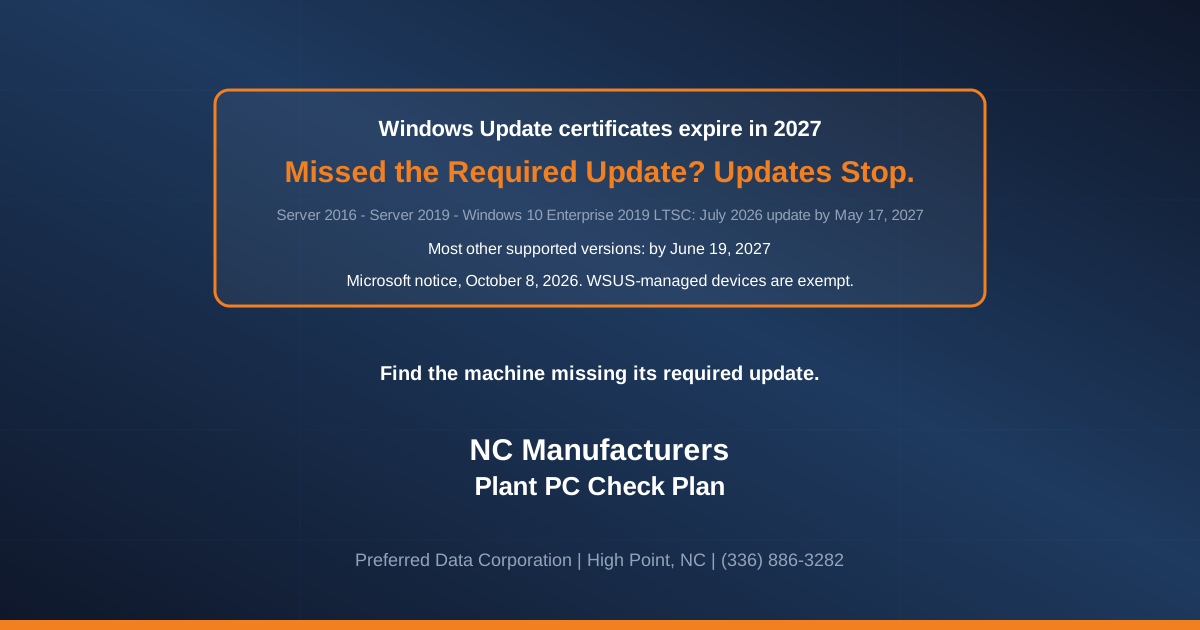
If a PC or server in your plant runs most versions of Windows and has not installed the July 2026 security update or later, it will stop getting updates from Windows Update next spring: on May 17, 2027 for older servers and some locked-down equipment PCs, and on June 19, 2027 for most other machines. (Windows 11 24H2 and 25H2, Windows Server 2025, and machines that get updates through WSUS, are different; see the table and the WSUS section.) Microsoft announced the dates on Thursday, October 8, 2026.
TL;DR: Per Microsoft's Windows release health message center, the certificates Windows uses to trust its own update service expire on those two dates, and devices without the replacements "will lose access to Windows Update after the applicable expiration date." The replacements arrive in ordinary monthly updates. For a North Carolina manufacturer, from the Piedmont Triad to Charlotte, the work is finding the machines where updates quietly stopped.
Does this apply to you? Two things to write down for each machine.
- The version. Press the Windows key, type
winver, press Enter, and write down what the box says.- The newest monthly Windows update. Open Settings, then Windows Update (under Update and Security on Windows 10 and older servers), then the update history. Find the newest monthly update for Windows itself that installed successfully. Its title starts with the year and month it was released, such as "2026-07", followed by "Security Update" or "Cumulative Update" and a KB number. Skip .NET Framework and Microsoft Defender updates, which can look similar or be newer, and skip any entry that failed to install. Write down that title and KB number, not the date it was installed: a machine can install an older update late.
If the newest update was released no earlier than the one the table below lists for that version, and the version will still be supported on its deadline date, Microsoft says most such machines need no action. Older than that, or an empty list, means it needs attention. On an equipment PC you cannot get into, write "unknown" and do not change settings on a machine that runs production.
To have someone else build that list, call (336) 886-3282. Preferred Data Corporation was founded in High Point in 1987, and we come on-site anywhere within 200 miles.
Which machines in a plant are most likely to miss it?
The machines at risk are the ones somebody stopped updating on purpose and then forgot about. In the front office, updates mostly just happen. On the floor of a furniture plant in High Point or a metal fabricator in Burlington, a Windows machine usually stops taking them for one of four reasons:
- A vendor said not to. An equipment builder or software vendor told someone years ago not to install Windows updates on the PC that runs their system, and that person has since moved on.
- A reboot would stop the line or a job. Updates were paused or set to manual on the PC that feeds a machine, or on the server that runs an overnight ERP job, because an unplanned restart once cost a shift.
- The update has been failing. A full disk or a broken update service, and the machine has been retrying and failing for months.
- It is kept off the internet on purpose. A PC isolated for safety, with no other path for updates to reach it.
If someone uses this notice to quote you new desktops for PCs that are already patched and stay supported past their deadline, say no. Microsoft's entry says "most devices running an in-support version of Windows require no action if they are current with monthly Windows updates." Put the money toward machines that are behind or leaving support.
What exactly did Microsoft announce on October 8, 2026?
Most in-support versions of Windows got a deadline for having one particular monthly update installed, because that update carries the replacement certificates. As BleepingComputer reported on October 9, Microsoft added that devices on unsupported versions of Windows "will lose access to Windows Update services and won't receive any updates as a result."
| Windows version | Update needed (or later) | Deadline | Where it usually sits in a plant |
|---|---|---|---|
| Windows Server 2016 | July 2026 security update | May 17, 2027 | The older server in the back room, often the one running file shares or the ERP database |
| Windows Server 2019 | July 2026 security update | May 17, 2027 | The newer server, or a host running a few virtual servers |
| Windows 10 Enterprise 2019 LTSC | July 2026 security update | May 17, 2027 | Locked-down PCs on equipment, inspection or test stations |
| Windows Server 2022, in-support Windows 10, other in-support Windows 11 | July 2026 security update | June 19, 2027 | Office desktops, laptops, newer servers |
| Windows 11 24H2 and Windows Server 2025 | September 2025 security update | June 19, 2027 | PCs bought in the last two years |
| Windows 11 25H2 and later | None | No action | The newest PCs |
| Any other Windows version | Upgrade to a supported version | No date given | Anything nobody has looked at in years |
Versions and dates are as Microsoft lists them in the October 8 entry. The right-hand column is our judgment about where these versions tend to turn up in a manufacturer, not part of Microsoft's notice.
Before you pass any machine, check its version on Microsoft's lifecycle pages: if support ends before its deadline, it belongs in the last row and needs an upgrade, or the machine builder's path, unless Microsoft offers paid Extended Security Updates for that version and the machine is enrolled. Examples as of October 2026: Windows 11 24H2 Home and Pro and Windows 10 Enterprise LTSB 2016 in October 2026, Windows 11 Enterprise and Education 23H2 in November 2026, and Windows 10 Enterprise LTSC 2021 and Windows Server 2016 in January 2027.
Key takeaway: If every machine runs a supported version and your patching reaches it, you are already done. May 17, 2027 is the day you find out whether it does.
Why does May 17, 2027 matter more than June 19?
The earlier date lands on the oldest systems. Windows Server 2016, Windows Server 2019 and Windows 10 Enterprise 2019 LTSC are the versions found on back-room servers and on equipment PCs installed in the late 2010s, which are the machines most likely to have been frozen.
Windows Server 2016 has a second deadline that comes first. Microsoft's Windows Server 2016 lifecycle page lists its extended support ending in January 2027, four months before the certificate date. Unless a 2016 server is enrolled in paid Extended Security Updates for Windows Server 2016, available through Azure Arc, the certificate is the smaller of its two problems; our Windows Server 2016 end-of-support playbook covers the move.
Windows Server 2019 and Windows 10 Enterprise LTSC 2019 have more runway: their lifecycle pages (Server 2019, LTSC 2019) list extended support into January 2029. Those machines are fixable with the updates Microsoft already ships.
If the touchscreen on a machine runs a copy of Windows the builder installed, do not assume it behaves like an office PC. Ask the builder whether it takes Microsoft's monthly updates, and how. Microsoft's entry names Windows 10 Enterprise 2019 LTSC and does not list the IoT Enterprise edition separately, so ask the builder which deadline applies to an IoT unit.
What about Windows 10 PCs that never got Extended Security Updates?
This section is about ordinary Windows 10, version 22H2, not the LTSC editions. LTSC editions run on their own lifecycle; LTSC 2019, for example, is supported into January 2029, so follow the table for those. The exceptions that leave support early are listed under the table.
For ordinary Windows 10, Microsoft's Windows 10 end-of-support notice says security updates ended on October 14, 2025. A PC that is not enrolled in Extended Security Updates therefore cannot have a July 2026 security update, and Microsoft's October 8 path for Windows 10 covers only in-support versions. For "other Windows versions," the instruction is to upgrade to a supported version.
The supported route for a Windows 10 PC that cannot move yet is Extended Security Updates, and Microsoft runs two programs. Which one applies depends on how the PC is managed, not only on its edition. Microsoft's consumer ESU page lists Home, Professional, Pro Education and Workstations editions, but says the consumer program "can't be used in commercial scenarios" and is not offered to devices joined to an Active Directory domain or Microsoft Entra, enrolled in mobile device management, or in kiosk mode. Our consumer ESU guide covers that route.
For PCs managed as company machines, the commercial program "gives customers the option to receive security updates for PCs enrolled in the program." Microsoft lists it for businesses at $61 per device for year one, a price that "doubles every consecutive year, for a maximum of three years," so check which year you would be buying into, and it requires Windows 10 version 22H2. Our Windows 10 ESU planning guide weighs each year's cost against replacing the PC.
A PC outside the program has already gone about a year without security fixes.
Does WSUS change the answer?
Maybe. WSUS (Windows Server Update Services) is an internal update server that some companies use to hand out Windows updates instead of each PC going to Microsoft. If you do not know whether you have one, ask your IT person: "Do our PCs get updates from WSUS?"
Microsoft's entry says: "This change does not apply to devices receiving updates from Windows Server Update Services (WSUS)." Machines on WSUS still have to get their updates approved and installed, so the four reasons above apply to them too. If you do run WSUS, ask your provider whether anything in the longer post Microsoft points to for complete details changes how the WSUS server itself keeps working.
Rather not walk the floor yourself? We will pull the list for you: every Windows machine, its version and its newest monthly Windows update by name and release month, with the May and June 2027 misses marked. Call (336) 886-3282 or contact our team.
What should you do between now and the end of the year?
Do the inventory now, while the deadline is seven months out.
- Make the list. Every Windows machine, with its version and the name of its newest monthly Windows update. Include the servers and the PC in the shipping office, and above all the ones attached to equipment. If you have an IT provider, their patching software can produce this as a report.
- Mark every machine whose newest monthly Windows update predates its table threshold, or whose version leaves support before its deadline (see the note under the table). Work the May 17, 2027 group first (Server 2016, Server 2019, Windows 10 Enterprise 2019 LTSC), then the June 19 group.
- For each machine that is behind, write down which of the four reasons applies. The reason decides the fix.
- For vendor-frozen machines, ask the vendor in writing. Copy this: "Microsoft requires [the update and date from the table for this version] on [machine and serial number], or it loses access to Windows Update. Is that update approved for your system, and if not, what is your supported path?"
- For machines paused to avoid reboots, schedule the reboot in a shutdown you already plan, such as the stretch between Christmas and New Year's if your plant takes it. Ask your IT person how long that machine takes to restart before you pick the window.
- For failing updates, have someone repair the update service or clear the disk on that machine, then confirm the update installs.
- For PCs kept off the internet, ask whoever looks after them how updates reach them, for example from a USB drive or an internal update server. If the answer is that they do not, that PC needs a decision like the Windows 10 ones.
- For ordinary Windows 10 PCs (not LTSC) outside Extended Security Updates, and every machine marked in step 2 because its version leaves support early, choose: enroll in Extended Security Updates where Microsoft offers them, upgrade, replace, or take the machine builder's path. Put a date on each.
- Run the report again in March 2027 to catch anything that slipped back before May.
Short answers for the owner's office
Will my computers stop working on May 17, 2027?
Microsoft's notice is only about access to Windows Update; it says nothing about machines stopping. What it does say is that a machine without the replacement certificates loses access to Windows Update after its deadline, so it gets no new fixes from there.
Do I need to buy anything because of this?
Not for a machine that is current on updates and supported past its deadline. You only spend money on machines that run an unsupported version or cannot take updates, and those were owed a decision already.
Our ERP server runs Windows Server 2016. What is the deadline?
January 2027 comes first, when Microsoft's lifecycle page lists extended support ending, unless the server is enrolled in paid Extended Security Updates. The certificate date, May 17, 2027, comes second.
Does this affect machines that get updates through WSUS?
Microsoft says the change does not apply to them, but they still need their updates approved and installed. The WSUS section above has the questions to ask.
What happens to an ordinary Windows 10 PC without Extended Security Updates?
If it is version 22H2 (not LTSC) and not enrolled in either Extended Security Updates program, it has had no security updates since October 14, 2025, so it cannot meet the July 2026 requirement. Enroll it in the program that fits how it is managed, upgrade it to Windows 11 or replace it, and put a date on whichever you choose.
Related Resources
- Managed IT services for North Carolina businesses: patching and monitoring for every Windows machine, including the ones on the plant floor
- Cybersecurity services: vulnerability management for machines that cannot be patched on a normal schedule
- IT for North Carolina manufacturers: how we work around production schedules
- Hardware procurement: replacing PCs and servers that cannot be brought up to date
- Windows Server 2016 end of support: NC migration playbook
- Windows Secure Boot certificate expiration: what NC businesses needed to do
- Windows 10 cutoff: NC small business playbook
- CISA ICS advisories and plant-floor defense for NC manufacturers
Today: email whoever handles your IT and ask for every Windows machine in the building, its version and the name of its newest monthly Windows update. If nobody can answer within a week, that is the real finding. To have Preferred Data Corporation in High Point build the list instead, call (336) 886-3282 or reach us online.