
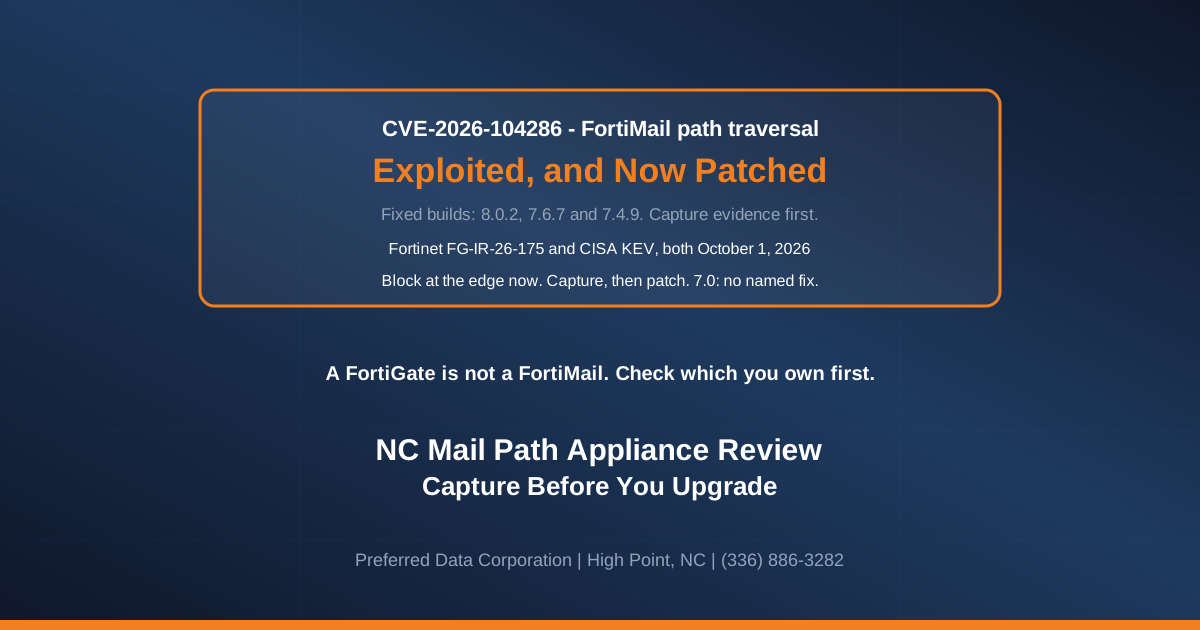
A Fortinet firewall in Greensboro or Charlotte is a FortiGate, a different product. This flaw is in FortiMail, an email-filtering appliance.
TL;DR: CVE-2026-104286 is exploited in the wild, per Fortinet, and on CISA's Known Exploited Vulnerabilities catalog since October 1, 2026. Fortinet's advisory now names 8.0.2, 7.6.7 and 7.4.9 as the fixed builds, and sends 7.2 sites to branch 7.4 or above. Get the evidence off the box before upgrading, because the upgrade can destroy it. Until then, a request-normalizing WAF rule or an edge-firewall block covers the exploit path without touching the box. Three groups cannot simply patch in place: 7.2 sites, which must move branch; 7.0 sites, which have no named fix; and anyone whose review turns up a conclusive indicator.
As of October 23, 2026: Fortinet's advisory, updated October 7, says FortiMail Cloud was fixed on October 5, with no customer action needed. No newer fixed builds are listed. The CVE record, also last updated October 7, still lists "upcoming" builds 8.0.1, 7.6.6, 7.4.8 and 7.2.10.
Do I even have one of these?
- Ask whoever manages your network, in writing: do we have a FortiMail appliance or virtual machine, a FortiMail Cloud tenant, or a FortiMail API integration anywhere?
- Do not let mail routing answer it. Mail going straight to 365 or Workspace proves nothing: FortiMail can connect through their service APIs and scan after delivery.
No FortiMail at all? Skip to "What should a Piedmont Triad business do first?" near the end.
Is there a patch for CVE-2026-104286 now?
Yes. Fortinet's advisory FG-IR-26-175 reads "Upgrade to 8.0.2 or above," "Upgrade to 7.6.7 or above" and "Upgrade to 7.4.9 or above," and lists those builds as not affected. Reports from BleepingComputer on October 1 and Help Net Security on October 2 still described those builds as upcoming. Fortinet rates it 9.8.
| Branch | Affected (advisory) | What to install |
|---|---|---|
| FortiMail 8.0 | 8.0.0 through 8.0.1 | 8.0.2 or above |
| FortiMail 7.6 | 7.6.0 through 7.6.6 | 7.6.7 or above |
| FortiMail 7.4 | 7.4.0 through 7.4.8 | 7.4.9 or above |
| FortiMail 7.2 | 7.2.0 through 7.2.9 | Move off 7.2 to 7.4.9, 7.6.7 or 8.0.2 or later (on 7.6 or 8.0, the fixed build for that branch). Check Fortinet's upgrade path, which may need intermediate builds |
| FortiMail 7.0 | Not listed by the advisory; listed by the CVE record | No fix named. See below |
Fortinet's two records disagree. The CVE record still tells you to upgrade to "upcoming" 8.0.1, 7.6.6, 7.4.8 and 7.2.10, the first three of which the advisory itself counts as affected, and its version data lists 7.0.0 through 7.0.9 as affected where the advisory lists no 7.0 at all. Its description says 7.6.0 to 7.6.6 and 7.4.0 to 7.4.8; its version data stops at 7.6.5 and 7.4.6. Treat it as a reason to ask:
- On 7.0.x, treat yourself as affected unless Fortinet says otherwise in writing. The advisory names no 7.0 fix, so move to a fixed build on another branch.
- On 7.2.x, do not wait for the 7.2.10 the CVE record mentions. The advisory does not name it; its remedy for 7.2 is branch 7.4 or above, meaning a fixed build per the table.
Want to know whether this touches you? Our cybersecurity and network teams can tell you in one conversation. (336) 886-3282, or send us what you are running.
Which workaround should we use until the upgrade?
Workarounds hold until the fixed build is on and nothing is left open, and are the only option while you stay on 7.0. The advisory gives three:
- Disable the IBE feature, in the GUI or the CLI. It is listed first; you lose the feature.
- Stop the FortiMail webmail interface being reachable from the internet, or limit it to trusted private networks. Locking down only the admin interface leaves the IBE portal on the internet. BleepingComputer and Help Net Security both say management interface here; follow the advisory's webmail wording, which is where IBE lives.
- If a web application firewall sits in front of the appliance, block POST requests to
/ibethat contain../.
Only the WAF rule costs no functionality, and the advisory offers it as a standalone alternative: with it in place, IBE can stay on. It is a string match, not a fix, so it holds only if your WAF normalizes requests before matching.
Identity-Based Encryption lets an outside recipient open a secure message with no certificate or special software: they follow a link, register on your FortiMail and read it there. Restricting webmail or disabling IBE cuts them off, so ask accounting and HR first.
What is the order of operations for a North Carolina site now a patch exists?
Evidence first, then the appliance: an upgrade applied first can erase the record of who came through. CISA's KEV entry carries a federal due date of October 4, 2026, now passed, and a forensic-triage requirement. Binding Operational Directive 26-04, which binds federal civilian agencies only, requires "a forensic triage of the asset," and its implementation guidance says: "Do not alter or remediate systems prior to evidence/artifact collection when possible," collect evidence before patching "as patching may jeopardize the availability of artifacts," and "Premature containment can destroy vital evidence."
The procedure, in order:
- Test exposure from outside. From outside your network (a phone on cell data is a quick first check), see whether the admin page, the webmail page and the IBE link your recipients use answer. Have the firewall owner confirm what is published too.
- Call for acquisition now. Ask Fortinet support or an incident response firm whether they can image the appliance's memory and filesystem. The answer decides steps 4 and 5. If one can, they set the order and nobody logs in until they say so. If nobody can within a day, carry on without one and keep looking.
- Block the exploit path at the edge, now. Put up the WAF rule, or with no WAF, block the webmail and IBE pages from the internet at your edge firewall (that cuts off IBE recipients). Neither touches the box, so do not wait for a responder, unless one already engaged asks you to hold it until their image (failing requests can tip off an attacker). Blocking before the capture is our judgement, against CISA's warning on premature containment: a block outside the box changes nothing on it, and an exploited 9.8 flaw left open is the bigger risk.
- Take what an administrator can take, after the image if a responder is acquiring it, or at the point they tell you to: the configuration backup, the policy and content-profile export, the exact firmware build string, and every log the appliance will still give you. Logging in and exporting change the box too.
- Then change the box, if the exploit path is still open. If a WAF that normalizes requests is blocking the
/ibepattern, or step 1 or the step 3 edge block shows the webmail and IBE pages unreachable from the internet, the path is covered: IBE can stay on, so skip to step 6. Otherwise, if imaging is happening, let it finish before you restrict the webmail interface or disable IBE; if nobody can image it, do one of those the same day and accept the evidence cost. - Review the copies, not the live box, plus your firewall and proxy logs, for the indicators in the next section.
- Decide on the result. A conclusive indicator means contain it now: at the firewall, block all inbound internet access to the appliance's admin, webmail and IBE pages, and limit its outbound traffic to SMTP mail delivery and the DNS it needs (plus LDAP if it checks recipients against a directory), blocking the rest; block the two listed IPs on every port, SMTP included, and any host named in an archive configuration nobody recognizes, until the responder decides, or take it off the internet entirely if they say so. Keep log forwarding to syslog or FortiAnalyzer open. This pauses API-mode scanning and FortiGuard lookups. This containment is our advice: the advisory ties only
79.141.169.187to the archive and prescribes no outbound or IP blocking. Keep it powered on for imaging. Hand it to a responder, not a patch. Nothing conclusive: that is not an all-clear, so get the box imaged before the upgrade wherever anyone can, and hand over what you could not check (file checks, the cron indicator if debug logging was off, and any period your firewall logs miss). With no responder available at all, patch rather than sit exposed, and write down that the evidence was spent. - Rotate what the appliance holds, from a clean machine, whenever an indicator was conclusive or could not be checked: admin passwords, the LDAP bind account, SMTP relay credentials, IBE keys and, for API mode, the 365 or Workspace app secret. Conclusive and contained: revoke the off-box credentials (bind account, relay login, app secret) at their source as soon as the responder agrees (this ends step 7's LDAP allowance); recipient lookups, relayed outbound mail and API scanning then stop until the box is rebuilt or cleared, so warn users that mail may be delayed or rejected, depending on configuration. Nothing conclusive, some checks not run: do this and step 9 in one maintenance window: revoke and reissue the off-box credentials, install the fixed build, then enter the new credentials and change the admin passwords and IBE keys straight after. Either way, a surviving implant could capture the new credentials; a responder's sign-off or a rebuild is the full answer. All of this is our advice; the advisory does not mention credentials.
- Install the fixed build if nothing conclusive turned up, in the same window as step 8 where it applies. The workarounds (WAF rule, edge block, or changes to the box) come off only once nothing is left open: every indicator checked, or Fortinet or an IR firm signing off in writing the ones that could not be. Until then they stay on, including after the upgrade; with no responder available, that means keeping them on until you have one. After a conclusive hit, the box stays contained per step 7 and the responder decides when it is upgraded and released.
Run steps 2 to 9 if the appliance has ever faced the internet on an affected build, even if nothing answers today. Keep capture-to-step-5 to hours.
Never restore the configuration backup blind: it can carry the attacker's archive account and the credentials step 8 just rotated.
Which indicators actually matter?
Five indicators are conclusive, in our judgement (Fortinet does not rank them): any one means the containment in step 7 and a hand-off to a responder.
Conclusive:
- An archive account named
archive234, added from the CLI, with remote IP79.141.169.187, matching remote username and remote directory/uploads. It is a config event, so it shows in the export from step 4 if the account still exists, and in the config log only if your logs reach back that far. - A cron system event matching Fortinet's pattern
(root) CMD (/bin/sh -c 'O=/migadmin. Match the full pattern, not a bare/migadmin. Fortinet lists the event at debug priority, so a box that was not logging at debug would never have recorded it. - A file match. Four files were reported as added on compromised units, so their presence is the indicator:
/data/etc/ld.so.preload,/data/lib/liblog.so,/data/bin/webconsole,/data/bin/mailservice. Three were reported as modified:/bin/smit,/data/etc/httpd.conf,/data/migadmin.tar.gz. Those exist on a healthy unit too, so only a SHA-256 match against the published hash is conclusive for them. The file and hash list comes from BleepingComputer's October 1 report of Fortinet's indicators; Fortinet's current machine-readable copy of the advisory lists the IPs and log lines but no file table, so confirm the hashes with Fortinet before relying on them. - An outbound connection started by the appliance to
79.141.169.187, in firewall or proxy logs. That address is thearchive234account's destination, so the appliance reaching it is the attacker's archive in use. - Any archive configuration pointing at a remote host nobody configured. This one is our inference from the
archive234entry, not an indicator Fortinet lists.
Not conclusive on their own:
- An admin logout with no interface attached:
user=admin ui=(null) action=logout status=success reason=unknown. - An IBE decrypter exception reading
Invalid Base64 Encoding at pos 0. Character=0x2a. - The line
Internal user *@domain.tld failed to log in. - Inbound traffic from
79.141.169.187, and traffic in either direction with45.129.0.192, the other IP Fortinet lists. Only an outbound connection to the first is conclusive, above.
A hit is a reason to look harder at the conclusive five, not to shut a High Point plant's mail gateway down.
A negative is not symmetrical with a positive, and you cannot clear this appliance from its admin interface. The file checks need filesystem access, which imaging gives. The cron entry only exists if the box was logging at debug, and imaging cannot recover a line never written, so that one goes to Fortinet or an IR firm as a risk judgment.
Fortinet's advisory does not say what a firmware upgrade removes, and six of the seven files sit under /data, so patching is not eradication until Fortinet or a responder says otherwise.
What if a vendor runs the appliance for us?
You still own the risk. Ask for the build number and date; fixed builds have existed since early October. Ask, in writing, who checked the files and hashes and when, whether debug logging was on, whether credentials were rotated, and who carries the residual risk. "We captured, found nothing, and patched" is not enough without what was imaged first and who signed off the rest.
What should a Piedmont Triad business do first?
If you have one, start at step 1 above: it costs nothing and changes nothing. If not, list what your mail crosses, with firmware versions, for the next advisory. Keeping that list current is what managed IT is for. Preferred Data Corporation is headquartered in High Point, NC, works on site within 200 miles, and supports clients remotely across the US and around the world. (336) 886-3282.
Frequently Asked Questions
We are on 7.2. Is moving to 7.4 the fix?
Yes, if the destination is a fixed build: 7.4.9 or later on 7.4, or if you go further, 7.6.7 or later on 7.6 or 8.0.2 or later on 8.0. Do not plan around the upcoming 7.2.10 the CVE record mentions unless Fortinet confirms it in writing; the advisory does not name it.
Can we just leave IBE switched off for good?
If nobody can name a secure message sent through it this year, leaving it off is reasonable. If accounting or HR depend on it, the WAF rule is the only workaround that keeps it working, and only if your WAF normalizes requests before matching.
Do we still need a workaround if the upgrade is booked?
Yes, and after the upgrade until step 9 clears every indicator: the WAF rule (or edge-firewall block) at once, unless an engaged responder asks you to hold it; the two changes to the box only after the capture, and only if neither of those covers the exploit path (step 5). Rotating credentials (step 8) is separate.
Does this affect our FortiGate firewall?
No. This is a FortiMail flaw, and FortiGate is a different product.
Does FortiMail Cloud need anything from us?
Not for this flaw: Fortinet says it updated FortiMail Cloud to 7.6.7 or 8.0.2 on October 5 and Cloud customers need not act. Appliances and virtual machines you run are not covered.
Related Resources
- One Email Got Root: What NC Plants Should Ask Monday.
- Apple Zero-Day CVE-2026-86950: NC Mac and iPhone Fix Plan, which covers the KEV catalog and BOD 26-04 in full.
- CISA KEV July 27: VeloCloud and FortiOS edge defense, the wider edge-appliance pattern.
- Exchange CVE-2026-62911: NC Email Server Fire Drill.