
Email Domain Security Checker
Type your company domain and see, in plain English, whether criminals can send email that looks like it came from you, and whether you meet the email rules Google and Yahoo started enforcing in 2024.
The part after the @ in your work email address. We only read public records; nothing is sent to your mail server.
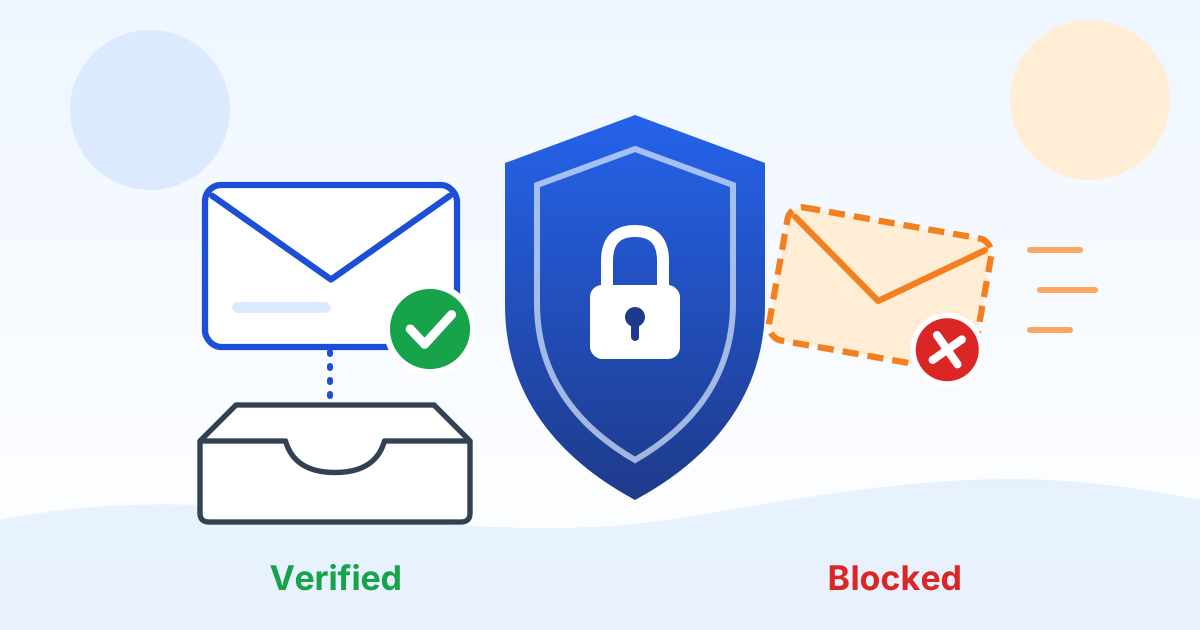
What does this email security check look at?
It reads the public DNS records that tell the world's mail servers how to treat email claiming to be from your domain. Anyone can look these up; nothing is sent to your mail server and nothing is changed.
| Record | What it does | What good looks like |
|---|---|---|
| SPF | A list of the services allowed to send email as your domain (RFC 7208). | Exactly one record, ending in "-all" or "~all", using no more than 10 DNS lookups. |
| DKIM | A digital signature your email service adds to every message, checked against a key you publish. | A key published for each service that sends your mail. We test common names only (see the FAQ). |
| DMARC | Tells receivers what to do with mail that fails SPF and DKIM, and where to send reports (RFC 9989). | "p=quarantine" or "p=reject", with a "rua=" report address. |
| MX | Lists the servers that receive your email. It also tells us who hosts it (for example Microsoft 365). | Present if the domain receives email. |
| MTA-STS and BIMI | Optional extras: MTA-STS makes other servers use encryption when they deliver to you (RFC 8461); BIMI can show your logo next to your messages. | Nice to have, not required. They do not change your grade. |
What are the Google and Yahoo email sender rules?
Since February 2024, Gmail and Yahoo require every sender to authenticate with SPF or DKIM and keep reported spam below 0.3%. Bulk senders must also publish SPF, DKIM and a DMARC record (p=none is the minimum), align the From address, and offer one-click unsubscribe (Google, Yahoo).
| Requirement | All senders | Bulk senders |
|---|---|---|
| SPF and DKIM | SPF or DKIM | Both SPF and DKIM |
| DMARC | Not required | Required, p=none at minimum |
| From address aligned with SPF or DKIM | Not required | Required |
| One-click unsubscribe on marketing mail | Not required | Required |
| Reported spam rate | Below 0.3% | Below 0.3% |
| Valid forward and reverse DNS for sending servers | Required | Required |
Google defines a bulk sender as anyone sending close to 5,000 messages or more to personal Gmail accounts in 24 hours, and says that status never expires once reached. Starting November 2025, Google said messages that fail the requirements will see disruptions, including temporary and permanent rejections (Google bulk sender FAQ).
This tool can see the DNS part of those rules. It cannot see your spam rate, your unsubscribe links, your sending servers' reverse DNS, or whether your From address lines up with SPF or DKIM. Ask whoever sends your marketing and invoice email to confirm those.
Why does fake email in my name matter to a small business?
Because fake email is how most payment fraud starts. The FBI's 2025 Internet Crime Report counted 24,768 business email compromise complaints with $3,046,598,558 in reported losses, plus 191,561 phishing and spoofing complaints.
Business email compromise is when a criminal pretends to be you, your boss or your vendor and asks for a wire, a gift card or a change of bank details. Without DMARC at "quarantine" or "reject", a criminal can put your exact domain in the From line and many inboxes will accept it.
DMARC protects your exact domain only. It does not stop a look-alike domain (acme-co.com instead of acme.com) or a real mailbox that has been broken into. That is why a written rule to verify every payment change by phone matters as much as these records. Our cybersecurity services cover both.
Key takeaway: Strong SPF, DKIM and DMARC stop criminals from using your exact domain. A call-back rule for payment changes stops the rest.
How do I move from p=none to p=reject without blocking real email?
Go in stages and let the reports guide you. Microsoft's own guidance is to start at p=none, watch the reports, then move to p=quarantine and finally p=reject (Microsoft Learn).
- Step 1: publish DMARC at "p=none" with a "rua=" address so reports start arriving.
- Step 2: read the reports and list every service that sends email as you: your email host, invoicing, payroll, your CRM, your website forms, your copier.
- Step 3: add each legitimate service to SPF or, better, turn on DKIM signing in that service.
- Step 4: move to "p=quarantine", keep watching the reports, then move to "p=reject".
- For a domain you own but never send email from, Microsoft recommends "v=spf1 -all" and "v=DMARC1; p=reject" (SPF guidance).
What does my grade mean?
The grade looks only at the two records that stop fake email using your exact domain: SPF and DMARC. DKIM is reported but cannot lower the grade, because we cannot see every DKIM key without knowing its name.
| Grade | What it means |
|---|---|
| A | SPF is clean and DMARC is at quarantine or reject for all mail, with reports going to someone. |
| B | DMARC is enforcing, but something needs tidying (no reports, a partial "pct", a weak SPF ending). |
| C | SPF and DMARC exist, but DMARC is at "p=none", which only watches. |
| D | SPF or DMARC is missing or broken. |
| F | Neither SPF nor DMARC is working. |
Keep reading
Frequently asked questions
Is it safe to check my domain here?
Yes. The check only reads public DNS records that anyone on the internet can see, and it never contacts your mail server. The lookups go from your browser to Cloudflare's public DNS service, with Google Public DNS as a backup. The domain you type is not sent to Preferred Data unless you choose to email yourself the results.
Why does it say DKIM is "not confirmed" when we have DKIM?
A DKIM key is published under a name (a "selector") that your email service chooses, and there is no way to list them all. We test the common ones: "google" for Google Workspace (Google), "selector1" and "selector2" for Microsoft 365 (Microsoft), plus "default" and "k1". If yours uses another name, look for "s=" in the DKIM-Signature header of an email you sent.
Does an A grade mean we cannot be phished?
No. An A means criminals cannot easily send email using your exact domain. They can still register a look-alike domain or break into a real mailbox. Pair strong records with multi-factor authentication (a second check like a code on your phone), staff training and a call-back rule for any payment change.
Do the Google and Yahoo rules apply if we send fewer than 5,000 emails a day?
Part of them do. Every sender needs SPF or DKIM and a spam rate below 0.3% (Google). The stricter bulk rules (SPF, DKIM and DMARC together) kick in near 5,000 messages a day to Gmail, and a newsletter or a busy invoicing day can get you there. Setting up all three is good practice either way.
Why can't the check run in my browser?
Some ad blockers, privacy browsers and company firewalls block the public DNS service the check uses. Try pausing the blocker for this page or another network. Or call us at (336) 886-3282 and we will run the check with you.
Who should fix the records if something is wrong?
Whoever manages your domain's DNS, usually your IT provider or the company where you bought the domain. Use "Show the technical record" in each result to give them exactly what we found. If DMARC is new to you, go in stages so real email keeps flowing.
Sources
- Google: Email sender guidelines
- Google: Email sender guidelines FAQ (bulk senders, enforcement timeline)
- Yahoo Sender Hub: Sender best practices
- FBI IC3: 2025 Internet Crime Report
- RFC 7208: Sender Policy Framework (SPF)
- RFC 9989: Domain-based Message Authentication, Reporting, and Conformance (DMARC), May 2026
- RFC 8461: SMTP MTA Strict Transport Security (MTA-STS)
- Microsoft Learn: Set up DMARC
- Microsoft Learn: Set up SPF
- Microsoft Learn: Set up DKIM
- Google Workspace Admin Help: Set up DKIM
- BIMI Group: FAQs for senders
- Cloudflare: DNS over HTTPS JSON API
- Google Public DNS: JSON API for DNS over HTTPS
Related free resources
 Policy templatePassword and MFA PolicyModern password and MFA rules based on current NIST SP 800-63B guidance: long passphrases, a password manager, no forced resets, and phishing-resistant MFA where it matters.
 Policy templateWire Transfer Verification PolicyStop fake invoices and email payment fraud with simple rules: call back on a known number before any bank change, two approvers for large payments, and no payment changes by email alone.
 Policy templateSecurity Awareness Training PolicyDecide who gets cybersecurity training, when, how phishing tests work, and which training records you keep for insurers and customer questionnaires.
 Policy templateIncident Response PlaybooksStep-by-step playbooks for email account takeover, vendor or IT provider compromise, insider data theft, malware, misdirected data and website attacks, built to work with your incident response plan.
 Policy templateTabletop Exercise PlanRehearse your incident response plan in a two-hour guided discussion: ready-made ransomware, wire fraud and account takeover scenarios with timed injects, a scoring sheet and an after-action report.
 ReportNorth Carolina Small Business Cyber Risk Report 2026The latest FBI and NC Department of Justice numbers on cybercrime in North Carolina, what they mean for a small business, and seven practical steps.
Want us to fix your email records with you?
Preferred Data has helped businesses with their technology from High Point, NC since 1987. We can find every service that sends email for you, set up SPF, DKIM and DMARC, and move you to "reject" without losing real email.