
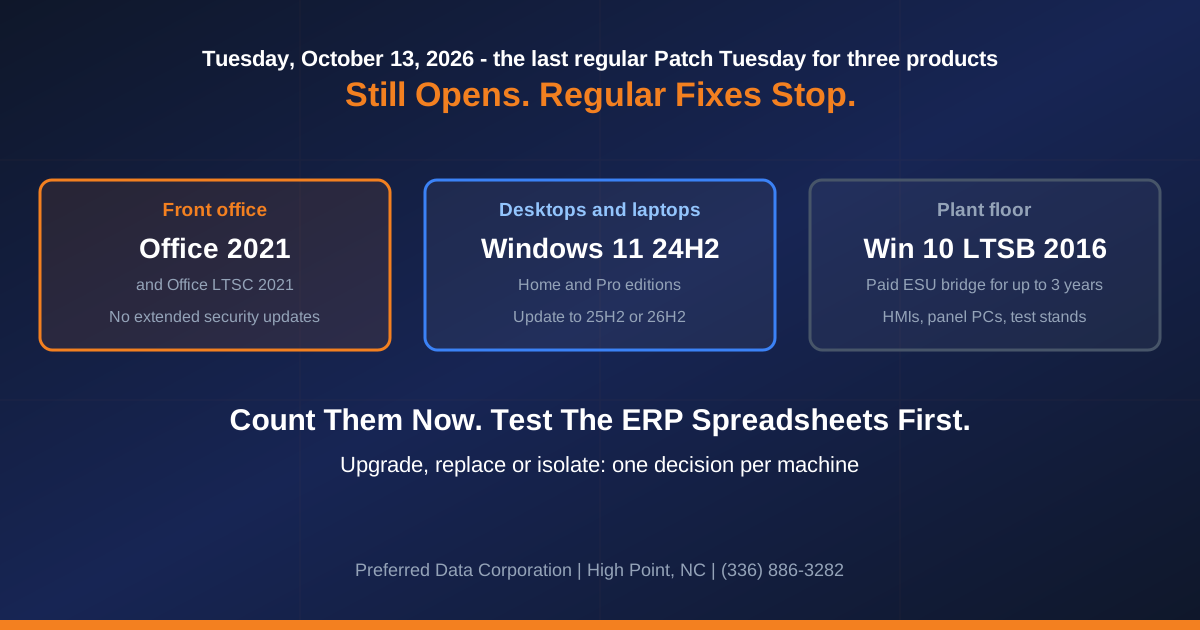
On Tuesday, October 13, 2026, Microsoft ships its last regular monthly security fixes for three pieces of software. Office 2021 (Home and Business, Home and Student, Professional). The 2024 release of Windows 11 (version 24H2) on Home and Pro editions. And Windows 10 LTSB 2016, the long-term Windows edition Microsoft designs for specialized devices. None of the three stops working the day after, so nobody in the building will notice, and unless you act, those PCs will keep running with no security fixes. Only LTSB 2016 has a paid extension, covered below.
Update, October 21, 2026: October 13 has passed. Office 2021, Windows 11 24H2 Home and Pro, and Windows 10 LTSB 2016 no longer receive regular security fixes, so every step below now applies to PCs that are already unpatched.
TL;DR: Microsoft's Office 2021 end-of-support notice says security fixes stop on October 13, 2026, with "no extension and no extended security updates." The same day, per Microsoft's Windows release health message center, Windows 11 24H2 Home and Pro and Windows 10 Enterprise LTSB 2016 "reach end of updates." For a manufacturer, that means counting the affected PCs now and testing the Excel and Access files that pull from the ERP before anything gets upgraded. Then decide machine by machine.
Does this apply to you? Three checks per PC.
- Office: open Excel, click File, then Account. A product name ending in "2021" means yes. If it shows "Microsoft 365" rather than a year, the Office part does not apply.
- Front-office desktops and laptops: press the Windows key, type
winver, press Enter. "Version 24H2" on a Home or any Pro edition, including Pro for Workstations (Settings, System, About shows the edition), means yes. 25H2 or 26H2 means no.- Machine screens: on an HMI or panel PC,
winvershowing version 1607 and "2016 LTSB" (Enterprise or IoT Enterprise) means yes. This one is the hardest to fix.If an outside IT provider manages your PCs, ask whether their management tool can pull all three answers for every machine at once. Ask them for that list today.
To hand someone the list instead, call (336) 886-3282 and we will get you on the schedule. Preferred Data Corporation has served North Carolina businesses from High Point since 1987, and we come on-site anywhere within 200 miles.
What actually ends on October 13, 2026?
Each ends differently: Office 2021 has no paid extension. Windows 11 24H2 Home and Pro has an update to a newer version. Windows 10 LTSB 2016 ends after ten years.
| Product | Supported since | Last fix | What Microsoft offers next | Where it sits in a plant |
|---|---|---|---|---|
| Office 2021 (Home and Business, Professional, Home and Student) | October 5, 2021 | October 13, 2026 | Nothing paid. Move to Microsoft 365 or a newer Office | Front office, purchasing, shipping, the controller |
| Office LTSC 2021 (Standard and Professional Plus) | September 16, 2021 | October 13, 2026 | Office LTSC 2024, supported to October 2029 | Desktops under a company-wide Microsoft license agreement |
| Windows 11 24H2 Home and Pro (including Pro Education and Pro for Workstations) | October 1, 2024 | October 13, 2026 | Update to 25H2 or 26H2 | PCs bought during the Windows 10 changeover |
| Windows 10 Enterprise LTSB 2016 and IoT Enterprise LTSB 2016 | August 2, 2016 | October 13, 2026 | Windows 11 Enterprise or IoT Enterprise LTSC 2024; paid security updates for up to three years (IoT only through the device manufacturer) | Machine screens, panel PCs, test stands, vision stations |
Dates are from Microsoft's lifecycle pages for Office 2021, Office LTSC 2021 (with its end-of-support announcement and the Office LTSC 2021 overview, which names the Standard and Professional Plus editions), Windows 11 Home and Pro and Windows 10 IoT Enterprise LTSB 2016. Enterprise and Education editions of Windows 11 24H2 keep getting updates until October 12, 2027, so the Windows part of this is a Home and Pro problem.
Key takeaway: After October 13 these products still run but get no more regular security fixes; only LTSB 2016 can buy more, through paid Extended Security Updates. You will not notice until Microsoft announces a flaw your PCs will never be patched for.
What about the machine screens on the plant floor?
Start here, because it is the slowest to fix. LTSB 2016 was built for equipment meant to run unchanged for ten years, and it shipped in August 2016. Both the Enterprise LTSB 2016 lifecycle page and the IoT edition end on October 13, 2026.
Microsoft's September 14 reminder recommends Windows 11 Enterprise LTSC 2024, and says Extended Security Updates "are also available for organizations that need additional time." Microsoft's planning post for Windows 10 2016 LTSB end of support calls those updates "a temporary bridge," offered for up to three years at a price that doubles each year. For the IoT edition, they are "only available through IoT original equipment Manufacturers," and Microsoft says to "contact your device manufacturer." Microsoft's upgrade target is Windows 11 IoT Enterprise LTSC 2024, or Windows 10 IoT Enterprise LTSC 2021 on hardware that cannot run Windows 11.
On an HMI or CNC front end, talk to the builder before anyone changes Windows. For each machine screen on LTSB 2016, work all four of these:
- Ask the machine builder for their supported path, in writing. Copy this: "Microsoft ends updates for Windows 10 LTSB 2016 on October 13, 2026. For [machine, serial number], what is your supported upgrade path, do you sell Extended Security Updates for it or support a Windows 11 IoT Enterprise LTSC 2024 image, and when can it be done? Please reply in writing."
- Ask what the paid security updates cost for the count you have. For the IoT edition, only the device manufacturer (the IoT OEM) sells them.
- Wall it off now. Put the machine on its own network with no internet access and no access to office file shares, and let through only what it needs to run. This is what OT network segmentation is for.
- Write it down. Cyber insurance forms can ask about this: Beazley's cyber insurance questionnaire has you confirm no end-of-life software or operating system is exposed to the internet. "Two HMIs, walled off, builder upgrade quoted for Q2" gives an underwriter something to work with.
We serve manufacturers across the Piedmont Triad, from Thomasville to Burlington, and we can start a walk-through with the machine screens. Call (336) 886-3282 to book one.
Does Office 2021 stop working after October 13?
No. Microsoft says the apps "may continue to function." Microsoft stops security fixes, bug fixes and updates, and ends phone and chat support. Unlike Windows 10, heise online notes, there is no paid program for more years.
Microsoft's page on Office versions and connectivity to Microsoft 365 services, updated September 28, lists Office LTSC 2021 as supported for connecting to Microsoft-hosted email, SharePoint and OneDrive until October 13, 2026. Retail Office 2021 is not on that list. After the cutoff, Microsoft says older versions "might still be able to connect" but may hit "unexpected performance or reliability issues." In plain terms: Outlook might keep sending and receiving, but Microsoft no longer promises it will.
Any Office 2016 or 2019 still in the building reached end of support on October 14, 2025, a year ago.
Staying on Office 2021 was a reasonable call in 2021. It put the cost off for five years, and now it is due, in the same week as two other Microsoft deadlines. If you move to Office 2024, put October 2029 on the calendar today, because that is when Office 2024 support ends.
Which of your Windows 11 PCs lose updates?
Only the ones still on 24H2, and only on Home or a Pro edition (Pro Education and Pro for Workstations included). A Windows 11 PC that has been taking Windows' big yearly update may already be on 25H2, which Microsoft supports for Home and Pro until October 12, 2027. Version 26H2 began a gradual, opt-in-first rollout on September 29, 2026.
If someone pinned your PCs to version 24H2 to protect the ERP, review that setting now. Microsoft's 30-day reminder recommends moving to 25H2 to keep getting monthly security fixes. Microsoft's update policy reference says a target-version setting keeps devices on the named version "until they reach end of service or reconfigure the policy," so the safe move is to point it at 25H2 yourself rather than wait to see what it does.
Microsoft delivers 25H2 to 24H2 PCs as a small enablement package. Test it on one PC running the ERP client first.
What breaks when you move off Office 2021?
Test the Excel workbooks and Access databases that pull from your ERP first, along with any Outlook add-in or program that sends mail through Outlook. In North Carolina manufacturing and furniture shops, the order backlog and inventory valuation can live in a workbook that reads straight from the ERP, or an old Access program.
When those fail after an upgrade, one possible cause is that the new Office is 64-bit and the old one was 32-bit. When they do not match, the report says it cannot find the data. The ERP is fine. The new Excel is looking in the other drawer.
For your IT person: Microsoft's guidance on 64-bit or 32-bit Office says 64-bit "is automatically installed unless you explicitly select the 32-bit version," and lists reasons to stay on 32-bit, including COM add-ins with no 64-bit alternative, 32-bit Access
.mdeand.accdefiles, and VBADeclarestatements. Windows also keeps separate 32-bit and 64-bit ODBC administrators: system DSNs are split by bitness, and a user DSN on a 32-bit-only driver shows up in 64-bit Excel but fails with "Data source name not found and no default driver specified." The fix is 32-bit Microsoft 365 Apps on the PCs that run those files, or a 64-bit driver and a rebuilt DSN.
PDC builds and supports custom software for manufacturers through the PDC Software Suite, and we would much rather find this on a Tuesday than at month-end close.
Should you buy Office 2024 or move to Microsoft 365?
For most of the office, Microsoft 365, the subscription version, because it is the only one Microsoft supports with its hosted email and files with no end date. The connectivity page lists Microsoft 365 Apps as supported "as long as you're using a supported version," against a fixed date for each Office LTSC release on that page.
| Situation | Better fit | Why |
|---|---|---|
| Staff who use Outlook, Teams, OneDrive or SharePoint every day | Microsoft 365 Apps | No fixed end date for supported connection to Microsoft's services |
| A PC with no email and no cloud files, such as a CAM programming station or a quality lab PC | Office LTSC 2024, bought through a Microsoft licensing partner | Does not depend on Microsoft 365 services; supported to October 2029 |
| A PC running a 32-bit ERP add-in or Access database | Either, installed as 32-bit | Bitness matters more than the license |
| A machine you plan to retire before 2027 | Wall off and replace on schedule | No point licensing a box with months left |
Test the ERP-connected files first, then pick the license.
What do you do first?
A provider with a remote management tool can help with checks 1 and 2. Checks 3 to 5 take a person asking questions.
- Office version on every PC. File, Account. Any product name ending in 2021, including "LTSC Standard 2021" or "LTSC Professional Plus 2021," goes on the list.
- Windows version and edition on every PC. Flag 24H2 on Home or any Pro edition, and anything showing 1607 and 2016 LTSB.
- Which PCs run ERP-connected spreadsheets or Access files. Ask the controller, purchasing and shipping.
- Who pinned PCs to a Windows version, and get that setting reviewed now.
- One email per machine builder for every LTSB 2016 screen, using the wording above.
Where the money goes: Office may mean new licenses, depending on what your agreement already covers, and the count depends on the model: Microsoft 365 Apps is licensed per user, up to five desktops each, with separate modes for shared shop-floor PCs. Each LTSB machine screen means a builder upgrade quote or paid security updates. The rest is labor.
Next: move Windows 11 PCs to 25H2 once the ERP client works on a test PC, and move Office once every ERP-connected file has run cleanly through a real cycle, including month-end close. Wall off machine screens now and replace them on the builder's schedule.
If nobody can give you that list within a week, that is the job managed IT takes off your plate: knowing which PC runs what, and when each one stops getting patches. PCs that could never run Windows 11 are covered in our Windows 10 hardware refresh plan, and the other October deadline in server closets from Greensboro to Raleigh is in our Exchange Server end-of-support playbook.
Want us to build the list? Call Preferred Data Corporation at (336) 886-3282 or tell us roughly how many office PCs and machine screens you have. We are at 1208 Eastchester Drive in High Point.
Frequently Asked Questions
Will Outlook stop getting our email after October 13?
Microsoft does not say. It says older versions "might still be able to connect" after support ends, but it stops testing its changes against them, so problems can appear later with no fix coming.
Can I pay Microsoft for more years of Office 2021 updates?
No. Microsoft's notice says there will be no extension and no extended security updates for Office 2021. Its paths are Microsoft 365 or a newer Office.
What does a Windows 11 24H2 Pro PC need to stay supported?
An update to a newer version. Microsoft recommends 25H2, supported for Home and Pro until October 12, 2027.
Our HMI runs Windows 10 LTSB 2016. What do we do?
Get the builder's supported path in writing, wall the machine off until then, and record the exception. Microsoft recommends Windows 11 Enterprise or IoT Enterprise LTSC 2024 and offers paid security updates for up to three years; for the IoT edition those come only through the device maker.
Will our Excel reports from the ERP break on Microsoft 365?
They might, from a 32-bit versus 64-bit mismatch: Microsoft 365 installs 64-bit by default, and 64-bit Excel cannot use a data source built on a 32-bit-only ODBC driver.
Related Resources
- Managed IT Services - patch ownership
- Cloud Solutions - Microsoft 365 migration
- PDC Software Suite - custom software for manufacturers
- Cybersecurity Services
- Windows 10 to Microsoft 365: the hardware refresh runway to October 2028
- On-premises Exchange 2016 and 2019 end of support
- OT security for NC factory networks
- Contact Preferred Data Corporation - High Point, NC. (336) 886-3282