
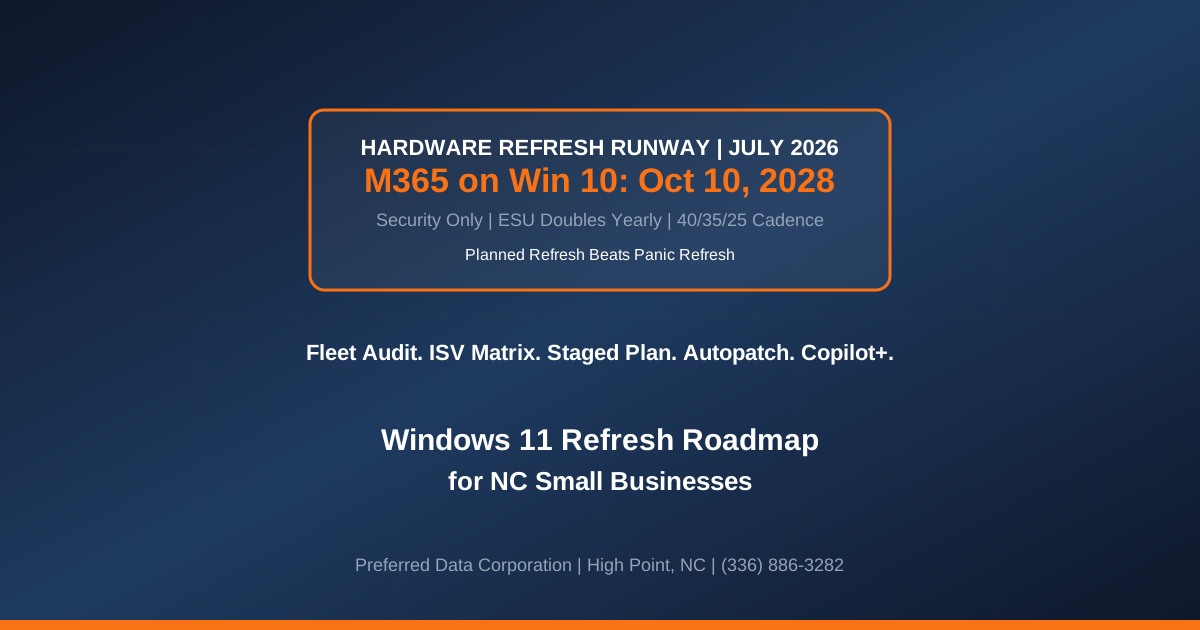
TL;DR: Microsoft has confirmed that Microsoft 365 Apps will continue to receive security updates on Windows 10 through October 10, 2028 — three years after Windows 10 end of support (October 14, 2025) — but no new features and no non-security fixes will ship during that runway. That is the "keep the lights on" window, not a strategy. Combined with ESU year-2 cost escalation October 14, 2026 and the AI-PC / Copilot+ PC hardware wave that shipped in 2025-2026, NC SMBs face a three-year decision window on how and when to refresh 20-500 endpoints. This is the refresh math, the timeline, and the plan.
Key takeaway: The M365-on-Windows-10 runway is a delay, not a reprieve. Every quarter you defer refresh, your endpoint fleet loses feature parity with Windows 11, drifts away from AI-PC capability, and pays escalating ESU fees. The businesses that plan a staged three-year refresh in 2026 spend less than the businesses that panic-refresh in 2028.
Need a right-sized Windows 11 refresh plan for your NC SMB endpoint fleet? Contact Preferred Data Corporation for a hardware lifecycle audit and staged refresh roadmap. BBB A+ rated. 37+ years of NC IT expertise. On-site within 200 miles of High Point. Call (336) 886-3282.
What Exactly Did Microsoft Confirm About Microsoft 365 on Windows 10?
Microsoft's Learn documentation and official support statements as of mid-2026 confirm a specific runway: Microsoft 365 Apps will continue to receive security updates on Windows 10 through October 10, 2028. New features will not be delivered. Non-security fixes will not be delivered. The window is explicitly framed as a compatibility bridge, not a supported long-term configuration.
Three constraints define the runway:
- Security updates only. Vulnerability fixes ship through October 10, 2028. Anything else — new features, performance improvements, Copilot integration, UI updates — does not.
- Feature parity gap widens quarter over quarter. Microsoft 365 on Windows 11 receives regular feature drops. Users on Windows 10 fall progressively behind their Windows 11 colleagues in the same organization.
- After October 10, 2028, no support. Full stop. Microsoft 365 on Windows 10 becomes an unsupported configuration.
The runway does not extend to:
- Windows 10 itself. Windows 10 end of support was October 14, 2025. ESU purchase is required for continued security updates on the OS.
- New Microsoft 365 apps or capabilities. Copilot, new Teams features, and any 2026-2028 M365 investments assume Windows 11.
- Third-party apps that require modern Windows APIs. ISV support for Windows 10 is dropping quarter over quarter independent of Microsoft.
Key takeaway: The runway is Microsoft's way of avoiding a hard cliff. It is not an invitation to stay on Windows 10 for three more years.
What Does the Real Cost Curve Look Like Over Three Years?
For a 100-endpoint NC SMB, the three-year cost comparison between "stay on Windows 10 with ESU" and "stage a Windows 11 refresh" tells the story cleanly.
| Cost Component | Stay on Win 10 + ESU (3 yr) | Staged Win 11 Refresh (3 yr) |
|---|---|---|
| ESU year 1 (Oct 25-Oct 26) | $6,100 ($61/endpoint) | $6,100 (year 1) then $0 |
| ESU year 2 (Oct 26-Oct 27) | $12,200 ($122/endpoint) | $0 |
| ESU year 3 (Oct 27-Oct 28) | $24,400 ($244/endpoint) | $0 |
| Endpoint replacement (3-year cycle) | $0 deferred | $65,000-$110,000 (spread) |
| Productivity loss from feature lag | $$$-$$$$$ (hidden) | Minimal |
| Incident risk from unpatched OS | $$$-$$$$$ (hidden) | Minimal |
| Post-2028 emergency refresh | $110,000-$150,000 rushed | $0 (already refreshed) |
| Total 3-yr visible cost | ~$42,700 ESU + emergency refresh | ~$65,000-$110,000 planned |
| Total 3-yr all-in exposure | Higher (with productivity, risk, emergency) | Lower (predictable, staged) |
The ESU cost curve doubles year over year specifically to push refresh. The math is designed to make delay expensive.
The alternative — plan a staged refresh in 2026-2028 — spreads the endpoint replacement cost across three annual budget cycles, captures productivity gains as each user migrates, and avoids the 2028 emergency-refresh premium.
What Is the Staged Refresh Plan for a 100-Endpoint NC SMB?
A concrete 36-month plan a mid-sized NC SMB can execute across three annual budget cycles.
Year 1 (FY26 — July 2026 through June 2027):
- Refresh 40% of fleet. Prioritize highest-productivity roles (executives, sales, engineering, design). Choose Copilot+ PCs where AI-PC capability accelerates the workflow (design, marketing, analysis).
- Deploy Windows Autopatch. Set the operational baseline before scale-up. Autopatch pilots with 40 endpoints are the right sample size.
- Purchase ESU year 1 for the remaining 60% of the fleet. Bridge cost.
- Baseline endpoint management. Intune or comparable MDM/MAM deployment if not already in place.
Year 2 (FY27 — July 2027 through June 2028):
- Refresh 35% of fleet. Mid-priority roles (operations, customer service, finance).
- Continue ESU year 2 for remaining 25%. Costs double vs. year 1.
- Rollout Copilot-based productivity workflows on the Windows 11 endpoints.
- Retire oldest endpoints. Any endpoint over 5 years old at this point should exit the fleet regardless of Windows version.
Year 3 (FY28 — July 2028 through June 2029):
- Refresh final 25%. Complete migration by October 2028 to avoid unsupported M365 configuration.
- Retire all remaining Windows 10 endpoints.
- Full Windows Autopatch coverage.
- AI-PC / Copilot+ capability review — determine whether any residual endpoints need AI-PC replacement.
This 40/35/25 cadence spreads capital expenditure across three fiscal years, captures the productivity value of Windows 11 earlier for the highest-impact roles, and lands the entire fleet on supported configuration before the October 2028 M365 cliff.
Explore Preferred Data's managed IT services
Which NC SMB Roles Should Refresh First?
Refresh sequencing is not just about age of hardware — it is about where Windows 11 and AI-PC capability creates the highest business value.
- Executive and knowledge-worker roles. Copilot integration, Windows 11 window management, and improved multi-monitor support directly accelerate the highest-paid time in your business.
- Design, engineering, and CAD. Copilot+ PC AI capability accelerates image, video, and 3D workflows. NVIDIA RTX-equipped Windows 11 endpoints capture disproportionate value.
- Sales and marketing. Copilot for M365, Teams AI features, and modern web app performance all favor Windows 11.
- Customer service and operations. Lower priority for AI-PC; standard Windows 11 refresh is sufficient. Mid-cycle refresh.
- Shop floor and warehouse. Ruggedized devices; refresh on hardware lifecycle, typically longer than knowledge-worker cycle. Windows 11 IoT / LTSC options.
The key insight: AI-PC / Copilot+ hardware is not a universal upgrade for every endpoint. Pay the AI-PC premium where the AI workload runs. Standard Windows 11 endpoints suffice for the majority of an SMB fleet.
What About Windows 11 Compatibility for Legacy Line-of-Business Apps?
For NC manufacturers running MRP, ERP, and industrial control apps that predate Windows 11, compatibility is the friction point that stalls refresh plans. The 2026 reality is more workable than most manufacturers assume.
- Pervasive SQL / Actian Zen. Runs on Windows 11 with no changes. Verify with your ISV.
- Legacy manufacturing apps. Most 32-bit Windows apps run on Windows 11 without modification. Verify licensing and driver requirements case by case.
- Industrial control software. OT/IT boundary devices should be Windows 11 IoT LTSC or dedicated OT-network endpoints, not general-purpose Windows 11 endpoints.
- Custom software (including PDC Software Suite). Confirmed Windows 11 support; migration is typically transparent.
The right approach for line-of-business apps: build a compatibility matrix in the first 30 days of your refresh planning, resolve the small handful of true incompatibilities with vendor updates or virtualization, and proceed with the refresh on the confirmed-compatible majority.
Learn about Preferred Data's cybersecurity services
How Should NC SMBs Handle Windows 10 Endpoints They Cannot Refresh?
Some endpoints — plant-floor terminals, dedicated instrumentation, ruggedized field devices — will remain on Windows 10 past 2028 for hardware or vendor-support reasons. That is acceptable if you compensate.
Three compensating controls for stranded Windows 10 endpoints:
- Network isolation. Move the endpoint to an isolated VLAN with no internet access and only application-specific inbound / outbound rules.
- EDR + monitoring. Full endpoint detection and response coverage regardless of OS support status.
- Compensating governance. Written risk acceptance from the CFO or executive owner, refreshed annually.
This lets your refresh program focus on the endpoints that matter without forcing $10K-$50K refresh spend on a plant-floor terminal that runs a single MRP terminal application.
How Does Preferred Data Deliver Windows Refresh Planning for NC SMBs?
Preferred Data Corporation delivers hardware lifecycle audit, staged refresh roadmap, Windows Autopatch and Intune deployment, Copilot+ PC selection, ESU cost analysis, ISV compatibility matrix, network isolation for stranded endpoints, and 24/7 managed IT support for NC manufacturers, construction firms, healthcare providers, professional-services offices, and financial institutions. With 37+ years of North Carolina IT expertise and an average client retention of 20+ years, our endpoint refresh practice integrates with your existing capital budgeting, procurement, and MSP relationships.
Our Windows refresh engagement includes fleet audit, three-year staged plan aligned to your fiscal cycle, ISV compatibility matrix, procurement coordination, and quarterly refresh cadence management.
For businesses within 200 miles of High Point, we deliver on-site engagement including endpoint imaging, user migration, and hands-on refresh execution.
Review our cybersecurity checklist
Frequently Asked Questions
Does Microsoft 365 still run on Windows 10 after October 2025?
Yes, with security updates only through October 10, 2028. New features do not ship. After October 10, 2028, Microsoft 365 on Windows 10 becomes unsupported.
How much does ESU cost per endpoint?
Approximately $61 per endpoint in year 1 (Oct 2025 – Oct 2026), $122 in year 2 (Oct 2026 – Oct 2027), and $244 in year 3 (Oct 2027 – Oct 2028). The doubling cadence is intentional — it makes delay expensive.
Do I need Copilot+ / AI-PC hardware for every endpoint?
No. AI-PC / Copilot+ capability accelerates specific AI workloads (image, video, on-device AI features). For general-purpose knowledge-worker roles, standard Windows 11 endpoints are sufficient. Pay the AI-PC premium where the workload runs.
What is the risk of running Windows 10 without ESU?
Unpatched OS vulnerabilities become permanent. Ransomware operators specifically target end-of-support Windows. Cyber insurance carriers increasingly refuse coverage or apply exclusions. This is not a viable long-term posture for any endpoint that touches the internet.
How does the refresh plan handle line-of-business app compatibility?
Build a compatibility matrix in the first 30 days of planning. Most 2010s-era Windows apps run on Windows 11 unchanged. Vendor-updated apps close remaining gaps. For truly incompatible legacy apps, application virtualization (Azure Virtual Desktop, Citrix, VMware Horizon) preserves the app while modernizing the endpoint.
Should we buy or lease endpoints?
For most NC SMBs, buy still wins on total cost for standard endpoints — the residual value of a 4-year-old business laptop is close enough to zero that lease-versus-buy is a wash. Consider Device as a Service (DaaS) for high-refresh knowledge-worker fleets where you want predictable OpEx.
What about shop-floor and industrial terminals?
Different lifecycle. Windows 11 IoT LTSC gives 10-year support on locked-down endpoints. If the terminal is truly stranded on Windows 10 due to vendor constraints, network isolate it, apply EDR, and document the compensating control.
Can Preferred Data run our fleet audit and refresh plan?
Yes. Our fleet audit takes 1-2 weeks for a 100-500 endpoint fleet, delivers a written three-year plan aligned to your fiscal cycle, and includes procurement coordination and refresh execution. Call (336) 886-3282 to start.