
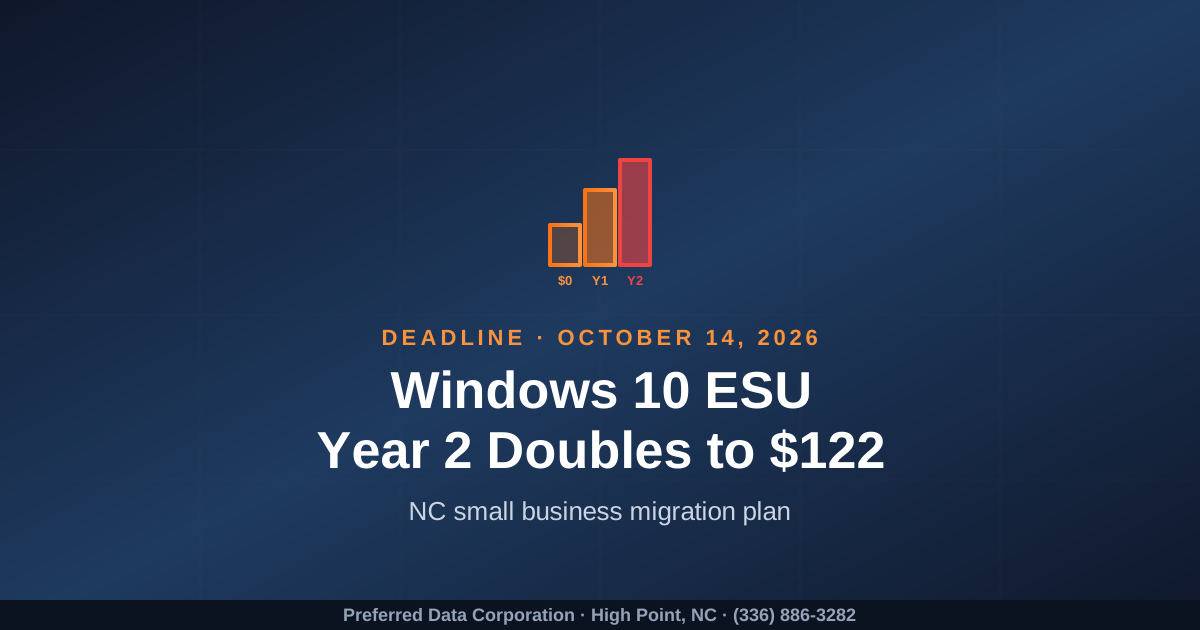
TL;DR: Windows 10 went end of support on October 14, 2025. Microsoft's commercial Extended Security Updates (ESU) Year 1 covers October 2025 to October 2026 at about $61 per device, and ESU Year 2 (October 2026 to October 2027) doubles to roughly $122 per device. With about 4 months left until the Year 1 cliff, every North Carolina small business still on Windows 10 needs to make a decision now: migrate to Windows 11, pay the doubling ESU fee, or accept unsupported risk. Most NC SMBs can finish a clean Windows 11 migration in 4 to 6 weeks if they start before September.
Key takeaway: ESU is a runway, not a destination. Paying $122 per device in 2027 to delay a decision you should have made in 2026 is a hard line item to justify when a migration plan now costs you less and lowers risk at the same time.
Still on Windows 10 in your NC office, plant, or warehouse? Contact Preferred Data Corporation for a Windows 11 Migration Roadmap. Local, BBB A+ since 1987. Call (336) 886-3282.
What is the Windows 10 ESU Year 2 cliff?
The Windows 10 ESU Year 2 cliff is the October 14, 2026 transition point when Microsoft's commercial Extended Security Updates program rolls over to its second year and the per-device price approximately doubles. Year 1 (October 14, 2025 to October 13, 2026) is priced near $61 per device for businesses; Year 2 is priced at roughly $122 per device, and Year 3 increases again before the program ends.
ESU buys nothing but critical security patches. It does not include feature updates, technical support, or any of the modern features driving Windows 11 productivity. According to Microsoft and recent industry reporting, roughly a quarter of business desktops were still on Windows 10 entering 2026, with SMBs disproportionately represented because of mixed fleets, TPM 2.0 hardware gaps, and limited IT bandwidth.
The practical effect for a Piedmont Triad business: every month of delay past mid-2026 narrows the cheap options and increases either ESU cost or unsupported risk.
Coverage and analysis are available from Microsoft Support, Omdia, and Windows Forum.
How much does ESU actually cost a NC small business?
ESU actually costs a small business roughly $61 per device in Year 1 and roughly $122 per device in Year 2, and that is before counting the labor to enroll, manage, and verify the patches. For a 50-device shop, that is about $3,050 in Year 1 and about $6,100 in Year 2 just to keep an aging operating system on life support, with no productivity gains.
| Fleet size | ESU Y1 (Oct 25-Oct 26) | ESU Y2 (Oct 26-Oct 27) | 2-Year ESU Total |
|---|---|---|---|
| 20 devices | ~$1,220 | ~$2,440 | ~$3,660 |
| 50 devices | ~$3,050 | ~$6,100 | ~$9,150 |
| 100 devices | ~$6,100 | ~$12,200 | ~$18,300 |
| 250 devices | ~$15,250 | ~$30,500 | ~$45,750 |
Add the management overhead and the risk of a cyber insurance carrier asking why you are still running an end-of-life OS, and ESU starts to look like the more expensive path quickly. A direct migration to Windows 11, possibly paired with a planned hardware refresh of the oldest devices, is often cheaper over 24 months and improves security at the same time.
Key takeaway: ESU makes sense for a small number of devices with a specific, documented reason to stay on Windows 10. It is rarely the right answer for an entire fleet.
Want a real ESU vs migration cost comparison for your fleet? Explore Preferred Data managed IT services or call (336) 886-3282.
Why are NC small businesses still stuck on Windows 10?
NC small businesses are still stuck on Windows 10 mostly because of hardware (TPM 2.0 and CPU compatibility), mixed fleets that grew up organically, and competing priorities on the IT calendar. None of those are fatal, but each takes a few weeks of focused work to unwind. The shops that delay typically run into trouble when ESU pricing doubles or a cyber insurance underwriter pushes back.
Common stuck patterns we see in High Point, Greensboro, Charlotte, and Raleigh:
- TPM 2.0 and CPU compatibility. Older laptops and desktops do not meet Windows 11 baseline requirements and need replacement or repurposing.
- Invisible fleet sprawl. A mix of owner-purchased laptops, old desktops "under the counter," and a "mystery" workstation nobody dares reboot.
- Line-of-business software fears. A 20-year-old custom app that has not been re-tested on Windows 11 yet.
- OT-adjacent PCs in manufacturing. Plant-floor PCs that talk to CNC, vision systems, or MES, often on a tight maintenance window.
- No driver for action. Until ESU prices double or insurance asks, the deadline feels theoretical.
The fix for each is straightforward. The point is to start the work now, while there is still calendar room before the October cliff.
How do I plan a clean Windows 11 migration for my NC business?
You plan a clean Windows 11 migration by following a four-phase path that most NC SMBs can complete in 4 to 6 weeks of elapsed time. The work is not glamorous, but it is well understood, and Preferred Data has done it for North Carolina businesses across manufacturing, construction, and professional services.
A practical 4-phase plan:
- Phase 1 - Assess (Week 1-2). Inventory every device, identify TPM 2.0 / CPU compatibility, classify each as "in-place upgrade," "needs hardware," or "ESU bridge only." Validate line-of-business software compatibility.
- Phase 2 - Pilot (Week 2-3). Upgrade a small, representative group (one user per department, one shop-floor PC, one warehouse station). Document issues. Verify backups, print, scanning, MFA, and remote access.
- Phase 3 - Rollout (Week 3-5). Migrate in phased waves by department or location. Communicate clearly. Provide same-day support during cutover.
- Phase 4 - Stabilize and Decommission (Week 5-6). Confirm patching cadence, retire or wipe replaced devices, document the new baseline for cyber insurance and any compliance audits.
| Decision | Most NC SMB defaults | When to do otherwise |
|---|---|---|
| In-place upgrade vs reimage | In-place where possible | Reimage for compromised, slow, or messy machines |
| New hardware threshold | Replace devices > 5 years old | Replace any device under warranty if cheaper than ESU+labor |
| ESU usage | Only for known incompatibility or OT-adjacent PCs | Whole fleet (avoid) |
| Timing | Finish before September 2026 | Phased if very large fleet |
Want a tailored Windows 11 Migration Roadmap, not a generic checklist? Schedule a migration planning call or call (336) 886-3282.
What about Windows 10 PCs that touch the shop floor?
Windows 10 PCs that touch the shop floor (CNC controllers, vision PCs, MES terminals, label printers) deserve a separate, careful track because they are tied to revenue and often constrained by vendor-supported configurations. They are also exactly the kind of device that tempts shops to skip migration entirely, which raises long-term risk. A two-track plan keeps the front office moving while the plant gets the attention it deserves.
A reasonable manufacturing approach:
- Inventory shop-floor PCs separately. Note the vendor, supported OS versions, network reachability, and the maintenance window for each.
- Segment the network. Make sure plant-floor PCs are on their own VLAN behind the gateway, so a temporary delay does not equal blanket exposure.
- Coordinate with equipment vendors. Many CNC and MES vendors have updated Windows 11 support paths in 2025 and 2026; some still require Windows 10 LTSC, which has a separate lifecycle.
- Plan downtime carefully. Group migrations during scheduled maintenance windows, not on Friday afternoons mid-shift.
- Use ESU surgically. A small number of shop-floor PCs on ESU while you negotiate vendor updates is reasonable. ESU for the whole fleet is not.
This is where local manufacturing expertise matters. Preferred Data has supported North Carolina manufacturers since 1987 and understands the realities of a shop floor that cannot just pause for a weekend cutover.
Frequently Asked Questions
When does Windows 10 ESU Year 2 start, and how much will it cost?
Year 2 of commercial Windows 10 Extended Security Updates begins October 14, 2026, and runs through October 13, 2027. The per-device price for Year 2 is approximately $122, double the Year 1 price of about $61. Microsoft has historically priced ESU programs to escalate each year, which is intentional.
Can my old PC run Windows 11?
Windows 11 requires TPM 2.0, a supported 64-bit CPU, 4 GB of RAM minimum (more in practice), and 64 GB of storage. Most business PCs purchased after 2020 qualify; many purchased before that do not. An assessment can identify exactly which of your devices need replacement.
What happens if I just stay on Windows 10 without ESU?
Devices remain functional, but Microsoft no longer issues security patches for known vulnerabilities. Newly disclosed CVEs against Windows 10 will not be fixed on un-enrolled devices. Cyber insurance carriers increasingly ask about end-of-life operating systems, and some may deny claims where unsupported software contributed to a breach.
How long does a typical NC small business migration take?
Most NC small businesses can complete a clean Windows 11 migration in 4 to 6 weeks of elapsed time: 1 to 2 weeks of assessment and pilot, 2 to 3 weeks of phased rollout, and 1 week of stabilization. Larger fleets, manufacturers with significant shop-floor exposure, and multi-site businesses may need 8 to 12 weeks.
How much does a Windows 11 migration cost?
Costs depend on fleet size, how many devices need replacement, and the complexity of line-of-business software and OT touchpoints. For most SMBs, a well-planned migration is competitive with or cheaper than two years of ESU plus labor, while delivering modern productivity and security. Call (336) 886-3282 for a tailored estimate.
How is Preferred Data different from a national PC reseller?
Preferred Data is a High Point, NC company founded in 1987 with 37+ years of IT experience, a 20+ year average client tenure, and on-site support across a 200-mile radius. We pair migration with managed IT, cybersecurity, and custom software so the new baseline actually works in your real environment, not just on a slide.