
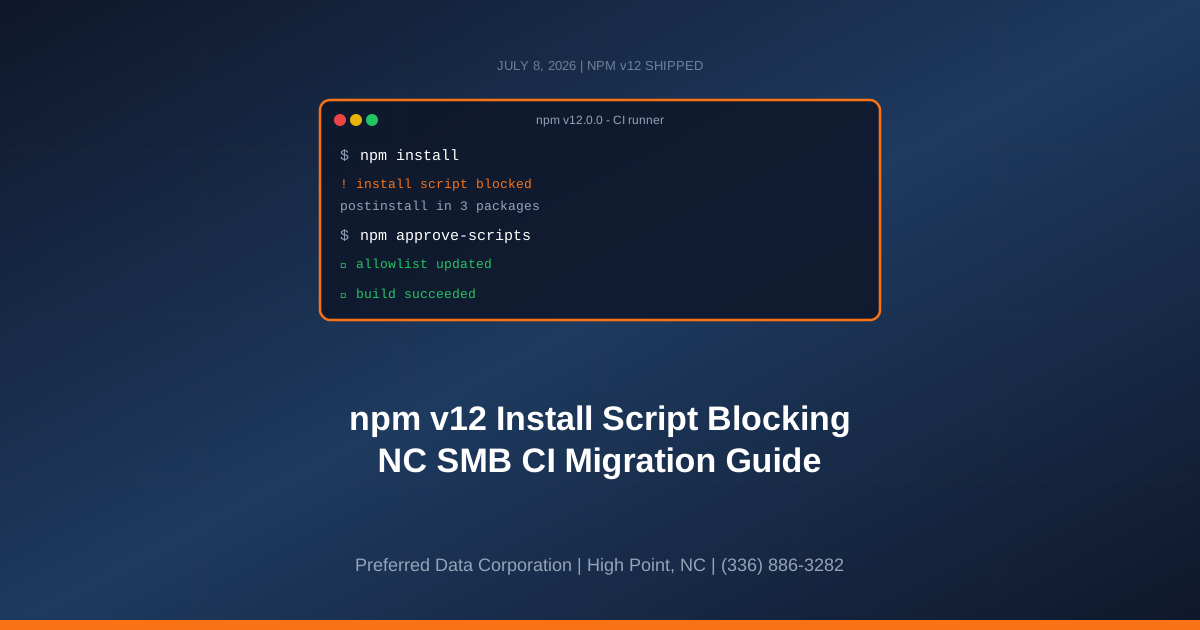
TL;DR: npm v12 shipped July 8, 2026 with the largest security redesign in the package manager's 16-year history: install scripts, Git dependencies, and remote URL dependencies are all blocked by default. For North Carolina small businesses whose websites, portals, and internal apps run on Node.js, any CI/CD pipeline that upgrades without preparation will break the next time it builds. The fix is not to avoid the upgrade - it is to migrate deliberately, allowlist what you actually need, and finally close the attack vector the Shai-Hulud worms have been abusing for a year.
Key takeaway: npm v12 flips the default from "trust every package to run arbitrary code at install" to "block by default, allowlist explicitly." That is the right default. The businesses that migrate this month get to make the change on their timeline; the ones that discover it during a Friday deploy learn about it the hard way.
Need help migrating your build pipeline? Contact Preferred Data Corporation at (336) 886-3282 for a npm v12 migration assessment. Serving High Point, Greensboro, Charlotte, Raleigh, and the Piedmont Triad since 1987.
What Changed in npm v12 That Every SMB Needs to Know?
npm v12.0.0 shipped on July 8, 2026, and it changes three long-standing default behaviors that every North Carolina small business running a Node.js app inherits the moment they upgrade. Each change closes a specific supply chain attack vector that has been actively exploited during the past 18 months.
- Install scripts blocked by default.
preinstall,install, andpostinstalllifecycle scripts from dependencies no longer run automatically. This was the delivery mechanism for the Shai-Hulud worm variants that compromised dozens of packages in 2025-2026. - Git dependencies blocked by default.
--allow-gitnow defaults tonone, so packages that reference GitHub or GitLab URLs will not install unless explicitly approved. - Remote URL dependencies blocked by default.
--allow-remotenow defaults tonone, blocking HTTPS tarballs and non-registry sources.
Three changes, three attack surfaces closed. But every CI/CD pipeline that runs npm install in production is affected, and any team that upgrades without preparing will see broken builds the moment npm v12 lands on their runners.
Why Did GitHub Make These Changes Now?
The Miasma worm compromised 32 packages under Red Hat's official @redhat-cloud-services namespace, which Red Hat disclosed in a June 1, 2026 security bulletin, then returned two days later with the Phantom Gyp technique to compromise 57 more packages from other maintainers, per Chainguard. The pattern is well-understood: attackers publish a malicious version of a legitimate package, developers or CI runners install it, postinstall runs a hidden binary, credentials are harvested and exfiltrated in seconds.
GitHub (which owns npm) has been signaling this default change for months. The path they chose - block automatic execution and require explicit allowlisting - is the same pattern already common in Python's pip (--no-build-isolation opt-in) and Ruby's bundler. It matches what any well-run security program has been doing manually for years: run npm install --ignore-scripts in CI, review any package that needs a script, and approve them individually.
For North Carolina small businesses, the change is a favor: your default posture is now materially safer, and the operational cost of the shift is a one-time migration.
Which Small Business Systems Actually Break When npm v12 Ships?
Any system that runs npm install in a way that depends on install scripts or Git/URL dependencies breaks the moment it upgrades. In a typical NC small business tech stack, that includes:
| System | Likely Impact | Priority |
|---|---|---|
| Customer-facing website (Next.js, Astro, etc.) | Build fails if any dependency needs postinstall | High - blocks deploys |
| Internal portal or dashboard | Same build failure pattern | High - blocks feature work |
| Vendor-hosted apps you self-deploy | May silently fail; check vendor guidance | Medium - depends on vendor |
| Legacy Node.js services | Older packages more likely to need scripts | High - hardest to fix |
| One-off scripts a developer runs locally | Local dev experience degraded, not broken | Low - convenience impact |
| CI/CD runners on npm v11.x | No change until you upgrade the runner image | Low until migration |
The packages most likely to need install scripts are the ones that ship native code: image processing (sharp, canvas), database drivers (better-sqlite3, bcrypt), and legacy tooling. Modern pure-JavaScript packages typically do not need install scripts and will work unchanged.
Every NC small business should assume at least one dependency in its production stack will need explicit script approval. The right question is not "will anything break" but "how many will break, and can we prepare before the deploy that discovers the answer?"
How Should a Small Business Migrate to npm v12?
The migration is a four-step sequence that takes a competent developer or managed IT provider a few hours per application. Do this before your CI runners auto-upgrade:
Step 1: Upgrade to npm 11.16.0 or later locally
npm 11.16 introduced the approve-scripts workflow that surfaces exactly which packages need install scripts. Run npm install in your project and review the warnings.
Step 2: Audit and allowlist install scripts
Run npm approve-scripts --allow-scripts-pending to see the list. For each package, confirm you actually need it, then approve it explicitly. Commit the resulting change to package.json. Every entry on the allowlist should be justified in a code review comment.
Step 3: Handle Git and remote dependencies
Search your package.json and lockfiles for entries starting with git+, github:, or an HTTPS URL. Convert them to registry packages where possible; where not possible, add explicit allowlist entries.
Step 4: Test in staging under npm v12 before deploying
Update your CI runner image to npm v12 in a non-production pipeline first. Confirm the build succeeds, the tests pass, and the deploy artifact looks correct. Only then promote npm v12 to production runners.
Miss any step and your next deploy is a firefight. Follow all four and the migration is invisible to your users.
Key takeaway: The npm v12 migration is a four-step, hours-per-app process (upgrade to 11.16, allowlist install scripts, handle Git/remote deps, test in staging). Small businesses that book the time now migrate on their calendar; those that do not migrate at a bad moment.
What Does This Mean for NC Manufacturers and Regulated Industries?
For manufacturers in the Piedmont Triad, construction firms in Charlotte, and healthcare-adjacent businesses in the Triangle, the npm v12 defaults do more than reduce risk - they generate audit evidence. CMMC 2.0, NIST 800-171, HIPAA Security Rule, and cyber insurance underwriters all ask specific questions about software supply chain controls. A documented allowlist of install-time scripts is a control artifact you can hand an auditor.
Three specific compliance benefits of migrating on npm v12:
- CMMC control SI.L2-3.14.1 (identify and monitor security alerts) is directly supported by the allowlist pattern and SBOM outputs
- NIST 800-171 3.14.5 (perform periodic scans of information systems) becomes easier when dependencies are inventoried
- Cyber insurance renewal questionnaires now include specific questions about install-time controls
For manufacturers running the CMMC compliance track toward the November 2026 Phase 1 milestone, the npm v12 migration is an easy compliance win that a managed provider can bundle with the rest of the hardening work.
Should Small Businesses Migrate Themselves or Use a Managed Provider?
The choice depends on what your team already owns. A small business with a full-time developer and a well-run CI/CD pipeline can migrate in-house in a day or two. A small business whose website is built by an outside agency, whose portal is maintained by a rotating group of contractors, or whose "IT" is one person also running the phone system - that business is exactly the profile a managed provider serves.
| Approach | Best for | Typical monthly cost | What you get |
|---|---|---|---|
| In-house migration | Teams with dedicated developer + working CI | Existing labor cost | Direct knowledge, but ongoing maintenance stays internal |
| Managed migration + monitoring | Teams without a dedicated DevOps role | $500-2,000 for SMB | Migration, SBOM, secret scanning, ongoing patch monitoring |
| Vendor-managed (SaaS platform) | Teams whose apps are third-party hosted | Included in SaaS fee | Vendor absorbs the change; verify their patch cadence |
Working with a managed IT provider makes the change once, documents it in your policy library, and monitors the ecosystem so the next npm change (or PyPI, or NuGet, or Maven) does not surprise you.
Ready to plan your npm v12 migration? Contact Preferred Data Corporation at (336) 886-3282 for a migration assessment tailored to your stack. Visit us at 1208 Eastchester Drive, Suite 131, High Point, NC 27265.
Frequently Asked Questions
When exactly did npm v12 ship, and when will it hit our systems?
npm v12.0.0 shipped July 8, 2026. It reaches your systems when your CI runner image, developer environment, or hosting platform upgrades - which can be immediate (rolling base images) or delayed (pinned versions). Assume it will hit within 30-90 days unless you have deliberately pinned an older version.
Can we just pin npm v11 and skip this?
Technically yes, practically no. Pinning to an older major version means missing security fixes, incompatibility with new packages, and a growing migration debt. The right posture is to migrate on your timeline, not to defer indefinitely.
What is the fastest way to see which packages need install scripts?
Upgrade to npm 11.16.0 or later, run npm install in your project, and use npm approve-scripts --allow-scripts-pending to list them. This is the same command flow you will use post-migration to add new allowlisted packages.
Does this change our lockfile format?
No. package-lock.json continues to work the same way. The change is in the runtime behavior of npm install, not in the on-disk format.
What if we use pnpm or yarn instead?
pnpm has offered similar install-script controls for years (via pnpm install --ignore-scripts and the onlyBuiltDependencies allowlist). Yarn v4 introduced comparable defaults. Whichever package manager you use, the general principle - block install scripts by default, allowlist explicitly - is now the ecosystem-wide standard.
Will this break our existing CI/CD?
Almost certainly, if you take no action. The specific failure looks like install script blocked; run 'npm approve-scripts' to permit. That is why the four-step migration above is designed to happen in staging, not in a production deploy.
How does this connect to cyber insurance?
2026 cyber insurance underwriters increasingly ask whether your organization has controls on install-time script execution. A documented npm approve-scripts allowlist is exactly the artifact insurers want to see. Not having one has been used as a reason to increase premiums or deny renewal.
Is this only a JavaScript / npm problem?
No. Python's pip, Ruby's bundler, PHP's composer, and the broader ecosystem have all seen equivalent supply chain attacks, and equivalent hardening is underway. The npm v12 change is the largest single default flip, but the principle - lock down install-time execution, allowlist explicitly - applies everywhere.