Free Tool

MSP Evaluation Scorecard

Choosing or re-evaluating a managed IT provider (an MSP)? Score up to three providers side by side on the questions that matter, then print your results or download the questions to send them.

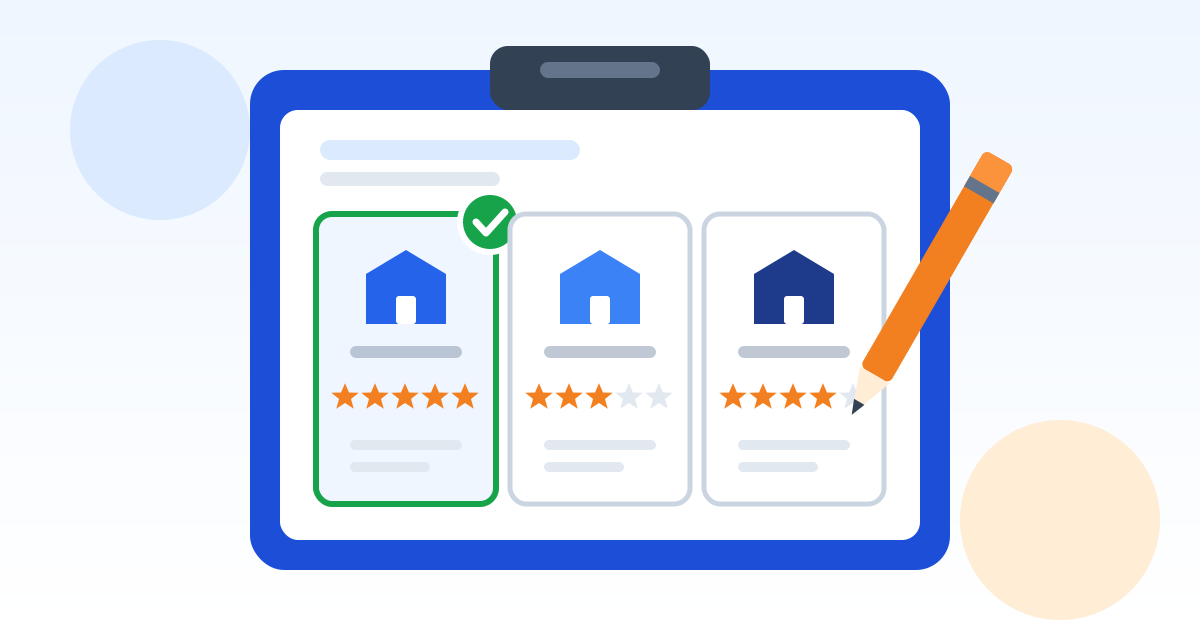
A clipboard scorecard comparing three provider cards, each with a row of star ratings.

1. Name the providers you are comparing

Up to 3. Names stay in this browser only; we never see them.

2. Score each provider from 1 to 5

1 = poor or no clear answer, 3 = acceptable, 5 = excellent and in writing. Change how much a row counts with the importance setting, or mark it "Does not apply". Tap a score again to clear it.

  1. 1.Response times written into the contract

    When your systems are down, a promise in the sales meeting is worth nothing unless the contract says how fast someone will respond.

    What a good answer sounds like, and red flags

    A good answer

    A service level agreement (SLA) in the contract with response targets by priority, for example how fast an "everyone is down" problem gets a person on it, and how they report whether they hit those targets.

    Red flags

    • Only "we are very responsive" with no numbers in writing.
    • Response times that only count during business hours, with that buried in the fine print.

    Ask

    • What are your response times for an urgent, high and normal request, and are they in the contract?
    • How do you measure and report whether you met them?

    Provider 1

    Provider 2

  2. 2.After-hours and emergency coverage

    Ransomware, server failures and power problems do not wait for Monday morning, and many businesses run second shifts or weekend work.

    What a good answer sounds like, and red flags

    A good answer

    A clear after-hours process (who answers, how to reach them, how fast) and a plain statement of what after-hours work is included and what is billed extra.

    Red flags

    • After-hours help goes to a voicemail box.
    • Every after-hours call is billed at a premium rate you only learn about on the invoice.

    Ask

    • If our network goes down at 9 p.m. on a Saturday, what exactly happens, and what does it cost?

    Provider 1

    Provider 2

  3. 3.Local, on-site help when it is needed

    Most problems are fixed remotely, but cabling, hardware and a down network still need someone who can be there in person.

    What a good answer sounds like, and red flags

    A good answer

    A stated on-site response for urgent problems, how far away their technicians are, and whether on-site visits are included or billed.

    Red flags

    • Everything is subcontracted to whoever is available.
    • No straight answer about how fast someone can be at your door.

    Ask

    • If someone needs to be on site, how fast can they get here, and is that included?

    Provider 1

    Provider 2

  4. 4.Core security included, not sold as extras

    A low monthly price can leave out the protections that actually stop attacks, so compare what is included, not just the price.

    What a good answer sounds like, and red flags

    A good answer

    A written list of included security: multi-factor authentication (a second check like a code on your phone) on email and remote access, endpoint detection and response (EDR, software that spots and stops attacks on each computer) watched around the clock, regular patching, and email filtering.

    Red flags

    • Security is a separate add-on for every item.
    • They cannot say who watches the security alerts at night.

    Ask

    • Which security tools are included in the monthly price, and which cost extra?
    • Who watches security alerts at night and on weekends, and what do they do when one fires?

    Provider 1

    Provider 2

  5. 5.Backups with tested restores

    A backup that has never been restored is a hope, not a plan, and it is often the only way back after ransomware.

    What a good answer sounds like, and red flags

    A good answer

    Backups of servers, cloud data such as Microsoft 365 or Google Workspace, and key computers; at least one copy kept separate from your network; and restore tests on a schedule with written results you can see.

    Red flags

    • They cannot tell you when they last tested a restore for a client.
    • Cloud email and files are assumed to be "backed up by Microsoft" or "by Google".

    Ask

    • What do you back up, where are the copies kept, and how often do you test a restore?
    • How long would it take to get us running again after a ransomware attack?

    Provider 1

    Provider 2

  6. 6.How they protect their own access to you

    An IT provider holds the keys to every client it manages, so criminals target providers to reach their customers, as a 2022 joint advisory from CISA and its partners warned.

    What a good answer sounds like, and red flags

    A good answer

    Multi-factor authentication on every account they use to reach your systems, access limited to what each technician needs, activity logs you can see, and a written promise to tell you quickly about a security incident on their side.

    Red flags

    • Shared technician logins.
    • No answer to "how would you tell us if you were breached?"

    Ask

    • Is multi-factor authentication required on every account your staff use to access our systems?
    • Will you notify us if you have a security incident that could affect us, and how fast?

    Provider 1

    Provider 2

  7. 7.You own your passwords, admin accounts and documentation

    If the relationship ends badly, you must still be able to get into your own systems and hand them to someone else.

    What a good answer sounds like, and red flags

    A good answer

    You hold your own top-level admin accounts and domain registration, and they give you a current copy of your network documentation and passwords on request and at the end of the contract.

    Red flags

    • The domain name or Microsoft 365 tenant is registered in the provider's name.
    • Documentation is "proprietary" and stays with them when you leave.

    Ask

    • Whose name are our domain, Microsoft 365 or Google tenant and firewall registered in?
    • Will you give us a full copy of our documentation and admin credentials on request, and when we leave?

    Provider 1

    Provider 2

  8. 8.Fair contract length and exit terms

    A long contract with a costly exit can trap you with a provider that is not working out.

    What a good answer sounds like, and red flags

    A good answer

    A term you are comfortable with, a clear notice period, a reasonable way out if they miss their commitments, and a written offboarding process that hands everything to you or your next provider.

    Red flags

    • Automatic multi-year renewals with a short window to cancel.
    • Large termination fees, or "offboarding fees" that are not spelled out.

    Ask

    • How long is the contract, how does it renew, and how do we end it?
    • What do you hand over when we leave, and is there a fee for that?

    Provider 1

    Provider 2

  9. 9.A clear onboarding plan

    The first weeks set the tone, and a messy switch-over is when things get missed.

    What a good answer sounds like, and red flags

    A good answer

    A written plan with steps, dates and who does what: discovering every device and account, getting credentials from the old provider, installing their tools, and a review when it is done.

    Red flags

    • No plan beyond "we will install our agent".
    • Onboarding costs that are vague or open-ended.

    Ask

    • Walk us through your onboarding: the steps, how long it takes, and what it costs.

    Provider 1

    Provider 2

  10. 10.Regular reporting and business reviews

    Without reports you cannot tell whether you are getting what you pay for or what needs budget next year.

    What a good answer sounds like, and red flags

    A good answer

    Monthly or quarterly reports in plain language (tickets, response times, patch and backup status, security alerts) and a regular meeting about plans, risks and budget.

    Red flags

    • Reports are raw exports nobody explains.
    • You only hear from them when there is an invoice.

    Ask

    • Can we see a sample monthly report and a sample business review agenda?

    Provider 1

    Provider 2

  11. 11.References from businesses like yours

    A provider that knows your kind of business already understands your software, your hours and your risks.

    What a good answer sounds like, and red flags

    A good answer

    Two or three current clients of a similar size and industry you can call, and examples of the line-of-business software they already support.

    Red flags

    • Only logos or written testimonials, nobody you can phone.

    Ask

    • Can we speak with two or three current clients of our size and industry?

    Provider 1

    Provider 2

  12. 12.Compliance experience, if rules apply to you

    If you handle defense information (CMMC), patient information (HIPAA) or customer financial data, your provider's work becomes part of your compliance.

    What a good answer sounds like, and red flags

    A good answer

    Specific experience with your rule, a clear split of who is responsible for what, and willingness to sign what the rule requires, such as a HIPAA business associate agreement.

    Red flags

    • Claims to make you "fully compliant" for a fixed fee.
    • Will not put their share of responsibility in writing.

    Ask

    • Which of our compliance requirements will you handle, which stay with us, and will you put that in writing?

    Provider 1

    Provider 2

  13. 13.Clear, predictable pricing

    Surprise invoices destroy trust faster than slow tickets.

    What a good answer sounds like, and red flags

    A good answer

    A written price per user or per device that says what is included, what is billed by the hour, the hourly rate, and how price increases are handled.

    Red flags

    • A single bundled number with no list of what is in it.
    • Projects and "out of scope" work that seem to come up every month.

    Ask

    • What exactly is included in the monthly price, what is billed separately, and at what rate?
    • How and how often can the price change?

    Provider 1

    Provider 2

  14. 14.Help with cyber insurance

    Insurance applications and renewals ask detailed security questions, and a wrong answer can put a claim at risk.

    What a good answer sounds like, and red flags

    A good answer

    They help you answer the security questions accurately and can provide proof (reports, settings) when the insurer asks.

    Red flags

    • They tell you to just check "yes" on everything.

    Ask

    • Will you help us fill out our cyber insurance application and give us evidence for our answers?

    Provider 1

    Provider 2

  15. 15.Vendor management

    Someone has to call the internet provider, the copier company and the software vendor when things break, and it should not be you.

    What a good answer sounds like, and red flags

    A good answer

    They will contact your other technology vendors on your behalf and keep track of renewals, licenses and warranties.

    Red flags

    • "That is not our equipment" for anything they did not sell you.

    Ask

    • Will you deal with our internet provider and software vendors for us, and track renewals and warranties?

    Provider 1

    Provider 2

3. Your results

Provider 1

Not scored

0 of 15 rows scored

Provider 2

Not scored

0 of 15 rows scored

Score every row for every provider to see a fair side-by-side comparison. The totals above only count the rows scored so far.

What should I look for when choosing an MSP?

Look at what the provider will commit to in writing: how fast they respond, which security is included, who owns your accounts, and how you leave. A 2022 joint advisory from CISA, NSA, FBI and international partners tells customers to make their MSP contracts require multi-factor authentication on MSP accounts, monitoring and logging you can see, notice of security incidents, and backups.

The criteria in this scorecard and their default importance
CriterionWhy it mattersDefault importance
Response times written into the contractWhen your systems are down, a promise in the sales meeting is worth nothing unless the contract says how fast someone will respond.Critical
After-hours and emergency coverageRansomware, server failures and power problems do not wait for Monday morning, and many businesses run second shifts or weekend work.Important
Local, on-site help when it is neededMost problems are fixed remotely, but cabling, hardware and a down network still need someone who can be there in person.Important
Core security included, not sold as extrasA low monthly price can leave out the protections that actually stop attacks, so compare what is included, not just the price.Critical
Backups with tested restoresA backup that has never been restored is a hope, not a plan, and it is often the only way back after ransomware.Critical
How they protect their own access to youAn IT provider holds the keys to every client it manages, so criminals target providers to reach their customers, as a 2022 joint advisory from CISA and its partners warned.Critical
You own your passwords, admin accounts and documentationIf the relationship ends badly, you must still be able to get into your own systems and hand them to someone else.Critical
Fair contract length and exit termsA long contract with a costly exit can trap you with a provider that is not working out.Critical
A clear onboarding planThe first weeks set the tone, and a messy switch-over is when things get missed.Important
Regular reporting and business reviewsWithout reports you cannot tell whether you are getting what you pay for or what needs budget next year.Important
References from businesses like yoursA provider that knows your kind of business already understands your software, your hours and your risks.Important
Compliance experience, if rules apply to youIf you handle defense information (CMMC), patient information (HIPAA) or customer financial data, your provider's work becomes part of your compliance.Good to have
Clear, predictable pricingSurprise invoices destroy trust faster than slow tickets.Critical
Help with cyber insuranceInsurance applications and renewals ask detailed security questions, and a wrong answer can put a claim at risk.Good to have
Vendor managementSomeone has to call the internet provider, the copier company and the software vendor when things break, and it should not be you.Good to have

How do I use this scorecard to compare IT providers?

Send every provider the same questions, ask for written answers and a sample contract, then score each answer from 1 to 5. The scorecard weights the critical rows more heavily and flags any critical row where a provider scored 1 or 2.

  • Step 1: name up to three providers. The names stay in your browser.
  • Step 2: download the questions and send the same list to every provider.
  • Step 3: ask for a sample contract, a sample monthly report and two or three references of your size and industry.
  • Step 4: score each row. If a provider will not answer something in writing, that is your answer: score it 1.
  • Step 5: compare totals only when every row is scored, and read the red flags before the totals.
Key takeaway: A provider that answers clearly in writing before you sign is far more likely to keep its promises after you sign.

What contract terms should I check before signing with an MSP?

Check the term and renewal, how you can leave, what they hand back when you do, and what they must tell you about security incidents. The FTC's advice on vendors is to put security expectations in writing, verify the vendor follows them, and update them as threats change (FTC).

  • Term, renewal and notice period, and any early termination fee.
  • An offboarding section: what they hand over (documentation, admin passwords, backups) and whether it costs extra.
  • Who owns your domain, your Microsoft 365 or Google tenant and your firewall licenses.
  • How your data is used, how long they keep it after you leave, and how it is deleted.
  • Their duty to tell you about a security incident on their side that could affect you.
  • Response time targets and what happens when they miss them.

Do compliance rules change what I need from an IT provider?

Yes, if a rule covers your data, your provider becomes part of how you meet it. Under HIPAA, a medical practice that shares patient information with a business associate, such as an IT provider, must get written assurances that it will be protected (45 CFR 164.502(e)). Under the CMMC program rule, an outside provider's services that process Controlled Unclassified Information are part of your Level 2 assessment (32 CFR 170.19).

If either applies to you, mark the compliance row "Critical" and ask each provider to put their share of the responsibility in writing. Check with your attorney on what your contracts must say.

If no rule applies to you, mark that row "Does not apply" and it will not affect the totals.

Frequently asked questions

Is this scorecard neutral?

Yes. The criteria are the questions any business should ask any provider, drawn from public guidance from CISA and the FTC. No provider is named or scored for you, and you can change how much every row counts.

Where are my provider names and scores stored?

Only in this browser, using its local storage, so you can come back later on the same device. Clearing your browser data erases them. If you choose "Have an expert review my results", we receive your email address and anonymous totals only, never the provider names.

How is the total worked out?

Each row has an importance: Critical counts 3 times, Important 2 times, Good to have once, and Does not apply is left out. A score of 1 earns nothing and a 5 earns the full weight, so a provider scoring 5 on everything gets 100%. The total only compares fairly once every row is scored for every provider.

How many IT providers should I compare?

This scorecard holds up to three, which is usually enough to see real differences without drowning in proposals. If you already have a provider, score them too: re-evaluating your current provider is a good use of this tool.

Should I just pick the cheapest provider?

Compare what is included before you compare the price. One quote may include around-the-clock security monitoring, backups and on-site visits while another bills each one separately. Use the pricing row to score how clear each quote is about what is included.

What if a provider will not answer a question in writing?

Treat that as the answer and score the row 1. Anything that matters to you, such as response times, included security or exit terms, should be in the contract, not just in the sales conversation.

Sources

Want us to answer these questions for you?

Preferred Data has supported businesses from High Point, NC since 1987. Send us the list and we will answer every question in writing, with a sample contract and a clear price. See what is included in our managed IT services and how we approach pricing.

(336) 886-3282