
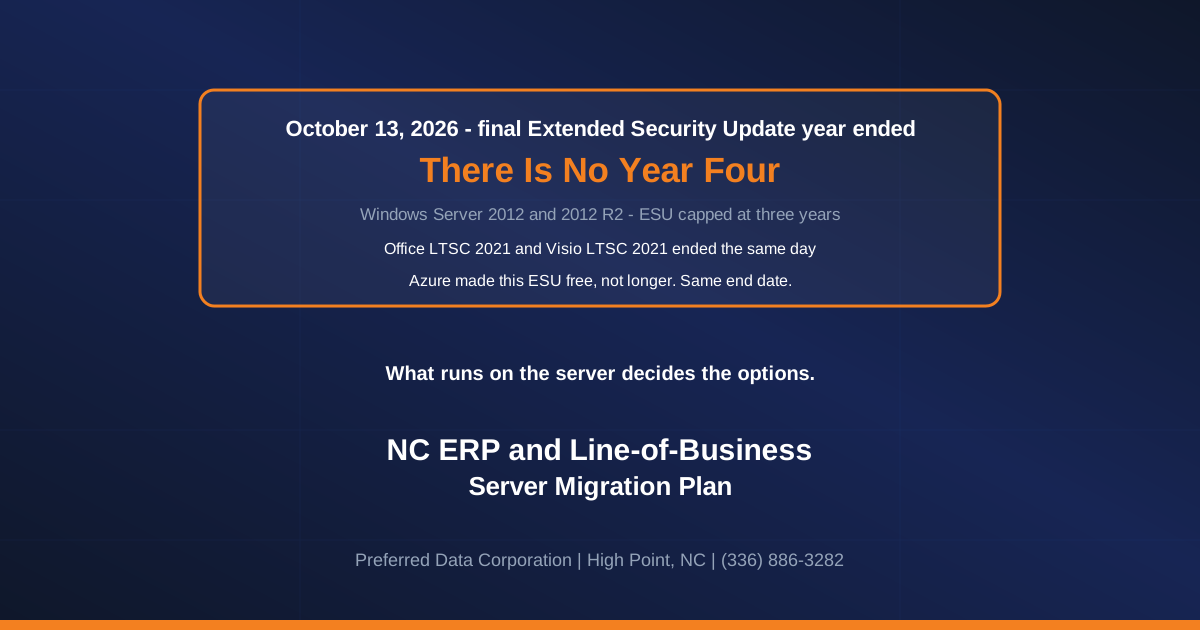
TL;DR: Windows Server 2012 and 2012 R2 reached the end of their third and final year of Extended Security Updates on October 13, 2026, the same day Office LTSC 2021 and Visio LTSC 2021 reached end of support. Microsoft capped ESU for these servers at three years, and there is no fourth year to buy, in Azure or on your own hardware. The question that decides what you can do now is what runs on the server: an application, a driver, a license, a scheduled task. This post is about that.
As of October 23, 2026: Microsoft's lifecycle pages for both products still list ESU Year 3 as the last entry, and the ESU FAQ lists no later year.
Nobody keeps a Windows Server 2012 R2 machine because they like Windows Server 2012 R2. They keep it because something on it will not move. Start there, because it decides what you can do now.
Why is that server still running?
Across the manufacturers, distributors and contractors of the Piedmont Triad, these five are the ones worth checking first, and each has a different answer:
- A line-of-business or ERP application whose vendor certified a specific Windows Server version. The database engine underneath carries its own supported-platform list. Moving the OS can force a database upgrade, which forces an application upgrade, which forces a conversation with a vendor who may price it like a new sale.
- A vendor who no longer exists, or no longer supports that version. You are not scheduling an upgrade, you are deciding whether to replace a system the business runs on.
- A 32-bit driver, ODBC connector or hardware key. Label printers, scales, older CNC and test equipment, and report writers bound to a 32-bit data source. Small problems that are easy to miss until cutover weekend.
- One shared folder or one scheduled task that people depend on and nobody documented. Cheap to move, expensive to find late.
- A per-server license nobody can find the paperwork for. Which turns a technical migration into a procurement exercise.
That list is the project.
If the box runs your ERP, the first step is to find out what the application vendor supports today, before anyone touches the server. That one phone call decides whether this is a weekend or a quarter. An unsupported server with an unanswered vendor question is the worst position to be in, so make the call first.
What ended on October 13, 2026?
| What ended | Status since October 13, 2026 | Can you buy more time? |
|---|---|---|
| Windows Server 2012 and 2012 R2 | Final Extended Security Update year over. No further security updates | No. Three years was the maximum |
| Office LTSC 2021 | No technical support, bug fixes or security updates | No |
| Visio LTSC 2021 | Same end date as Office LTSC 2021 | No |
Microsoft's Extended Security Updates overview lists the ESU duration for Windows Server 2012 and 2012 R2 as three years, with an end date of October 13, 2026, both in Azure and outside it, and warns that "After the period of Extended Security Updates ends, we'll stop providing updates." Extended support for these servers ended in October 2023, and the 2012 R2 lifecycle record lists ESU Year 1, Year 2 and Year 3 with nothing after them.
On the Office side, Microsoft's lifecycle announcement says that after October 13, 2026 "Microsoft will no longer provide technical support, bug fixes, or security updates," that this "may increase your organization's exposure to security risks and could impact compliance requirements," and that the on-premises upgrade path is Office LTSC 2024. Visio LTSC 2021 carries the same end date, which matters in plants where the only copy of the floor layout is a .vsdx file.
Windows 10 is deliberately not in that table, because its dates are a different story. Microsoft's ESU FAQ runs Windows 10 commercial ESU Year 1 to October 13, 2026, Year 2 to October 12, 2027 and Year 3 to October 10, 2028, for Enterprise, Education and Pro in commercial use. The consumer ESU program, which also ends October 12, 2027, "can't be used in commercial scenarios" and is not offered on domain-joined, Entra-joined or MDM-enrolled devices. Neither adds a day to Server 2012.
Why is there no year four?
Because server ESU was defined as a maximum, not a subscription that renews while you still need it. Three years from the end of extended support, and done.
The Windows 10 conversation trained people to expect more time, and on Windows 10 more time does exist. Server 2012 has none. Azure does not move the date either: the ESU FAQ makes ESU free on Azure-hosted 2012 servers for the three years, not longer, so lifting a 2012 R2 virtual machine into Azure today buys no updates at all.
Microsoft has granted Windows Server an extra Azure year once, and not to this release. The ESU FAQ footnote reads "One additional year of ESU is available for Windows Server 2008 and 2008 R2 only on Azure." For 2012 and 2012 R2 the same table ends at October 13, 2026.
One caution if you read Microsoft's Windows Server ESU page: it says "Get Windows Server and SQL Server Extended Security Updates for 3 more years in Azure." For a 2012 R2 box those three years were October 2023 to October 13, 2026, and they are spent. The sentence is accurate for products whose window starts later, which is what makes it easy to misread. If the server also runs SQL Server, that engine has its own lifecycle; it does not buy the Windows underneath it another day.
Key takeaway: For Windows Server 2012 and 2012 R2, October 13, 2026 ended security updates, in Azure and on your own hardware alike. Any plan that assumed another year could be bought has already failed.
Want to know which of those five things is pinning your server? Call (336) 886-3282 or tell us what you are running, and you will get a straight answer.
How do I find out what version my server is, without calling anyone?
You can get this yourself in about a minute, free, and the next conversation starts from a fact.
- Log on to the server, hold the Windows key and press R, type
winverand press Enter. The box that appears names the Windows version. - For a copyable answer, open Command Prompt and run
systeminfo. The "OS Name" and "OS Version" lines are the ones to write down. - Server Manager shows it too, on its Local Server page, if the server has the full desktop.
Write down each server, its Windows version, and in one phrase what it does.
What does running an unsupported server cost?
No invented breach-cost figure here, because nobody can honestly give you one. Three things are defensible.
The security exposure builds rather than arrives. Nothing happened to the server on October 14. Each month, Microsoft keeps publishing fixes for the versions it still supports, and each one points at a weakness that may stay open on yours. The gap widens quietly.
The compliance expectation is already written down. NIST SP 800-53 control SA-22, "Unsupported System Components", says to replace components once vendor support ends, or to provide alternative sources of continued support. NIST says its controls "can be implemented within any organization," and that their use "is mandatory for federal information systems." So it is mandatory for federal systems and does not bind a private plant directly, but it states the expectation plainly. Its own guidance allows exceptions for systems that provide critical business capabilities "where newer technologies are not available" or that are so isolated replacement is not an option. That can describe the vendor-pinned ERP case.
And if an incident arrives, North Carolina attaches its own duty. N.C.G.S. 75-65 requires a business to notify affected people "without unreasonable delay" after a security breach involving their personal information, and to notify the Consumer Protection Division of the Attorney General's Office. Software the vendor has publicly stopped patching is an obvious question in that conversation.
| Your option | What it really takes | When it fits |
|---|---|---|
| In-place upgrade to Windows Server 2025 | A maintenance window, a tested backup and a Windows Server 2025 license, if the applications support it. 2012 R2 only | File, print and simple roles on a standalone 2012 R2 server that is not a domain controller |
| Build new, migrate the application | Vendor involvement, a test cutover, parallel running | ERP and line-of-business servers |
| Lift the virtual machine to Azure as-is | Buys no ESU, because the window has closed | When the hardware is dying too, as a hosting decision only |
| Retire the application | A business decision rather than a technical one | When the vendor is gone, or one person's habit is all that keeps it |
The first row is simpler than it used to be, for one of the two products. Microsoft's upgrade-path matrix says "You can upgrade directly to Windows Server 2025 from Windows Server 2012 R2 and later" for nonclustered systems. Plain Windows Server 2012 has no such path: the same table allows it only to 2012 R2 or 2016, so a 2012 box means a staged upgrade or a new build. Cluster rolling upgrades move one version at a time. Domain controllers are a separate case: Microsoft's functional-level matrix marks a Windows Server 2025 domain controller "Not supported" at the 2012 R2 functional level, so a 2012 R2 domain controller needs its own migration plan rather than an in-place jump. Budget for the license too: Microsoft notes that "each Windows Server upgrade requires a separate license." Check which you have before anyone books an outage.
What should a cutover plan say before you approve it?
Four things, in writing, from whoever proposes the work, us included. This is what lets a plant manager say yes.
How many hours the application is unavailable, and on which date. Not "a maintenance window." A number and a date, set against your production schedule rather than the vendor's convenience.
What parallel running means here. The new server is built and tested alongside the old one, which stays live and keeps printing work orders, so the only downtime is the switch itself. The alternative is a weekend with one server and no fallback.
The rollback point. At what moment can everything go back to the old server, how long that takes, and who decides. If nobody can answer that, the plan is not finished.
Who is on site, by name. On a Sunday night with a label printer that will not talk to the new box, a name and a mobile number beats a support tier.
These servers sit unmoved for years because nobody asked the person responsible for Monday's shipment what happens to Monday's shipment.
What should we do now that the date has passed?
Three things, in order, none of which needs a new server yet.
- Call your software vendor, not us. One question: what operating system does your current release support, and will you put it in an email. Everything else hangs on that answer.
- Walk the building with
winverand write down what you find. A 2012 R2 server doing nothing but files and printing can take a supported nonclustered in-place upgrade to Server 2025 over a weekend. Plain 2012 means a staged upgrade or a new box. - Reduce exposure while you plan: take the server off the internet in both directions, segment it from general office traffic, keep mail and browsing off it, and hold tested backups offline. That narrows the risk; it does not make the software supported.
That is the work our managed IT and network infrastructure teams do around a deadline like this one.
Preferred Data Corporation has been in business in High Point since 1987, which is 39 years, and legacy line-of-business and ERP systems are work we do. We are at 1208 Eastchester Drive, Suite 131, High Point, NC 27265, on site within 200 miles of the office, including Greensboro, Winston-Salem, Charlotte and Raleigh, and we support clients remotely across the US and around the world. If "the vendor says no" is the answer you get, call (336) 886-3282 or read how we handle legacy and custom software.
Frequently Asked Questions
What happened to the server on October 14?
Nothing visible. It keeps running, nothing expires and nothing shuts off. Only the security updates stopped.
Can we buy another year of ESU for Windows Server 2012 R2?
No. Microsoft documents ESU for Windows Server 2012 and 2012 R2 as three years, ending October 13, 2026, and has offered no fourth year. Azure hosting made ESU free, not longer. The only Windows Server releases ever given an extra Azure year were 2008 and 2008 R2.
Our ERP vendor says their software only runs on Server 2012 R2. Now what?
Get that in writing, with a date on it, and treat it as a vendor question rather than a server question. A vendor whose current release will not run on any supported operating system has told you something about their roadmap. The options are to isolate the machine hard while you plan a replacement, pay for whatever upgrade path the vendor does have, or replace the application. If the business keeps running it, write down why.
Is isolating the old server a legitimate option?
As a bridge, yes: no internet access either direction, segmentation from office traffic, no mail or browsing on it, tested backups held offline. That reduces the exposure. The software is still unsupported, which is the question an auditor asks.
Does Office LTSC 2021 stop working after October 13?
No. The applications keep opening. Microsoft no longer provides security updates, support or bug fixes, and names Microsoft 365 Apps or Office LTSC 2024 as the upgrade paths.
We have deferred this for years on purpose. Why is this year different?
Because until October 13, staying put meant ESU, paid on your own hardware or free in Azure. Now there is no ESU to buy at any price, so the honest answer on an insurance or customer questionnaire changes from "extended support" to "unsupported."
Related Resources
- Windows Server 2016 EOL Jan 2027: NC SMB Migration Playbook is the next server deadline: Windows Server 2016 extended support ends January 12, 2027.
- On-Prem Exchange Dead End Oct 2026: NC SMB Playbook covers a mail product with nowhere left to upgrade in place.
- ERP System Selection Guide for Mid-Market NC Manufacturers is the next read if the application has to be replaced.