
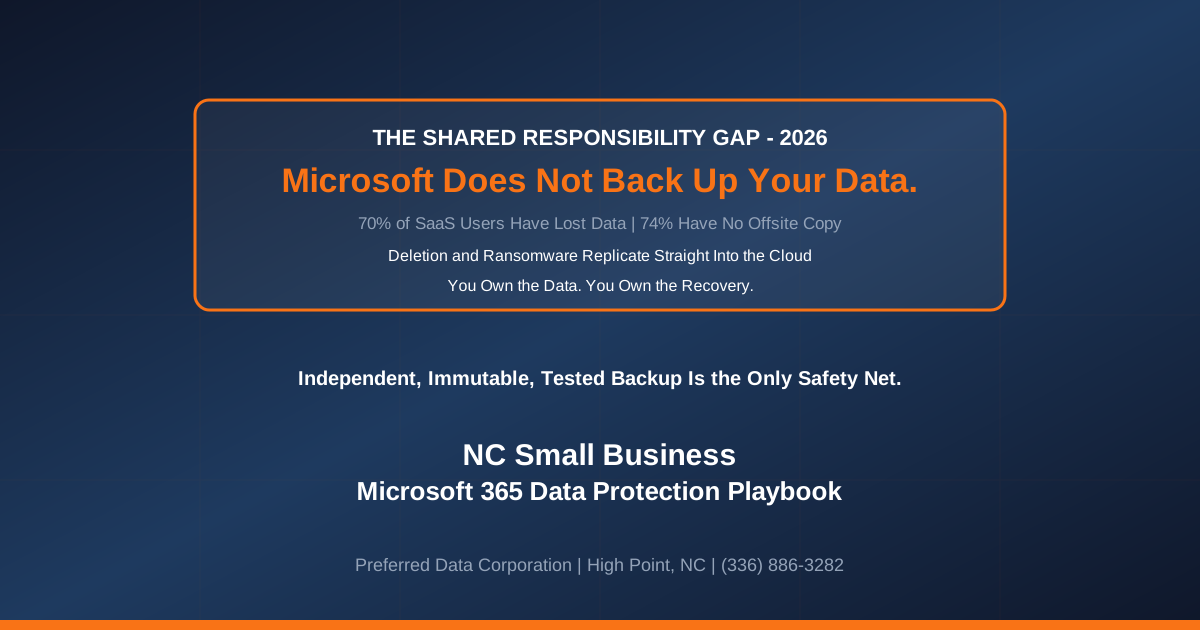
TL;DR: Most small businesses assume that because their email, files, and documents live in Microsoft 365 or Google Workspace, the vendor is backing that data up. It is not. Under the Microsoft shared responsibility model, Microsoft keeps the service running while you remain responsible for protecting and recovering your own data, and Microsoft's own Services Agreement recommends you back it up separately. The consequences show up in the numbers: a 2026 report from MSP360, Kaseya, and Analytics Insight found 70% of businesses using SaaS apps have lost data from those apps, and 74% lack offsite protection for it. For a North Carolina small business, an independent Microsoft 365 backup is not optional insurance, it is the thing standing between a bad afternoon and a permanent loss.
Key takeaway: "It is in the cloud" is not a backup strategy. Replication keeps your data available, but a deleted or encrypted file is faithfully replicated as deleted or encrypted. Recovery requires a separate, independent copy that you control.
Not sure whether your Microsoft 365 or Google Workspace data could actually be recovered after a deletion or ransomware event? Contact Preferred Data Corporation at (336) 886-3282 for a data-protection assessment. BBB A+ rated, serving High Point, Greensboro, Winston-Salem, Charlotte, Raleigh, and the Piedmont Triad since 1987.
Does Microsoft back up my Microsoft 365 data for me?
No. Microsoft keeps the Microsoft 365 platform online and resilient, but protecting and recovering the data inside it is your responsibility. This split is called the shared responsibility model, and misunderstanding it is one of the most expensive assumptions a small business can make. Microsoft handles the infrastructure, physical security, uptime, and datacenter-to-datacenter geo-redundancy. You own the data in Exchange Online, SharePoint, Teams, and OneDrive, and you own the job of getting it back when something goes wrong.
Microsoft states this plainly. Its Services Agreement recommends that customers "regularly back up" the content and data they store on the services, and in 2024 Microsoft went further and released its own separate paid backup product, an implicit acknowledgment that the core subscription does not include real backup.
Three facts make the gap concrete:
- Geo-redundancy is not backup. Microsoft replicates your data across datacenters for availability, but deleted or corrupted data is replicated in that same deleted or corrupted state.
- Retention is not backup. Recycle bins and retention windows are short and easy to exceed. A file deleted long enough ago is simply gone.
- A departed employee's data is purged. Mailboxes and OneDrive contents are typically deleted about 30 days after an account is removed, taking institutional knowledge with them.
Key takeaway: Microsoft guarantees the service is there. It does not guarantee your data is recoverable. Those are two different promises, and only one of them is yours to keep.
What actually causes Microsoft 365 data loss?
The leading causes are not exotic. They are everyday human and criminal actions that the platform's built-in tools were never designed to reverse. When MSP360 asked businesses about SaaS data protection incidents, malicious deletion led at 50%, followed by ransomware at 36.7%, accidental deletion at 34%, and misconfiguration at 30%. None of those is a Microsoft outage. Every one of them is something that happens inside a normal business week.
Consider how each plays out without an independent backup:
- Malicious deletion. A disgruntled employee or a compromised account deletes mailboxes, SharePoint sites, or files. After the retention window, recovery is impossible.
- Ransomware. Malware can encrypt cloud-synced files just as easily as on-premises ones, and the encrypted versions sync straight into Microsoft 365.
- Accidental deletion. Someone empties the wrong folder or overwrites a critical spreadsheet, and no one notices until the recycle bin has already cleared.
- Misconfiguration. Complex, non-standard retention and sharing policies leave blind spots that only surface when you try to restore.
The scale of the exposure is what makes this urgent. The same 2026 reporting found that 70% of SaaS-using businesses have already experienced data loss, yet 74% still have no offsite protection, a gap that independent research on SaaS resilience has repeatedly confirmed. And the stakes for a small business are existential: the SBA reports that 60% of small businesses that suffer a significant cyberattack close within six months.
Worried a single deletion or ransomware event could wipe out years of your company's files? Call Preferred Data at (336) 886-3282 or explore our Backup and Data Protection and Cybersecurity services.
What does a real Microsoft 365 backup look like?
It looks like a separate, independent, immutable copy of your data that you control and test, kept somewhere the primary account cannot reach. The point of a backup is to survive the very event that damages the original, so it has to be isolated from the account, the admin credentials, and the ransomware that might compromise them. A backup living in the same tenant, reachable by the same login, is not a backup, it is a second copy waiting to be deleted alongside the first.
A dependable SaaS backup for a small business meets a short, non-negotiable standard:
- Independent of the vendor. Stored outside Microsoft 365, in infrastructure the tenant admin cannot wipe.
- Immutable. Written so that it cannot be altered or encrypted after the fact, which is what defeats ransomware.
- Comprehensive. Covers Exchange Online, SharePoint, OneDrive, and Teams, not just mailboxes.
- Long retention. Keeps versions far longer than Microsoft's recycle bins, so a deletion discovered months later is still recoverable.
- Tested. Restores are rehearsed on a schedule, because an untested backup is only a hope.
That last point is where most do-it-yourself efforts fail. It is not enough to have a backup running, you have to prove it restores, and only about 40% of IT professionals feel confident their backup can protect critical assets during a disaster. Confidence comes from testing, not from a green checkmark in a dashboard.
The Microsoft 365 backup myth versus reality
| Assumption | Reality | What it means for you |
|---|---|---|
| Microsoft backs up my data | Microsoft keeps the service up; you own the data | You need your own backup |
| Geo-redundancy protects me | Deletions and encryption replicate too | Replication is not recovery |
| The recycle bin is enough | Retention windows are short and clear automatically | Old deletions are unrecoverable |
| A departed employee's files are safe | Purged about 30 days after offboarding | Capture it before they leave |
| We would notice a problem in time | Malicious and accidental deletions surface late | Long retention is essential |
Ready to close the backup gap before you need it? Call (336) 886-3282 or learn about our Backup and Data Protection services.
How should an NC small business protect its cloud data in 2026?
Treat Microsoft 365 and Google Workspace the way you would treat any other critical system: assume it can lose data, and build recovery around that assumption. The businesses that come through a deletion or ransomware event intact are the ones that decided the question of "can we restore this?" long before the incident.
A practical plan for a North Carolina small business:
- Deploy an independent, immutable SaaS backup covering all of Microsoft 365 or Google Workspace, stored outside the tenant.
- Set long retention that reflects how late deletions are actually discovered, not the vendor's short default.
- Back up departing employees on offboarding so knowledge is captured before the account is purged.
- Test restores on a schedule and document the recovery time so you know what "back to normal" costs in hours.
- Pair backup with security hygiene, including phishing-resistant MFA and endpoint detection, so fewer incidents reach your data in the first place.
- Write it into your continuity plan with defined recovery-point and recovery-time objectives, so recovery is a procedure, not an improvisation.
How does Preferred Data protect NC businesses' cloud data?
Preferred Data Corporation has protected North Carolina businesses' data since 1987, and independent SaaS backup is a core part of our Backup and Data Protection and Managed IT services. We deploy immutable, off-tenant backups for Microsoft 365 and Google Workspace covering mail, files, SharePoint, and Teams, we set retention to match how businesses actually discover data loss, we capture departing-employee data during offboarding, and we test restores so recovery is proven rather than assumed. We layer this on top of the security controls, including phishing-resistant MFA and endpoint detection, that keep ransomware and account compromise from reaching your data at all.
Because we are local, on-site within 200 miles of High Point, we can build a recovery plan around the actual systems and workflows your team depends on every day.
Get a data-protection and recovery assessment. Contact Preferred Data Corporation at (336) 886-3282. We deliver Backup and Data Protection, Managed IT, and Cybersecurity for small businesses and manufacturers across the Piedmont Triad. Serving the region since 1987, BBB A+ rated.
Frequently Asked Questions
Does Microsoft or Google back up my business data automatically?
No. Both operate a shared responsibility model in which the vendor keeps the platform available and you remain responsible for backing up and recovering your data. Microsoft's own Services Agreement recommends that customers regularly back up their content, and Microsoft released a separate paid backup product in 2024, which underscores that real backup is not included in the standard subscription.
Is geo-redundancy the same as a backup?
No. Geo-redundancy replicates your data across datacenters so the service stays available, but if a file is deleted, corrupted, or encrypted by ransomware, that damaged state is replicated too. A backup is a separate, independent copy that lets you roll back to a known-good version, which replication cannot do.
What is the most common cause of Microsoft 365 data loss?
Malicious deletion is the leading cause, reported by 50% of businesses in a 2026 MSP360 survey, followed by ransomware at 36.7%, accidental deletion at 34%, and misconfiguration at 30%. These are everyday human and criminal actions rather than platform outages, which is exactly why the built-in tools often cannot reverse them.
How long do I have to recover a deleted file in Microsoft 365?
Only as long as the recycle bin and retention policies allow, which is often measured in days to a few weeks and clears automatically. A departed employee's mailbox and OneDrive are typically purged about 30 days after the account is removed. An independent backup with long retention is what protects you when a deletion is discovered months later.
What makes a Microsoft 365 backup ransomware-proof?
Immutability and independence. The backup must be stored outside the Microsoft 365 tenant, beyond the reach of the admin credentials an attacker might steal, and written so it cannot be altered or encrypted after the fact. That way, when ransomware encrypts your live data, the clean backup remains untouched and restorable.
Can Preferred Data manage Microsoft 365 backup for our business?
Yes. We deploy independent, immutable, off-tenant backups for Microsoft 365 and Google Workspace covering mail, files, SharePoint, and Teams, set retention to real-world discovery timelines, capture departing-employee data, and test restores so recovery is proven. We serve small businesses and manufacturers across High Point, Greensboro, Charlotte, Raleigh, and the greater Piedmont Triad.
Related Resources
- Why "It's in the Cloud" Isn't a Backup Strategy in 2026 - CyberFortress
- The Microsoft 365 Shared Responsibility Model - Veeam
- Top SaaS Data Protection Challenges of 2026 - MSP360
- SBA: How to Protect Your Small Business from Cybersecurity Threats
- Preferred Data Backup and Data Protection Services
- Preferred Data Managed IT Services
- Preferred Data Cybersecurity Services