
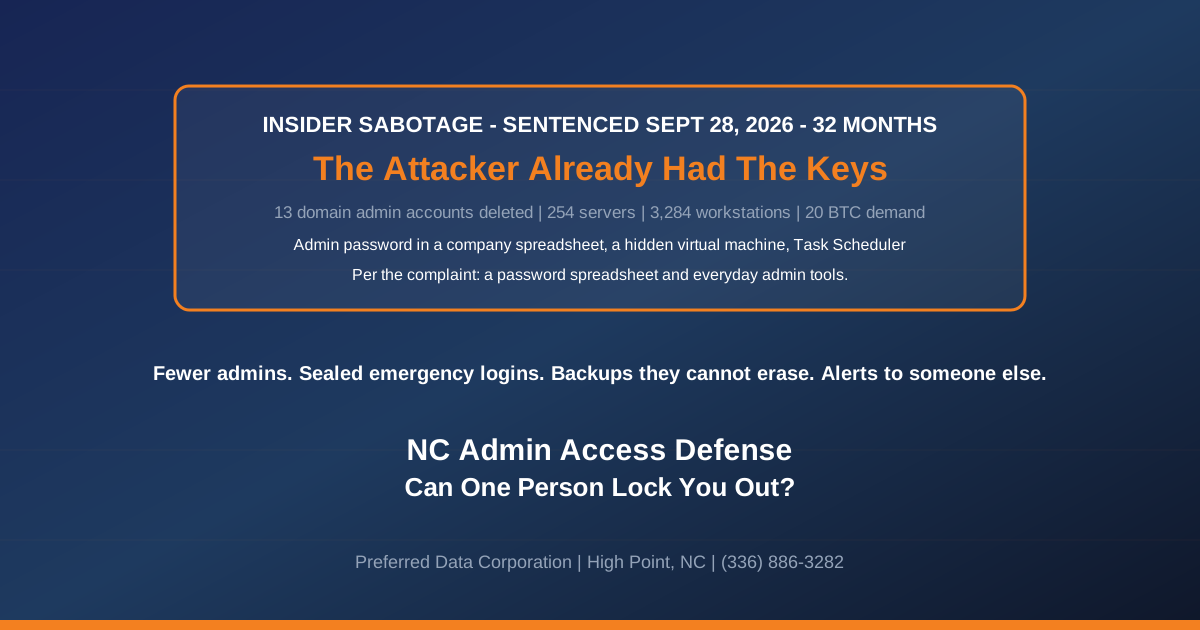
TL;DR: On September 28, 2026, a federal judge in Trenton sentenced Daniel Rhyne to 32 months in prison for attacking the network of the New Jersey industrial company that employed him. The FBI complaint says he got the password to a domain administrator account from a company password spreadsheet, and that tasks run from that account deleted 13 domain administrator accounts, took over the one left, and were set to change the passwords protecting 254 servers and 3,284 workstations, followed by a demand for 20 bitcoin, about $750,000. A 70-person North Carolina plant can lose its admin access in far more ordinary ways too: the one person who knows the passwords retires, quits or ends up in the hospital. The fix for both is the same, and it starts with one list you can ask for this week.
What did the engineer actually do?
He read an admin password out of a spreadsheet and used it from a computer his employer did not know about. According to the FBI criminal complaint in United States v. Rhyne, on November 9, 2023 his company laptop opened "a company spreadsheet with passwords," including the password for a domain administrator account. That same day a virtual machine nobody had authorized appeared on the network. For the next 16 days it was the only system opening remote desktop sessions into that administrator account on the domain controller, and on November 22 it searched for "how to clear all windows logs from command line."
On Saturday morning, November 25, that account created about 16 scheduled tasks. At 4:00 p.m. the company's administrators started getting password-reset notices and found every other domain admin account deleted. At 4:44 p.m. employees got an email titled "Your Network Has Been Penetrated." It claimed the backups were gone and threatened to shut down 40 servers a day for ten days unless 20 bitcoin arrived by December 2.
Investigators tied the hidden machine to Rhyne's company laptop, and the password he set on it, TheFr0zenCrew!, was the same one stamped on the hijacked accounts and used on the extortion email account. He pleaded guilty to extortion and intentional damage to a protected computer. Judge Michael A. Shipp imposed the 32-month sentence, Decrypt reported; the U.S. Attorney's Office in New Jersey published the announcement, and BleepingComputer covered it on October 6.
Key takeaway: The way in was a password spreadsheet, and every tool after that came from Windows or Microsoft: remote desktop, Task Scheduler,
net userand a Sysinternals password utility. None of it is malware, so a product that only looks for malicious files had little to catch.
Why should a 70-person plant care about a case this size?
Because a small plant has more keys in fewer hands. Rhyne's employer had at least 14 domain admin accounts and a team of administrators to notice the reset emails. A metal fabricator in Thomasville or a furniture-components shop in High Point may have one person who knows every password, or one outside company that does, and nobody else in the building who would recognize a strange scheduled task on a server.
On a plant floor a domain lockout can look like this: if your ERP, print servers and engineering or HMI workstations sign in through the domain, people cannot log in to them, travelers and work orders stop printing, and shipping cannot cut a bill of lading. That holds whether the cause is sabotage, ransomware or a password nobody wrote down.
It has happened before. In August 2025 the Justice Department announced a four-year sentence for a developer at an Ohio-based company whose "kill switch" locked out users the moment his own Active Directory account was disabled. It fired on September 9, 2019, when he was placed on leave, and hit thousands of users. The DOJ says the sabotage began after a 2018 realignment cut his responsibilities and access.
That detail is the useful one for a manager. CISA's definition of an insider threat covers anyone using "their authorized access, wittingly or unwittingly," to do harm, sabotage included. In the Ohio case the sabotage followed a cut in the developer's role, and his code fired the day he was placed on leave. A reorganization, a demotion or a departure is when admin access deserves a second look, for everyone's protection.
How do you raise this with an IT person you have trusted for years?
Ask it the way you would ask about the only mechanic who can fix the press brake: "If you were out for a month, could we keep running?" Then ask them to help build the answer. A good IT person has every reason to welcome it, because it protects them too. Nobody can blame them for an outage that happened on their vacation, and they stop being the only phone that has to ring at 2 a.m.
What you are asking them to build is short:
- Admin passwords moved out of spreadsheets and documents into a password vault where each person has their own access and every lookup is logged, with every password that was ever in the old file changed and the file deleted
- A list of every account that can run your domain, Microsoft 365, firewall and backups, with a person's name next to each
- At least two sealed emergency logins, tied to no single person, whose passwords you or a second party set and test
- A backup copy that nobody, including them, can delete
- An alert that reaches someone besides them when an admin account changes, sent from a service outside your network, which you have watched fire in a test
If someone resists writing down what only they know, notice it.
Want help building that list alongside your IT person, without replacing them? Preferred Data Corporation's managed IT team in High Point can work alongside your IT person anywhere in the Piedmont Triad. Call (336) 886-3282 or contact us.
What does each piece protect against?
Each one answers something that went wrong at the New Jersey company. None of it stops an administrator from doing admin work, and none of it needs you to understand the technology.
| What happened in New Jersey | The question for your plant | A good answer |
|---|---|---|
| An admin password sat in a company spreadsheet | Where do your admin passwords live? | In a password vault with per-person access and a log, never a shared file |
| One admin account deleted 13 others | Who can do everything, and do they use that login every day? | A named list short enough to read aloud, and separate everyday logins |
| Every other admin was locked out at 4:00 p.m. | Are there emergency logins nobody uses day to day? | Yes, at least two, sealed, and held by the owner or a second party |
| The email claimed the backups were deleted | Could the person who runs backups also erase them? | No: one copy sits under separate credentials and cannot be altered for a set number of days |
| A hidden machine ran for 16 days | Would anyone notice a new server or virtual machine? | A current inventory and an alert when something new appears |
| The searches included how to clear Windows logs | Can an admin erase the record of what they did? | Logs are copied somewhere they cannot edit |
| 44 minutes from first reset to ransom email | Who hears about it when an admin account is deleted? | Someone outside IT, by text, within the hour |
The sealed emergency logins
Microsoft tells its customers to keep two or more emergency access accounts for Microsoft 365, tied to no single person, with credentials stored "in secure, fireproof safes that are in secure, separate locations," and tested at least every 90 days. One of the reasons Microsoft gives is "the person with the most recent Global Administrator access leaves the organization." The same page says most organizations need the same arrangement for their on-premises systems.
One honest limit: an emergency account in your own server room is still something a domain admin can delete. It rescues you when your admin is unavailable or gone. Against someone determined to do damage it buys little time, which is why the alert matters.
The backup nobody can erase
We never learn whether Rhyne actually deleted the backups. The company still had to act as if he had. A copy kept under separate credentials, offsite or in storage that refuses deletion for a set number of days, turns that line of the ransom email into a bluff. Our guide to immutable backups explains the setup, and our backup and data protection team can set it up for plants within 200 miles of High Point, from Greensboro to Hickory.
The alert, and what the person who gets it does
Your systems can record when a domain admin account is deleted, when a scheduled task appears on a domain controller, when a security log is cleared and when a new virtual machine shows up, provided auditing is switched on and the hypervisor's logs are collected. Send those few events to the owner or the controller as well as to IT.
The person who gets that text does not have to understand it. Their job is one phone call, to a number that is not the IT person's: an outside security team or your IT company's after-hours line. Agree on that number now. How often it fires depends on how your systems are run, so have whoever sets it up record what normal looks like for your plant over the first few weeks. Then tune out the routine noise, not the alert, before anyone learns to ignore it. Have the alerts sent by a service your administrators cannot switch off, and have it tell you if they stop arriving.
What should happen when someone with admin rights leaves?
Run it as a short project in a set order, because the obvious first step can be the trigger. In the Ohio case, disabling the developer's account is what set off his code, so the checking has to happen before the cutoff, and the cutoff has to come before anything they could watch or undo. Our onboarding and offboarding guide covers ordinary staff; for an administrator, or for an outside IT company you are leaving, add these steps in this order:
- On the day, before the conversation, have someone other than the departing person pull the list of admin accounts, scheduled tasks and scripts on your servers, and remote-access tools installed, plus any keys or tokens they created (API keys, app passwords, SSH keys, certificates, app consents) and any phone or recovery address registered on a shared admin account. For an outside IT company, include any partner admin relationship in Microsoft 365 and their management agent on your computers. Look for anything that checks whether their account still exists, and note which plant devices and programs use each shared password so changing it does not stop production.
- Confirm the backups before the cutoff, not after: check that last night's backup completed, restore one file from it and one from a month ago, and confirm the copy that cannot be deleted sits under credentials the departing person does not have.
- At the cutoff, do all of this together, starting with anything suspicious from step 1: keep a copy of each suspicious task or script, then disable it. Then disable their own accounts, sign them out of Microsoft 365 and every remote-access tool, and change every shared password they knew, including the firewall, Wi-Fi, ERP admin, domain registrar, Microsoft 365 admin and backup console, signing out sessions on those shared accounts too. Revoke the keys, tokens, partner relationships and agents from step 1, remove their phone or recovery details from shared accounts, and change any emergency credentials they knew. Have everything prepared in advance, because any route left open while you work through the list is one they can still use.
- Keep the evidence. Collect their company laptop and phone and do not wipe or reissue them for a period your counsel sets. Disable their mailbox and accounts rather than deleting them. If anything in step 1 looks deliberate, call your outside security team or counsel before you remove it.
- Change the safe combination and review who may use the emergency accounts, steps Microsoft says to repeat "after termination or position change," and watch for anything that runs in the days afterward.
The same applies to an outside IT company, including us. A managed service provider holds the same keys an in-house administrator does. You should own the emergency logins, receive the critical alerts directly and keep one backup copy your provider cannot delete. If a provider will not let you hold your own emergency logins, ask them to explain why in writing before you renew. We wrote about a sharper version of this risk in the case of the ransomware negotiator who was working with the attackers.
Planning a retirement, a reorganization or a change of IT company? That is the moment to do this, not after. Preferred Data Corporation's cybersecurity team works on site within 200 miles of High Point, from Charlotte to Raleigh. Call (336) 886-3282.
Frequently Asked Questions
How did investigators identify the engineer?
The FBI complaint says the hidden virtual machine was accessed from Rhyne's company laptop and user account, and browsing on the laptop stopped whenever browsing on the hidden machine started. Badge records put him in the building minutes before his laptop logins on several days, and the extortion email account shared a password with the hidden machine and the hijacked accounts.
How many domain administrators should a small business have?
As few as daily work allows. For a 20 to 250 person company, two or three named administrators, each with a separate everyday login, plus sealed emergency accounts, is what we recommend, and it is easy to explain to an auditor or an insurer.
Would antivirus have stopped this?
Probably not. Every tool in the complaint was a legitimate Microsoft utility run from a real admin account. What catches this kind of attack is an alert on the actions themselves: admin accounts deleted, scheduled tasks created on domain controllers, logs cleared.
Is it legal to monitor what our IT administrator does?
Logging activity on company systems and admin accounts is standard practice. Put it in your acceptable-use policy so everyone knows it applies to every admin, including outside providers, and talk to employment counsel before monitoring anything personal.
What if our only IT person quits suddenly?
That is the ordinary version of this problem, and Microsoft names it as a reason to keep emergency access accounts. If you hold the sealed logins and a current list of systems, a sudden resignation is a disruption you can work through rather than a lockout.
Should we hold the admin passwords ourselves?
Hold the emergency logins, sealed, and the list of who has the rest. Keeping everyday admin passwords in a desk drawer creates a different risk. The goal is that no single person, inside or outside the company, is the only way back in.
About Preferred Data Corporation: We have supported manufacturers, construction firms and industrial companies across North Carolina since 1987, from our office at 1208 Eastchester Drive, Suite 131, High Point, NC 27265. We work on site within 200 miles, including Greensboro, Winston-Salem, Charlotte and Raleigh. Call (336) 886-3282 or email [email protected].
Related Resources
- FBI criminal complaint, United States v. Rhyne (D.N.J., August 8, 2024)
- Microsoft: Manage emergency access admin accounts in Microsoft Entra ID
- CISA: Defining insider threats
- Preferred Data Managed IT Services
- Preferred Data Backup and Data Protection
- Preferred Data Cybersecurity Services
- IT for North Carolina manufacturers
- Immutable backups: ransomware protection for North Carolina businesses
- Employee IT onboarding and offboarding security
- When the ransomware negotiator was the insider