
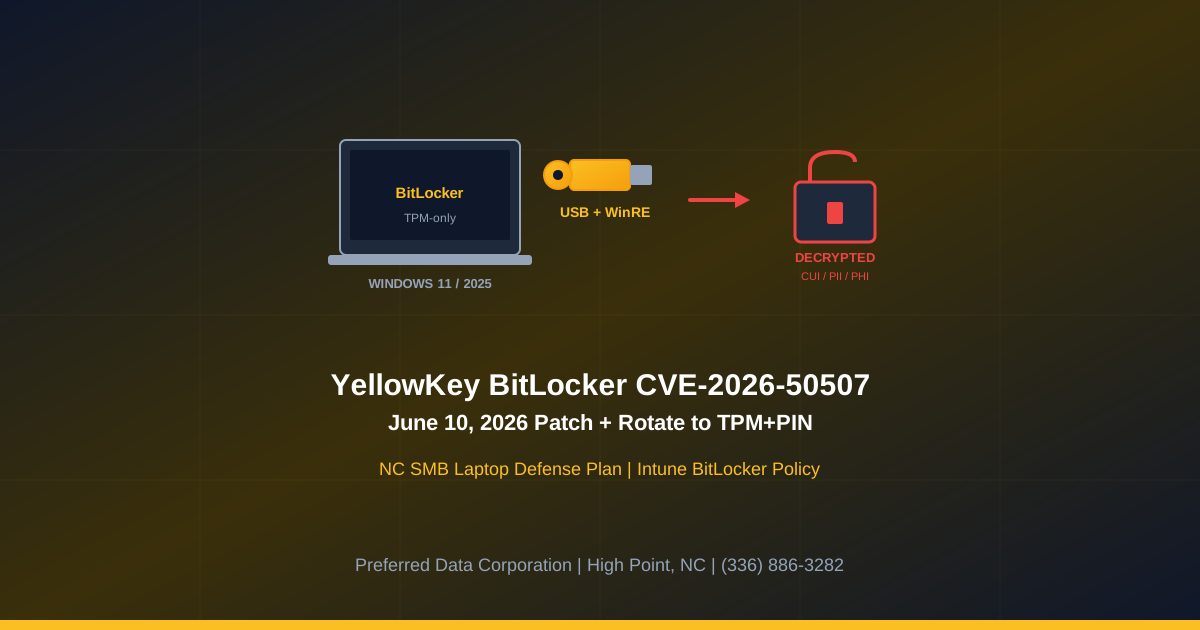
TL;DR: Microsoft's June 10, 2026 Patch Tuesday includes a fix for CVE-2026-50507, the publicly disclosed "YellowKey" BitLocker bypass (CVSS 6.8). An attacker with physical access to a Windows 11 or Server 2025 device with TPM-only BitLocker protection can place a crafted FsTx payload on a USB drive, boot into the Windows Recovery Environment (WinRE), hold CTRL to drop to an unrestricted shell, and read the encrypted volume. For NC SMBs with sales fleets, plant-floor laptops, and remote workforces, every stolen laptop becomes a decryptable data-breach event until both the patch lands and BitLocker is rotated to TPM+PIN.
Key takeaway: BitLocker encryption never actually broke. The Windows Recovery Environment around it broke. The fix is two-step: install the June 10, 2026 cumulative update on every Windows 11 / Server 2025 device, then rotate BitLocker from TPM-only to TPM+PIN for any device that handles regulated data.
Worried that a stolen sales laptop is now a breach event? Preferred Data Corporation runs managed BitLocker policy, Intune fleet management, and CMMC laptop encryption baselines for NC small businesses. Call (336) 886-3282 or request a laptop fleet review.
What is CVE-2026-50507 and why is it a problem now?
It is a Windows BitLocker security feature bypass that lets an attacker with physical access decrypt the drive without ever attacking the cryptography. Per the Microsoft Security Update Guide entry and The Hacker News' coverage of the YellowKey disclosure, the exploit path is:
- Attacker steals or briefly accesses a Windows 11 or Server 2025 device with TPM-only BitLocker.
- Attacker connects a USB drive or EFI partition seeded with crafted FsTx files.
- Attacker reboots the device into the Windows Recovery Environment (WinRE).
- Attacker holds the CTRL key during recovery, which triggers an unrestricted shell.
- The shell runs in a context that can read the BitLocker-protected volume because the recovery environment is trusted by the TPM unseal flow.
Three reasons this matters now for NC SMBs:
- Public exploit details and PoC. Per The Hacker News and Help Net Security, the YellowKey researcher disclosed the technique with a proof-of-concept ahead of the June 10, 2026 patch. Public PoC + USB-based physical access = a low-skill attack within reach of opportunistic laptop thieves.
- TPM-only is the SMB default. Most NC small businesses run TPM-only BitLocker because it is silent at boot and does not interrupt the user. That convenience is now the vulnerable configuration.
- CMMC, HIPAA, and customer contracts treat encryption as a control. Per the NIST SP 800-171 r2 control 3.13.16, CMMC contractors must protect the confidentiality of CUI at rest. A BitLocker bypass on a laptop carrying CUI is a documented control gap, not just a missing patch.
For an NC manufacturer with field-service techs, a Charlotte professional services firm with consultant laptops, or a Greensboro distributor with sales-rep fleets, every laptop in the fleet is in scope.
Why is the Windows Recovery Environment the weak link?
Because WinRE is a separate, smaller copy of Windows that boots before the regular OS and historically had legitimate reasons to need broad filesystem access. Per Eclypsium's deep-dive on the YellowKey class of bugs and Help Net Security, the structural reasons WinRE keeps producing bypass paths are:
- WinRE is trusted by the TPM unseal flow. When BitLocker is configured TPM-only, the TPM releases the volume key when the boot chain measures correctly. WinRE is part of that trusted chain, so any shell that runs in WinRE inherits read access to the volume.
- WinRE accepts user input from external media. It is designed to recover broken systems, which historically meant accepting USB-based repair tools. That same input pathway is what FsTx files abuse.
- The fix moves logic, not cryptography. Microsoft's June 10, 2026 patch hardens what WinRE will accept and how the recovery shell is constrained. It does not change BitLocker's underlying encryption.
| Risk dimension | TPM-only BitLocker | TPM+PIN BitLocker |
|---|---|---|
| Boot UX | Silent | PIN prompt at boot |
| YellowKey-class WinRE bypass | Vulnerable pre-patch, low-residual-risk post-patch | Resistant pre-patch and post-patch |
| Lost-laptop risk profile | Drive readable until patched + rotated | Drive locked even with physical access |
| CMMC / HIPAA evidence | Acceptable with patch + monitoring | Stronger evidence of confidentiality control |
| Cyber insurance review | Acceptable | Preferred |
| User support overhead | Low | Moderate (PIN resets) |
What does YellowKey mean for an NC SMB in practice?
It means that every Windows 11 or Server 2025 laptop in a sales, field-service, or remote-work fleet is a one-physical-incident-away breach event until the device receives the June 10, 2026 cumulative update and is rotated to TPM+PIN where regulated data is in play. Per the Verizon 2026 DBIR, lost and stolen devices remain a meaningful initial-access vector, especially for SMBs without dedicated security teams.
The breach chain for an NC SMB without TPM+PIN looks like:
- Laptop lost or stolen from a vehicle, hotel, airport, or job site.
- Attacker boots the laptop into WinRE with a YellowKey USB.
- Attacker reads customer PII, CUI, financial records, M365 cached tokens, browser credential stores.
- Attacker pivots: refresh tokens enable cloud lateral movement, customer PII drives extortion, CUI triggers contract liability.
Quotable definition: YellowKey (CVE-2026-50507) is a Windows security feature bypass that lets an attacker with physical access and a crafted USB drive decrypt a TPM-only BitLocker volume by abusing the Windows Recovery Environment. The encryption itself is intact; the gating around it is the failure point.
What should an NC small business do this week?
Run a 14-day plan that lands the patch on every endpoint and rotates BitLocker to TPM+PIN where regulated data lives. The four steps:
- Inventory and tag (day 1-2). Pull a complete Windows 11 / Server 2025 inventory from Intune, your RMM, or Active Directory. Tag every device by sensitivity: CUI / PHI / PII / general. Tag every device by physical risk: travel laptop, field laptop, in-office desktop, datacenter server.
- Land the June 10, 2026 cumulative update (day 1-5). Push the patch fleet-wide using Intune, WSUS, or your RMM. Verify build numbers against Microsoft's Patch Tuesday release notes for the specific Windows 11 24H2, 25H2, and 26H1 builds.
- Rotate to TPM+PIN where regulated data lives (day 5-10). Use Microsoft Intune's BitLocker configuration policy or Group Policy to require TPM+PIN on travel and field laptops. Communicate the PIN-at-boot change to users in advance. Confirm recovery keys escrow to Entra ID / AD.
- Audit recovery key management (day 10-14). Verify every device's BitLocker recovery key is escrowed and retrievable. A patch and a PIN are worthless if the help desk cannot recover a forgotten PIN inside a business day.
Key takeaway: Patch + TPM+PIN + recovery key escrow + Intune policy = a defensible answer to YellowKey. Any one of those four missing leaves the SMB exposed in audit and exposed in the next stolen-laptop incident.
How does Preferred Data Corporation help close YellowKey for NC SMBs?
PDC runs managed Windows fleet patching, Intune BitLocker policy management, and CMMC / HIPAA laptop encryption baselines for NC small businesses. We bring three things to the YellowKey response:
- Managed cybersecurity services: Push the June 10, 2026 patch fleet-wide, rotate TPM-only to TPM+PIN by Intune policy, escrow recovery keys to Entra ID, and document the change for CMMC and cyber insurance.
- Managed IT services: Day-to-day Intune and Active Directory management, help-desk support for PIN-at-boot user friction, lost-laptop response playbooks, and quarterly BitLocker posture reviews.
- Cybersecurity assessments: CMMC and HIPAA control mapping for laptop encryption, gap analysis against NIST SP 800-171, and evidence preparation for assessors.
For NC manufacturers in High Point and the Piedmont Triad with field-service laptops, NC distributors in Greensboro and Winston-Salem with mobile sales fleets, and NC professional services firms in Charlotte and Raleigh with consultant laptops, the YellowKey response is a managed-program task, not a one-time patch.
Ready to lock down your NC laptop fleet against YellowKey? Call (336) 886-3282 or book a laptop fleet review.
Frequently Asked Questions
Is BitLocker itself broken by CVE-2026-50507?
No. Per the Microsoft Security Update Guide entry for CVE-2026-50507 and Eclypsium's analysis, BitLocker's cryptography is intact. The bypass is in the Windows Recovery Environment that the TPM unseal flow trusts. The fix hardens the recovery environment, not the encryption.
Which Windows versions are affected by YellowKey?
Per the Microsoft Security Update Guide and Help Net Security coverage of the earlier YellowKey advisory, Windows 11 (24H2, 25H2, 26H1) and Windows Server 2022 / 2025 (including Server Core) configured with TPM-only BitLocker are in scope. The June 10, 2026 cumulative updates ship the official fix.
Should an NC SMB rotate every device to TPM+PIN?
For travel laptops, field-service laptops, sales fleet, and any device that carries CUI, PHI, or customer PII, yes. For in-office desktops with low physical-access risk, the cost-benefit shifts toward keeping TPM-only post-patch. The right answer is policy-by-role, managed in Intune, not blanket fleet-wide.
Does the June 10, 2026 patch fully fix YellowKey?
The patch closes the publicly documented WinRE bypass path. Per Eclypsium, the broader class of "trusted-recovery-environment" bugs is likely to produce additional CVEs; rotating to TPM+PIN gives defense-in-depth that survives the next variant.
How does TPM+PIN affect CMMC and cyber insurance?
CMMC assessors and cyber insurers treat TPM+PIN as stronger evidence of confidentiality protection at rest than TPM-only. Per NIST SP 800-171 r2 control 3.13.16, CUI must be protected at rest; TPM+PIN reduces the chance of a documented control gap during assessment.
What if a user forgets their BitLocker PIN?
Recovery keys escrow to Entra ID or AD with proper Intune / Group Policy configuration. Help desk retrieves the recovery key, unlocks the device, and the user sets a new PIN. This is why recovery key escrow is mandatory before TPM+PIN rollout; without escrow, forgotten PINs become reimage events.
Related Resources
- Managed Cybersecurity Services for NC Businesses - BitLocker policy, Intune fleet management, KEV-rate patching
- Managed IT Services for NC Businesses - Windows fleet management and laptop support
- Microsoft June 2026 Patch Tuesday: 200 CVEs and 3 Zero-Days - Companion overview of the full release
- HTTP/2 Bomb CVE-2026-49160 NC SMB Web Defense - Companion deep-dive on the DoS zero-day
- CMMC AI Security Framework June 16, 2026 NC - CMMC context for NC defense contractors
- Contact Preferred Data Corporation - Laptop fleet review for NC SMBs