
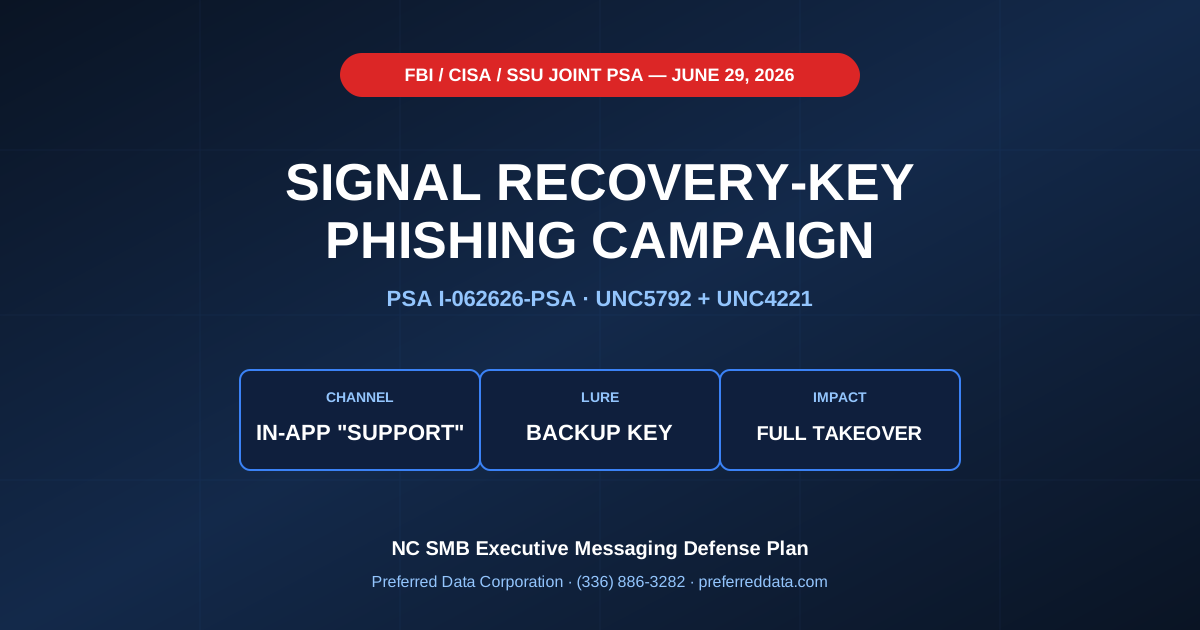
TL;DR: On June 29, 2026, the FBI updated public service announcement PSA I-062626-PSA — issued jointly with CISA and the Security Service of Ukraine (SSU) — warning that Russian intelligence groups tracked as UNC5792 and UNC4221 are now harvesting Signal backup recovery keys to gain full message-history access to victim accounts (FBI PSA via Bleeping Computer, The Hacker News coverage). The attackers impersonate Signal support inside the app, ask the user to enable message backup, and trick them into pasting a backup recovery key into chat. Even though the named targets are government officials, military personnel, journalists, and Ukrainian government targets, the tradecraft generalizes immediately to NC small business executives — CEOs running M&A confidentially, manufacturers handling supplier negotiations on personal devices, and any owner using Signal or WhatsApp for sensitive deal flow.
Key takeaway: "I'm not a high-value target" is the wrong frame. The technique is in the wild and copyable. NC SMB executives who use Signal or WhatsApp for deal-flow conversations — M&A, supplier pricing, partnership terms, attorney communications — are within copy-cat range. Recovery-key phishing works against anyone who treats an in-app "support" message as legitimate.
Need help building an executive messaging-and-mobile security policy for your NC SMB? Preferred Data Corporation runs CISO-as-a-service and managed cybersecurity for NC small businesses. Call (336) 886-3282 or request an executive cyber-hygiene review.
What did the FBI / CISA / SSU warning on June 29, 2026 actually say?
The updated PSA I-062626-PSA expands a March 2026 joint advisory to describe a new tactic: in-app messages impersonating Signal Support that instruct the user to enable message backup using their Backup Recovery Key — and trick the user into sharing the key with the attacker. Per the FBI's June 29, 2026 PSA reporting and the Bleeping Computer write-up:
- Threat actors: UNC5792 (linked to FSB-aligned operators) and UNC4221 (linked to other Russian Intelligence Services). The PSA names two distinct groups under one umbrella.
- Targeting: Current and former U.S. and international government officials, military personnel, political figures, journalists, and Ukrainian government targets.
- Channel: In-app messages purporting to be from "Signal support."
- Lure: Set up message backup; share your Backup Recovery Key to "verify."
- Impact: Full account takeover. The Recovery Key unlocks the message-history backup, exposes group chats and private DMs, and lets the attacker monitor or impersonate the victim going forward.
- Companion campaign: WhatsApp targeting via linked-device abuse continues, with attackers tricking users into adding a malicious linked device that mirrors message traffic (Bank Info Security March 2026 background).
Per The Next Web's coverage of the PSA and Security Affairs' brief, the FBI's core operational guidance is direct: real Signal support never messages you inside the app to ask for codes, PINs, or your Recovery Key.
Why is this relevant to NC small business executives?
Because the tactic is technique-portable. Per TechRadar's PSA analysis and Security Boulevard's coverage, the operational ingredients are:
- Spoofed in-app "support" message: Trivial to copy with a controlled account name and avatar.
- Recovery key / backup PIN as the lure: Works on any messaging app with a recovery-key construct.
- Urgency framing: "Your backup will be lost — verify your key now."
- Social proof / official voice: Mimics platform style guides.
This is the same playbook financially motivated criminals use against SMB owners, just with a different motivation. Per the Microsoft April 2026 device-code phishing campaign analysis and Google's June 2026 frauds and scams advisory, the consumer-targeting variants of this trick are already in market.
For NC SMB executives, the realistic targeting scenarios are:
| Executive context | Why messaging apps matter | Why this attack works |
|---|---|---|
| M&A on the table | Buyer/seller conversations move to Signal for confidentiality | One compromised exec exposes deal terms |
| Manufacturer dealing with overseas suppliers | Signal/WhatsApp common for supplier rep talk | Pricing, lead times leak to competitors |
| Owner negotiating a partnership | Lawyers, advisors, principals coordinate off-corporate-email | Term sheets and walk-away prices leak |
| Family business succession | Owners share sensitive financials with heirs | Estate, valuation, and personal data exposed |
| Government contractor / CMMC scope | Executive chatter touches contract details | Possible CUI implications even off official systems |
Quotable definition: The Signal recovery-key attack is a "support impersonation" phish that monetizes a feature most users don't know they have — and most executives don't know how to protect.
What is a Signal "Backup Recovery Key" and how does it work?
It is the encryption key that protects a user's local message backup. Per the FBI PSA coverage, if an attacker obtains the Backup Recovery Key from the victim — by phishing or social engineering — they can:
- Restore the victim's message history on a controlled device.
- Read private DMs and group chats going back as far as the backup retains.
- Mirror future messages by maintaining access alongside the victim.
- Impersonate the victim to contacts inside their existing chats.
This is materially different from a "linked device" attack (the WhatsApp variant). Recovery-key compromise is full historical exposure on top of ongoing access.
How does this map onto WhatsApp linked-device abuse?
WhatsApp's version of the attack works via "linked devices." Per the Malwarebytes March 2026 FBI/CISA Signal & WhatsApp coverage, the pattern is:
- Attacker sends a fake QR code or "device link" lure to the victim.
- Victim scans, thinking they are linking a legitimate desktop client.
- Attacker's controlled device is now linked to the victim's WhatsApp.
- Every incoming and outgoing message mirrors to the attacker.
For executives, the practical implication is the same as the Signal recovery-key attack: assume that any device-linking, backup, or "verify your account" prompt is a phishing test until proven otherwise.
What should an NC SMB executive do today?
Five concrete steps that take less than an hour combined and harden the attack surface dramatically.
- Set a Signal PIN you actually remember and do not share. Per the Bleeping Computer coverage, the PIN protects re-registration. Set it, save it in a password manager, never type it into a chat.
- Audit Signal "Linked devices" and WhatsApp "Linked devices." Open the app, go to settings → linked devices, and remove anything you do not recognize. Do this on Signal, WhatsApp, and any other messaging app with a desktop client.
- Turn off message backup unless you genuinely need it. Per the Security Affairs PSA brief, no backup = no Recovery Key to steal. If you keep backup on, store the Recovery Key in your password manager — not in any chat, email, or note app.
- Treat any in-app "support" message as a phishing test. Real Signal support does not message you in-app to ask for codes, PINs, or keys. Real WhatsApp support does not link a device for you. The default response is delete and verify out-of-band.
- Set up a verbal-codeword protocol for high-stakes deal conversations. For M&A, deal terms, and supplier pricing, agree on a verbal code phrase with your counterparties so a compromised account cannot trivially impersonate you. This also defends against AI voice-cloning, which is a separate but related executive risk (see our voice cloning CEO fraud defense post).
Need help building this into a written executive cyber-hygiene policy for your NC SMB? Call (336) 886-3282 or book an executive policy review.
What should an NC SMB build into its written security policy?
Six items that turn one-off "be careful out there" advice into a policy any executive can follow and any IT partner can enforce:
- Approved-messaging policy. Which apps are approved for business conversations, with what data classification limits.
- Device-linking review cadence. Monthly check of linked devices on Signal, WhatsApp, iMessage desktop, Teams, Slack, etc.
- Backup-and-key handling rule. Recovery keys live in the corporate password manager, never in chats, emails, or notes apps.
- In-app "support" message disposition rule. All such messages are phishing-by-default; verify out-of-band before acting.
- Verbal-codeword protocol for executive deal communications, refreshed quarterly.
- MDM coverage for executive devices. Even personal-device-heavy NC SMBs can benefit from MDM scoped just to executive accounts, with selective wipe and remote-lock.
| Policy item | Quick action | PDC service that supports it |
|---|---|---|
| Approved messaging | Document; train | Managed cybersecurity |
| Device linking review | Monthly calendar event | Managed IT |
| Backup / key handling | Password manager rollout | Managed cybersecurity |
| In-app support disposition | Tabletop training | Managed cybersecurity |
| Verbal codeword | Quarterly refresh | CISO advisory |
| Executive MDM | Selective rollout | Managed IT |
How does Preferred Data Corporation help NC SMB executives stay out of the headlines?
PDC has been an NC small business's IT and cybersecurity partner since 1987, and we treat executive cyber-hygiene as a distinct service line — not a checkbox inside a generic managed-IT contract. We bring four things to the executive messaging-defense conversation:
- Managed cybersecurity services: CISO-as-a-service, written executive cyber-hygiene policy, phishing simulation including in-app and SMS variants, and 24/7 MDR for the corporate environment that backs the executives.
- Managed IT services: Mobile device management for executive devices, selective wipe and remote lock, password manager rollout, and identity controls that stop a compromised personal account from becoming a corporate-network problem.
- M&A advisory: Confidential deal-flow communications hygiene, including data-room access, deal-team messaging discipline, and post-close IT integration.
- Network infrastructure: Segmented networks and conditional-access policies that limit blast radius if an executive's personal messaging account is compromised.
For NC manufacturers in High Point and the Piedmont Triad whose owners take supplier calls on Signal, NC distributors in Greensboro and Winston-Salem managing channel partnerships off-email, and NC professional services principals in Charlotte and Raleigh running confidential client communications on personal devices, the recovery-key attack is the kind of headline you want to read about other companies in.
Ready to build an executive cyber-hygiene policy that survives the next FBI PSA? Call (336) 886-3282 or book an executive cyber-hygiene review.
Frequently Asked Questions
Am I really at risk if I'm not a government official?
The named targets in PSA I-062626 are government and intelligence-adjacent, but the technique is being publicly documented and is trivially copyable by financially motivated criminals. Per Security Boulevard's PSA analysis, NC SMB executives running M&A, supplier negotiations, or partnership discussions on personal messaging apps are realistic copy-cat targets in 2026-2027.
Should I stop using Signal or WhatsApp for business?
Not necessarily. Per TechRadar's hardening guide, Signal and WhatsApp end-to-end encryption is genuinely strong. The exposure is account takeover via social engineering — which is a user-control problem more than a protocol problem. A documented executive messaging policy + MDM + password-manager-based key handling closes the gap.
What's the difference between a Signal PIN and a Recovery Key?
The PIN protects re-registration of the account on a new device. The Recovery Key decrypts the local message backup. Per the Bleeping Computer breakdown, the PIN is short and user-memorable; the Recovery Key is a long random string the user is supposed to store securely. Both are targeted in this campaign. Both should be in a password manager, never in chats.
How do I tell if a message from "Signal Support" is real?
Real Signal support does not contact users inside the app to ask for codes, PINs, or keys. Per the FBI PSA via Hacker News, any in-app "support" prompt asking you to share a key, PIN, or verification code is hostile by default. Verify by visiting signal.org directly in a browser and reading their documentation.
Does this affect Microsoft Teams, Slack, or iMessage?
The specific Signal recovery-key attack is Signal-specific. The broader "in-app support impersonation" + "linked device" tradecraft generalizes. Per Malwarebytes' coverage of the broader Russian campaign, every multi-platform messaging app with desktop linking, message backup, or account recovery is on the same threat-model spectrum.
What does an executive cyber-hygiene engagement with PDC look like?
A typical 30-day engagement: discovery of executive workflows and devices, written executive cyber-hygiene policy, password manager and MDM rollout for executive accounts, phishing simulation including in-app and SMS variants, and a quarterly refresh cadence. Per our SBA 7(a) NC SMB technology financing playbook, this is operating expense — predictable monthly cost — not capex.
Related Resources
- Managed Cybersecurity Services - CISO-as-a-service, executive policy, MDR
- Managed IT Services - MDM for executive devices, password manager, identity controls
- M&A Advisory Services - Confidential deal-flow communications discipline
- Network Infrastructure Services - Segmentation and conditional access for executive accounts
- Voice Cloning CEO Fraud Vishing Defense - Companion executive impersonation defense
- WhatsApp VBScript ManageEngine RMM Campaign Defense - Companion messaging-channel threat
- Contact Preferred Data Corporation - Executive cyber-hygiene review for NC SMBs