
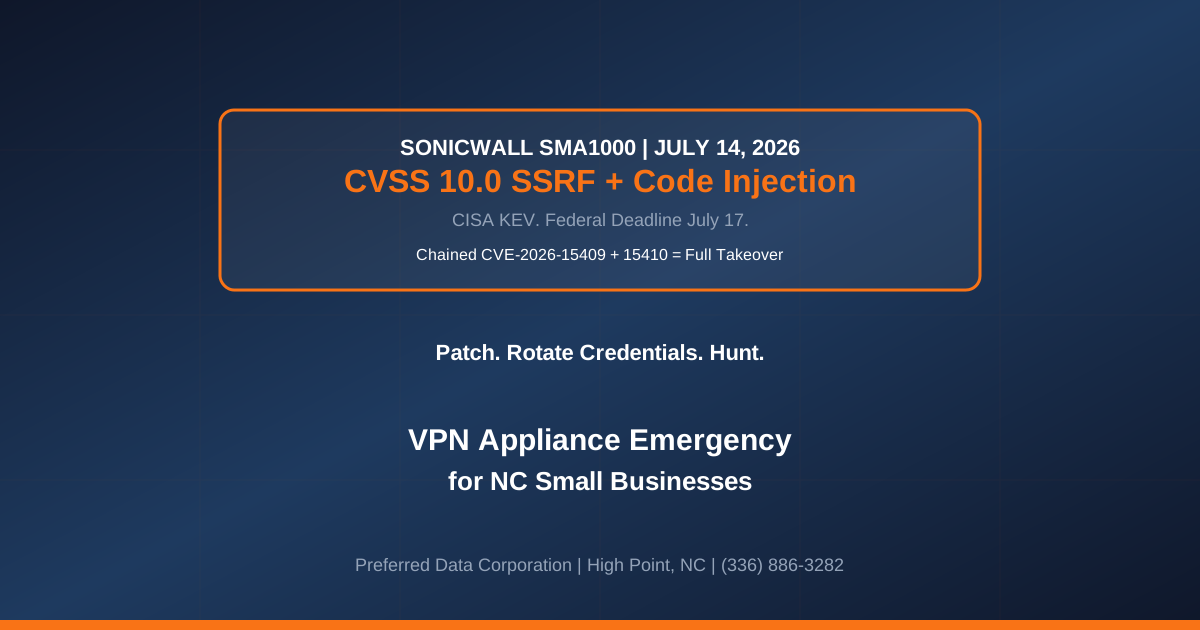
TL;DR: SonicWall issued an urgent security advisory on July 14, 2026 confirming that two SMA1000 vulnerabilities are being exploited in zero-day attacks and can be chained together for full appliance takeover. CVE-2026-15409 is a CVSS 10.0 server-side request forgery (SSRF) in the SMA1000 Appliance Work Place interface that allows a remote, unauthenticated attacker to force the appliance to make requests to unintended locations. CVE-2026-15410 is a CVSS 7.2 post-authentication code injection in the SMA1000 Appliance Management Console that lets a remote authenticated administrator execute arbitrary operating system commands. CISA added both to the Known Exploited Vulnerabilities catalog the same day and set a federal remediation deadline of July 17, 2026 under Binding Operational Directive 26-04. Fixes are available in platform-hotfix versions 12.4.3-03453 and 12.5.0-02835. Any NC SMB running a SonicWall SMA1000 series appliance for VPN, ZTNA, or federated remote access is a first-order target.
Key takeaway: A CVSS 10.0 unauthenticated SSRF chained to a post-auth OS command injection is the worst-case pattern for an edge appliance. Patch immediately, rotate every credential the appliance ever touched, and treat the appliance as compromised until log review proves otherwise. Do not defer for a maintenance window.
Do you run a SonicWall SMA1000 appliance for remote access at your NC small business? Contact Preferred Data Corporation for a same-week SonicWall SMA emergency-patch, credential-rotation, and compromise-hunt engagement. BBB A+ rated. On-site within 200 miles of High Point. Call (336) 886-3282.
What Are CVE-2026-15409 and CVE-2026-15410 and Why Are They Chained?
The two SonicWall SMA1000 vulnerabilities disclosed on July 14, 2026 form a full-appliance-takeover chain. Individually, each is serious. Chained, they are the worst-case pattern for a network edge device.
Three concrete facts every NC SMB with a SonicWall SMA1000 should treat as confirmed:
- CVE-2026-15409 is a pre-auth, remote, CVSS 10.0 SSRF. No credential, no user interaction. The attacker sends an HTTP request to the Appliance Work Place interface, which SonicWall exposes as the user-facing VPN portal, and the appliance is coerced into making outbound HTTP requests to attacker-chosen destinations. This lets the attacker probe internal network paths, reach the appliance's own management console (which is typically bound to
localhostor a management IP the internet cannot reach), and stage the next step of the chain. - CVE-2026-15410 is a post-auth, CVSS 7.2 OS command injection. An authenticated administrator on the SMA1000 Appliance Management Console can execute arbitrary operating system commands under the appliance's service identity. Without CVE-2026-15409, the attacker would need to steal or brute-force administrator credentials. With CVE-2026-15409, the SSRF is used to reach the Management Console from the outside and interact with it under whatever authentication path the appliance permits internally.
- Both are in the CISA KEV catalog with a July 17, 2026 federal deadline. The 72-hour BOD 26-04 window is the shortest CISA has applied in the SonicWall series and reflects the severity of active exploitation.
The exploitation pattern is a textbook "chain to root" against an appliance: SSRF to reach the internal management surface, code injection on the management surface to execute commands as the appliance service account, and from there, tunnel construction, credential harvest from appliance configuration files, and pivot into the internal network the appliance was supposed to be protecting.
Key takeaway: SonicWall SMA1000 is not the same product line as SonicWall TZ/NSa firewalls. If you run TZ or NSa devices, this specific chain does not apply. But the SMA1000 series is common in NC SMBs that adopted SonicWall for VPN/ZTNA rollouts, and it sits at the exact perimeter position where a compromise is catastrophic.
What Is the NC SMB Emergency Response for SonicWall SMA1000?
The response is a compressed four-track program that has to run inside the CISA 72-hour deadline for maximum insurance and compliance protection.
Track 1: Patch or take offline (0-24 hours).
- Apply platform-hotfix 12.4.3-03453 or 12.5.0-02835 depending on your SMA1000 model and installed firmware branch. Do not defer for change control; SonicWall confirmed active exploitation.
- If patching cannot be executed in 24 hours, take the SMA1000 offline (block port 443 inbound to the appliance at the upstream firewall). This eliminates the unauthenticated-internet-attack path pending patching. Users lose remote access; that is materially better than a ransomware detonation.
- Verify the hotfix installed and services restarted. Confirm build number in the Management Console matches the July 2026 target build.
Track 2: Compromise hunt on the appliance (12-72 hours).
- Extract appliance logs for the last 90 days. SonicWall SMA log export via the Management Console. Route to your MSP or SOC for pattern analysis.
- Hunt for outbound HTTP requests from the appliance to unexpected destinations. SSRF exploitation produces outbound HTTP requests that would not occur in normal appliance operation.
- Hunt for Management Console admin actions from unexpected source IPs, unusual times, or unexpected user accounts. Any hit is a high-confidence signal that CVE-2026-15410 was executed.
- Review appliance shell history if accessible. Command injection via CVE-2026-15410 executes under the appliance service identity and may leave a shell-history trail.
Track 3: Rotate every credential the appliance touched (24-72 hours).
- Rotate SMA1000 administrator credentials. Every administrator account on the Management Console.
- Rotate any RADIUS, LDAP, or identity-provider service account the SMA1000 uses to authenticate incoming VPN users. If the appliance stored the plaintext, an attacker who ran commands on the appliance has it.
- Rotate any pre-shared keys, certificate private keys, or federation secrets referenced in the appliance configuration.
- Rotate credentials for any user account that authenticated through the appliance in the exposure window. This is a larger blast radius than administrators alone. Session hijacking via the SSRF path is plausible.
Track 4: Post-compromise containment (48 hours-7 days).
- Force MFA re-enrollment for every remote-access user. MFA tokens tied to the appliance session may have been captured.
- Review internal network for lateral movement indicators. The SMA1000 sits inside the perimeter; a compromise pivots directly to whatever internal resources the VPN was permitted to reach.
- Prepare an evidence packet for your cyber-insurance broker. Patch completion, key rotation completion, hunt findings, and any confirmed indicators. Preserve the raw logs for 12 months.
For a typical NC SMB with one SMA1000 appliance and 40-150 remote users, the four-track program is a 24-48 hour engagement compressed inside the CISA 72-hour window. The alternative, an SMA1000 compromise that ends in ransomware or downstream account takeover, has a mid-case incident cost of $180,000-$800,000 for an SMB in the Piedmont Triad.
What If We Cannot Patch a SonicWall SMA1000 in 72 Hours?
The most common NC SMB pattern is a single SMA1000 that supports the entire remote-access population, no maintenance window for a business-hours interruption, and no tested rollback plan. If patching in 72 hours is genuinely not feasible, use the compensating-control window.
Three concrete compensating controls that materially reduce risk during the patch window:
- Block the appliance from the public internet at the upstream firewall. Port 443 inbound to the SMA1000 external IP is closed. Users lose remote access; the internet-facing attack surface is eliminated.
- Enable strict source-IP allowlisting. If a small set of remote users covers the immediate business need, allowlist only those source IPs at the upstream firewall.
- Force MFA on every appliance administrator account and rotate their credentials immediately. This does not protect against CVE-2026-15409 (pre-auth), but it materially raises the bar for the post-auth pivot.
None of these substitute for the patch. They buy 24-72 hours to schedule the patch cleanly. Any SMB planning to keep an SMA1000 online past the July 17 CISA deadline without patching is accepting a documented risk that materially reduces cyber-insurance coverage and CMMC-adjacent posture.
How Does This Compare to Prior SonicWall SMA Incidents?
SonicWall SMA appliances have been a repeat target across multiple 2024-2026 vulnerability cycles. The pattern is consistent: internet-facing appliance, pre-auth exploit, chained post-auth escalation, ransomware follow-on.
Comparison: 2024-2026 SonicWall SMA vulnerability incidents.
| Element | 2024 SMA100 SSRF | 2025 SMA100 auth bypass | 2026 SMA1000 CVE-2026-15409/15410 |
|---|---|---|---|
| Product line | SMA100 series | SMA100 series | SMA1000 series |
| Primary CVE severity | 7.5 (High) | 9.8 (Critical) | 10.0 (Critical) |
| Chained escalation | Optional | Yes (auth bypass + RCE) | Yes (SSRF + code injection) |
| Pre-auth exploit? | Yes | Yes | Yes |
| CISA KEV listed | Yes (30-day window) | Yes (21-day window) | Yes (3-day window) |
| Ransomware follow-on observed | Akira family | Akira, Fog, Abyss | In-flight, not attributed |
| Typical NC SMB response time | 2-4 weeks | 1-2 weeks | 3 days (or take offline) |
| Recommended long-term action | Patch cycle | Patch cycle | Patch + evaluate ZTNA replacement |
The 2026 incident is the shortest CISA deadline of the three, the highest CVSS score, and the first in the series to affect the SMA1000 line specifically. NC SMBs that adopted SMA1000 for enterprise-grade ZTNA capability now face the same operational cadence as their SMA100 counterparts.
Explore Preferred Data's network services
How Does Preferred Data Handle SonicWall SMA Emergency Response?
Preferred Data supports SonicWall SMA100 and SMA1000 appliances across the NC managed-IT book of business. The SMA1000 July 14, 2026 chain triggered an emergency-response engagement pattern that runs the four-track program above inside the 72-hour CISA window.
PDC's SonicWall SMA emergency-response engagement structure:
- Discovery and triage (Day 1 morning). We inventory every SonicWall SMA appliance in your estate, confirm firmware branch and installed hotfix level, and assess whether the appliance is currently internet-reachable.
- Patch, credential rotation, and hunt (Day 1 afternoon-Day 3). July 14, 2026 hotfixes applied on the appropriate branch. Every administrator credential rotated. Log export triggered and routed to hunt.
- Compromise-hunt deliverable (Day 3). Clean, suspicious, or confirmed-compromise finding per appliance with the specific evidence artifacts and recommendation.
- Longer-term posture (Weeks 2-8). Evaluation of the appliance-based VPN posture against modern ZTNA alternatives (Entra Private Access, Cloudflare Access, Zscaler Private Access). SMA1000 remains supportable, but the 2024-2026 vulnerability pattern makes a strategic ZTNA evaluation increasingly common for NC SMBs.
Cost for a typical NC SMB with one SMA1000 appliance and 40-150 remote users: $6,000-$12,000 for the three-day emergency engagement, including the compromise-hunt deliverable and the evidence packet. If the hunt surfaces confirmed compromise, PDC transitions to full incident response with legal and insurance coordination.
Frequently Asked Questions
Do CVE-2026-15409 and CVE-2026-15410 affect SonicWall TZ or NSa firewalls?
No. Both CVEs are specific to the SonicWall SMA1000 series appliance (the Secure Mobile Access enterprise-grade VPN/ZTNA line). SonicWall TZ and NSa firewalls run different firmware and are not affected by this July 14, 2026 chain. However, SonicWall firewalls have had their own vulnerability cycles in 2024-2026, and SMBs running TZ/NSa should verify current firmware against SonicWall's advisory feed independently.
How do we know which SMA1000 firmware branch we run?
Log into the SMA1000 Appliance Management Console. The build number is displayed on the login page and in the system information view. Branches 12.4.3.x and 12.5.0.x are the two supported branches as of July 14, 2026. Any SMA1000 running an older branch is out of support and should be evaluated for immediate replacement.
Is there any way to detect if our SMA1000 was already exploited before we patch?
The highest-confidence signals in the appliance logs are: (a) outbound HTTP requests from the appliance to external destinations that are not part of normal appliance operation (SonicWall license servers, NTP, syslog collector), (b) Management Console administrator actions from source IPs, times, or user accounts that do not match your normal admin pattern, and (c) any shell-history evidence of arbitrary OS commands executed under the appliance service identity. If any of these are present, treat the appliance as compromised, rotate all credentials, and consider a full appliance rebuild from a clean image.
Should we replace the SMA1000 with a modern ZTNA solution?
That is a legitimate longer-horizon question, not an emergency-window question. The July 14, 2026 chain does not require you to abandon SonicWall SMA. It requires you to patch and rotate credentials immediately. However, the pattern of 2024-2026 SonicWall SMA vulnerabilities (SMA100 in 2024 and 2025, SMA1000 in 2026) is prompting many NC SMBs to add "evaluate ZTNA alternatives" to their 2026-2027 IT roadmap. Options include Entra Private Access, Cloudflare Access, Zscaler Private Access, and Twingate.
Does our cyber insurance cover an SMA1000 compromise?
Coverage depends on your specific policy language and whether you patched inside the CISA KEV window. 2026 cyber policies increasingly contain "KEV-list exclusion" language that reduces or eliminates coverage when the breach vector is a KEV entry that was not remediated within a defined window (commonly 30-90 days, sometimes matched to BOD 26-04). For CVE-2026-15409/15410, the KEV listing date is July 14, 2026 and the federal deadline is July 17, 2026. Patch within the window and preserve the evidence.
What is the SMA1000 Appliance Work Place vs. the Management Console?
The Appliance Work Place is the user-facing SSL VPN portal that end users authenticate against to access internal applications. It is typically internet-facing on port 443. The Management Console is the administrator interface for configuring the appliance. It is typically restricted to a management network or an allowlist of administrator source IPs. CVE-2026-15409 (SSRF) lives in the Work Place; CVE-2026-15410 (code injection) lives in the Management Console. The chain uses the SSRF to reach the Management Console from an internet position.
How long does the four-track engagement actually take?
For a single SMA1000 appliance in a typical NC SMB (40-150 remote users), the patch-and-hunt cycle is 24-48 hours of concentrated engineering work spread across a 3-5 day calendar window. The 90-day log review is the longest single task. Emergency scheduling shifts other work; expect a modest premium over standard retainer rates for engineers who drop their queue to work the SMA1000 emergency.
Sources
- BleepingComputer — SonicWall warns of SMA1000 flaws exploited in zero-day attacks, patch now
- The Hacker News — Two SonicWall SMA 1000 Zero-Days Exploited, One Could Enable Admin Commands
- Tenable — CVE-2026-15409, CVE-2026-15410: SonicWall SMA 1000 Zero-Day Vulnerabilities Exploited in the Wild
- CISA — Adds Four Known Exploited Vulnerabilities to Catalog (July 14, 2026)
- CISA — Known Exploited Vulnerabilities Catalog
- SecurityWeek — SonicWall Issues Urgent SMA Patch Warning for Two Zero-Day Exploits
- Field Effect — SonicWall SMA1000 zero-days exploited in targeted attacks
Related Resources
- Network Services for NC Small Businesses
- Cybersecurity Services
- Managed IT Services
- Contact PDC — request a same-week SonicWall SMA emergency-patch, credential-rotation, and compromise-hunt engagement