
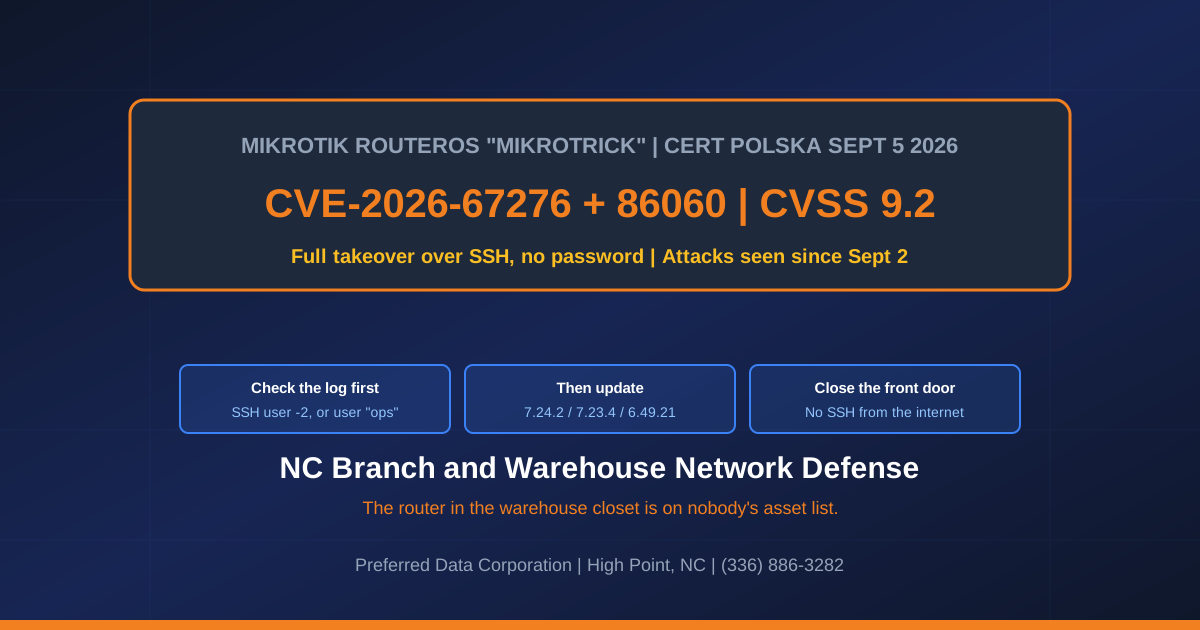
The 60-second version: If your MikroTik router is running an unpatched RouterOS build and answers SSH from the internet, an attacker can chain two flaws into full administrator access with no password. Poland's national CERT caught that happening September 2 and published details September 5; MikroTik shipped fixes September 3; CISA listed two flaws as exploited September 10, federal date September 13. Many boxes on default firewall rules do not expose SSH at all, so job one is finding out whether yours does. Check the log before updating: if you were already hit, the update leaves the attacker's account in place. Know which side of this line you are on. A hijacked router on a segmented warehouse network is an expensive nuisance; on a flat network reaching your ERP and file server it is an incident with lawyers in it.
Updated September 30, 2026. Two things have changed since this first ran. One of them is good news: CISA added a third RouterOS flaw to its exploited list on September 25, CVE-2026-67279, per its alert that day, and the September 3 builds already fix it. A router you updated on September 3 is closed against the flaw that made this week's headlines.
The other change will cost you an afternoon. CERT Polska now records that those same September 3 builds carried an incomplete fix for a different bug, CVE-2026-67278, and only RouterOS 7.x is affected. If you updated on September 3 and stopped, you are not finished on either branch. The section "We patched in September. Are we actually done?" below has the build numbers.
Take 7.23.7, 7.24.4 or 6.49.22, and do not take 7.23.6 or 7.24.3. This is the part a search result will not tell you. The builds that complete the CVE-2026-67278 fix were 7.23.6 and 7.24.3 on September 15, and MikroTik replaced both the next day because they delete the modem firmware on several LTE units. Its own warning says "Do not upgrade the following devices to the latest released versions 7.23.6, 7.24.3," naming RBSXTLTE3-7 and four EC25/EG25 variants, and the 7.23.7 changelog records the repair. Read that model list precisely rather than by family: the named unit is RBSXTLTE3-7, marketed as the SXT LTE3-7, along with the EC25-EU&KNe, EG25-G&KNe, EC25-EU&SXTsq and EG25-G&SXTsq modem variants. An SXT LTE or SXT LTE6 is a different model and is not on that list, so do not start a recovery on one. If you do have an affected unit, a wiped modem is not something a console cable fixes; the recorded recovery is /interface/lte/firmware-upgrade [find] upgrade=yes after moving to 7.23.7 or 7.24.4.
Before you act on that, two warnings this post makes further down and you should not read past. A RouterOS upgrade can come back with a broken configuration or not come back at all, and recovery is a console cable rather than a phone call. In a plant the closet router often carries scanners, VoIP handsets, badge readers or the warehouse system, so a reboot at 10am can stop shipping. Do this when the building is quiet, with somebody standing next to the box, and with a configuration export already off the device. None of this is urgent enough to do during a shift.
Start here: two checks that need no router password
Most readers cannot log into the router, so start with what anyone can.
One: is SSH answering the internet on its default port? A ten-minute first pass that narrows the question without settling it. Inside the building, search "what is my IP" for the site's public address. Test it from outside the network, on a laptop tethered to a phone: a test from inside can succeed by another path and tell you nothing. On Windows, Test-NetConnection YOUR-PUBLIC-IP -Port 22; on a Mac, nc -vz YOUR-PUBLIC-IP 22, substituting the address you just found. Repeat for 80 and 443 if the router serves a web interface, and for 2000, the bandwidth-test service and one of the two flaws CISA listed.
Neither result is proof. All closed covers only the ports you named on the address you found: management is routinely published on a non-default port, commonly 2222 instead of 22, and a separate IPv6 address can answer when IPv4 does not. Open tells you something there is listening, not what: these tools establish reachability rather than identity, so it may be the router or a forward to a machine inside. Either way the next step is the same: have whoever can reach the router read out its NAT and firewall rules and enabled services, or commission an authorized scan of every public address and management port. A false negative ends the conversation; a false positive starts an incident you did not have.
Two: who holds the password? If the answer is nobody, that is your actual finding, and more common than the vulnerability. Ask the internet provider whether they manage the device; pull the install invoice and call the firm on it; look for a label on the unit; check whatever password file the last person kept. If all four come back empty, the box has to be reached physically and reset: a scheduled job, not a phone call. Preferred Data Corporation, High Point: (336) 886-3282.
What to look for in the log before you patch
Search the log for this shape:
login failure for user -2 from ATTACKER-IP via ssh user NAME added by ssh:-2@ATTACKER-IP
That is the fingerprint CERT Polska published September 5. A -2 username is no typo; it is the exploit signature, distinctive enough that Security Affairs led with it. The advisory names a second artifact, a privileged ops account nobody created, plus two addresses: 82.192.72.4 for confirmed attacks and 103.102.31.18 for attempts.
If either artifact is present, do not reboot the box. CERT's guidance: isolate the device, preserve its logs and configuration, factory reset, and rebuild from a configuration you trust. An attacker with administrative rights has had the chance to add users, scripts, scheduler tasks, proxies and tunnels; a firmware update removes none.
If neither is present, that is not a clean bill of health: CERT says their absence does not rule out unauthorized activity. Update, then run /system/device-mode/print. The fixed builds add MikroTik's "Flagged" mechanism, which scans the configuration at startup for known tampering, disables what it recognizes and writes a critical log entry. CERT warns it catches only selected traces, so review the configuration for unknown users, scripts and scheduler tasks regardless.
What is MikroTrick, exactly?
CERT Polska coordinated disclosure of six RouterOS vulnerabilities and named the two-flaw takeover chain MikroTrick. In its advisory it scored only three of the six publicly at the time, the two SSH flaws both at 9.2 under CVSS v4.0; CERT has since published v4.0 scores for the remaining three. NVD has since published its own v3.1 scores for two of the three: 9.8 for CVE-2026-86060 and 8.2 for CVE-2026-67277, with CVE-2026-67276 still awaiting analysis as of September 11.
| CVE | CERT v4.0 | NVD v3.1 | What it does | On CISA's exploited list? |
|---|---|---|---|---|
| CVE-2026-67276 | 9.2 | awaiting analysis | SSH authentication bypass. RouterOS did not properly verify public keys, so a username plus the modulus of that user's key can be enough to log in | No, but reported as half of the exploited chain |
| CVE-2026-86060 | 9.2 | 9.8 | SSH privilege escalation. RouterOS mishandles usernames beginning with a prohibited character, changing the trusted policy mask | Yes, added September 10 |
| CVE-2026-67277 | 8.8 | 8.2 | Bandwidth-test flaw enabling kernel memory leakage or a remote denial of service, without authentication | Yes, added September 10 |
That column does not line up with the headlines. The SSH bypass this post is named for is not what CISA listed on September 10. The two it listed then were the SSH privilege escalation and the bandwidth-test bug, per CISA's September 10 alert and the KEV catalog, both with a September 13 remediation date. A third, CVE-2026-67279, was added on September 25 and is covered in the section below.
Do not read that "No" as "not exploited." CERT Polska states plainly that the MikroTrick combination is being used to take full control of devices whose SSH is publicly reachable; CISA hung its entry on the privilege-escalation half. A KEV row records what CISA attributed, not a ranking of what matters, and it changes nothing you do: the same builds fix all of it in one update.
CERT never spells out which two of the six it means, though Security Affairs and Help Net Security both name the two SSH flaws above. Chained, they hand an unauthenticated attacker the rights your network engineer has. Reimage an infected laptop and the attacker loses it. Reimage every laptop in the plant and the router still has them.
Key takeaway: Rebuilding a RouterOS box after a compromise means reconstructing every firewall rule, VPN tunnel and VLAN by hand. That is not half a day of labor, it is half a day with that building dark: no scanners, no dock phones, no badge reader, no WMS. Find out today whether a configuration export exists off the device, because afterwards you cannot trust the copy on it.
We patched in September. Are we actually done?
No, on either branch, and for different reasons. Of the six flaws CERT Polska coordinated, the September 3 builds fully close five on 7.x and four on 6.x.
On 7.x the loose end is CVE-2026-67278. CERT Polska's per-CVE page states that "Releases 7.23.4 and 7.24.2 included an incomplete fix," and that the issue "affects only 7.x branch." So a 7.x box that stopped at the September 3 build is still inside the vulnerable range by definition, not probably.
On 6.x the loose end is CVE-2026-67281, the unauthenticated WebFig file read. Here two sources disagree and it is worth saying so: CERT lists 6.49.21 among the fixed versions, while MikroTik's 6.49.22 changelog reads "system - improve stability (includes CVE-2026-67281)." When a vendor ships a fix naming a CVE after the build you were told was final, take the vendor's build. On 6.x the target is 6.49.22, not 6.49.21.
| CVE | What it does | What to actually install | Exploited? |
|---|---|---|---|
| CVE-2026-67279 | RouterOS SSH enters the connection protocol after a client-requested rekey with authentication never attempted, so an unauthenticated client can open a session channel and send an exec request. CERT records unauthenticated creation and overwrite of files in the RouterOS file namespace, including support files holding configuration data | Closed by the September 3 builds (6.49.21, 7.23.4, 7.24.2) | Yes, CISA added it September 25, federal date September 28 |
| CVE-2026-67278 | RouterOS accepts malformed RSA PKCS#1 v1.5 signatures "across RSA-based services, including TLS/X.509 certificate validation and SSH host-key authentication," per CERT. Forged certificates enable TLS impersonation, and CERT adds that "the same permissive verification also undermines RSA-based SSH authentication" | 7.x only. 7.23.6 / 7.24.3 were the fix, but install 7.23.7 or 7.24.4 - MikroTik says "Do not upgrade" to the first pair | Not listed by CISA |
| CVE-2026-67281 | WebFig serves an unauthenticated file read on /jsproxy, where a new session keeps a stale uninitialized principal pointer used for file authorization | 7.23.4 / 7.24.2 on 7.x. On 6.x take 6.49.22, whose changelog names this CVE | Not listed by CISA |
The flaw that got written up this week is the one you are already covered against. The one that did not get a headline is still open on your 7.x boxes. Patch cycles do this all the time, and it is also why "we patched it" needs a build number behind it rather than somebody's recollection.
Getting that build number takes one command, /system resource print in a WinBox terminal, which is fine if somebody here can log into the router. If nobody can, that is the same finding the top of this post sends you to look for, and it comes first: you cannot confirm a version on a box nobody can reach, and you cannot patch one either.
If your running version is not on any of these branches, this section does not answer you. A box installed by a cabling contractor in 2019 may be on 6.46 or 7.6, and there is no fixed build listed for a branch MikroTik is no longer shipping. The advice not to change branches applies to an emergency patch on a supported branch, not to a router stranded several years back. On an unsupported build the honest options are to move it to a current branch deliberately, with the configuration exported and a console cable in the building, or to take its management interfaces off the internet today and replace it on the schedule you already had. Both are planned work. Neither is a Sunday-night surprise.
Key takeaway: A vendor's first security build often gets revised. Write down the build number you deployed and the date, on the label on the box or in the folder in the electrical room if that is where things get written down here, because six weeks from now "are we on the fixed version" has no answer without it.
Keep the certificate bug in proportion, but do it with the published numbers rather than a feeling, because they disagree sharply. NVD scores CVE-2026-67278 9.1 CRITICAL under CVSS v3.1, the highest of any flaw in this post; CERT Polska scores it 6.3 MEDIUM under v4.0. The gap is v4.0's attack-requirements metric: forging a certificate only pays off from a position on the traffic path. That is a reason to schedule the work rather than page somebody at midnight. It is not a reason to leave it open, and there is a practical sting in the tail - CERT advises against initiating TLS connections from an unpatched device, which rules out the router fetching its own update, so this is a manual .npk upload from a trusted PC.
How exposed is this, and how fast did it move?
Shadowserver counted 122,500 MikroTik devices answering SSH from the internet on September 5, per BleepingComputer, and The Hacker News's September 6 review found no victim count published. So nobody can tell you whether one of yours is on that list, which is the reason to go look this week.
| Date, 2026 | Event | What it means for a NC business |
|---|---|---|
| September 2 | CERT Polska observes successful attacks | Exploitation preceded disclosure. Anything exposed before this date should be treated as possibly touched |
| September 3 | Fixes published in 7.25beta3, 7.24.2, 7.23.4 and 6.49.21, then 7.23.5 on the 4th | 7.23.4 is the security release; 7.23.5 repairs an IPv6 DHCP regression it introduced, per the changelog |
| September 5 | CERT Polska publishes the advisory and the indicators | The detection artifacts became public, which is the only reason you can check today |
| September 10 | CISA lists CVE-2026-86060 and CVE-2026-67277 as exploited, fix date September 13 | CISA adds entries only on reliable evidence of exploitation, so this is independent corroboration |
| September 15 | RouterOS 7.23.6 (long-term) and 7.24.3 (stable) published | These complete the CVE-2026-67278 fix, and a shop that patched on the 3rd did not get it. Do not install either one; see the next row |
| September 16 | MikroTik publishes 7.23.7, 7.24.4 and 6.49.22 | These are the builds to deploy. The first two replace 7.23.6 / 7.24.3, which delete LTE modem firmware; 6.49.22 carries the CVE-2026-67281 fix for 6.x |
| September 25 | CISA adds CVE-2026-67279, per its alert, federal date September 28 | Already fixed by the September 3 builds, so this one costs you nothing if you patched |
We wrote up why edge gear ages badly in the DD-WRT botnet post, with one change worth noticing. RouterOS now has five entries on CISA's KEV catalog, and the two 2018 flaws sat three and four years before CISA got to them. Measured from the September 5 advisory, CISA took five days for the first two and twenty for the third. If the router only gets looked at when something breaks, that schedule was built for a gap that no longer exists.
The difference between a ten-minute check and a two-week scavenger hunt is whether somebody already wrote down the make, firmware and owner of every network device on every NC site. That list is the point of a managed network, worth building whether or not anyone manages it for you: network infrastructure, managed IT, (336) 886-3282.
Who is supposed to be updating the router in the warehouse?
MikroTik is what gets installed when somebody is holding two quotes and the cheaper box does everything on the list. That somebody has usually moved on, and the box that matters sits in Thomasville, Archdale or Winston-Salem where nobody from IT has been in three years.
MikroTik is not the villain. They fixed six flaws across four branches and had patched builds public two days before the advisory, better than most vendors manage. What went wrong in a North Carolina plant is usually not a decision anybody currently there made: a machine vendor asked for a port forward during a commissioning trip, nobody wrote down that it was temporary, and ownership was never handed to anyone.
| The situation in most buildings | What it should be |
|---|---|
| Routers appear on no asset list | Every device has an owner, and the owner is a role, not a person who can leave |
| SSH or the web interface answers the internet | Management reachable only over the VPN. Expect one contractor to complain, and expect them to be why it was open |
| Firmware updated when something breaks | Two reviews a year, plus a named person who reads vendor advisories |
| Nobody has the configuration backed up | An export stored off the device, tested by rebuilding onto a spare once |
| Warehouse network is flat with the plant | Segmentation, so a compromised edge device cannot see the ERP server |
That last row decides how bad a day like this gets, and it takes a project, not an afternoon.
What if we cannot update the router today?
Reduce what it answers. CERT's guidance is to disable the exposed services, or restrict them to trusted management networks, naming three: SSH, WWW and WWW-SSL, and bandwidth-test. Closing SSH removes the takeover chain's path, and it is where most people stop. Do not. Bandwidth-test does not go through SSH and is one of the two CISA listed, and the web interface matters too: CVE-2026-67281 lets an unauthenticated attacker read root-owned configuration files through WebFig, credentials included. Close or restrict all three.
Before you touch that box during a shift, ask what runs through it. In a plant the closet router frequently carries barcode scanners, VoIP handsets, badge readers or the warehouse management system, and a restart at 7am can stop shipping.
Then pick the window honestly: with two shifts, "outside production hours" means Sunday. Five things belong in hand first. Access that does not depend on the internet link, a configuration export saved off the box, a cellular hotspot if the link drops, the provider's support number, and a person standing next to the router. That last matters: a RouterOS upgrade can return a broken configuration or not return at all, and recovery is a console cable, not a phone call.
Two sequencing notes. Disabling remote management on a device you administer remotely locks you out, so get local or VPN access first. And CERT advises against initiating TLS connections from an unpatched device, which rules out the router's own updater: download the .npk package for your branch on a trusted PC, upload it to the router's Files list, and reboot to apply it.
Key takeaway: Closing the management interfaces to the internet is a bigger permanent win than this month's patch. A patch fixes today's known flaws; an interface that only answers from inside your network narrows who can reach the next one.
If you find -2 in the log: do not reboot the box. Photograph the screen, export the configuration, and call whoever handles your incident response before anyone resets it, because the reset destroys the only record of what else was reached. If that is us: (336) 886-3282, on-site within 200 miles of High Point and Greensboro.
Frequently Asked Questions
How do I know whether I even have MikroTik gear?
MikroTik boxes are usually small white or black units with a row of ethernet ports and no vendor support sticker, and the management tool is called WinBox. If your internet provider or a low-bid cabling contractor set up the second building, check there first. Walk the buildings rather than assuming; a phone camera and 20 minutes is enough for a first pass.
Which RouterOS versions are fixed?
For the takeover chain and for CVE-2026-67279: 7.25beta3, 7.24.2, 7.23.4 and 6.49.21, all dated September 3, 2026. Take the fixed build on the branch you already run and do not change branches during an emergency patch.
Two flaws need a later build, and the September 3 list is no longer the answer on either branch.
On 7.x: CERT Polska records CVE-2026-67278 as fixed in 7.23.6 (long-term) and 7.24.3 (stable), and says in terms that 7.23.4 and 7.24.2 "included an incomplete fix." But take 7.23.7 or 7.24.4, both dated September 16, not 7.23.6 or 7.24.3: MikroTik replaced that pair because they wipe modem firmware on RBSXTLTE3-7 and four EC25/EG25 units, per its warning and the 7.23.7 changelog.
On 6.x: take 6.49.22. CERT lists 6.49.21 as fixing CVE-2026-67281, but MikroTik's 6.49.22 changelog names that CVE, so 6.49.21 is not the end of the 6.x story.
Do not change branches during an emergency patch. 7.23.5, from September 4, is an IPv6 DHCP repair rather than a second security fix. If you are on a 7.25 beta, note that CERT lists no 7.25 build as fixing CVE-2026-67278, so a development build is not a safe harbour here.
Which of these does CISA say are being exploited?
Three, added in two batches. CVE-2026-86060 and CVE-2026-67277 went on September 10, 2026 with a September 13 date, and CVE-2026-67279 followed on September 25. CVE-2026-67279 carries a federal date of September 28. Those dates bind federal civilian executive branch agencies and nobody else, so no federal deadline applies to a private NC business, though a defense subcontractor's own flow-down clauses may. What it buys you is a free second opinion: CISA adds a flaw only when it holds reliable evidence the flaw is being exploited, whoever supplied that evidence.
We are behind a firewall. Are we safe?
Not necessarily: the router frequently is the firewall. Run the first-pass port test above from a tethered laptop and read it exactly as that section says, because neither outcome settles anything on its own and both end at the router's NAT and service rules. A port-forward added for a one-time support session is a recurring finding on a first network review.
Our router is old and we plan to replace it. Do we still patch?
Yes. A router you have not replaced yet is a router that is running, and an attacker does not check your capital plan. If you genuinely cannot patch it this week, pull its management interfaces off the internet today and replace it on whatever schedule you already had.
Related Resources
- Network infrastructure services
- Managed IT services for NC businesses
- Cybersecurity and compliance services
- Logistics and distribution industry solutions
- DD-WRT and the C0xmo botnet: the same branch-router blind spot
- Salt Typhoon and edge-router persistence: why attackers stay on network gear
- CISA on router and IoT compromise for small business
- Business firewall buying guide for North Carolina