
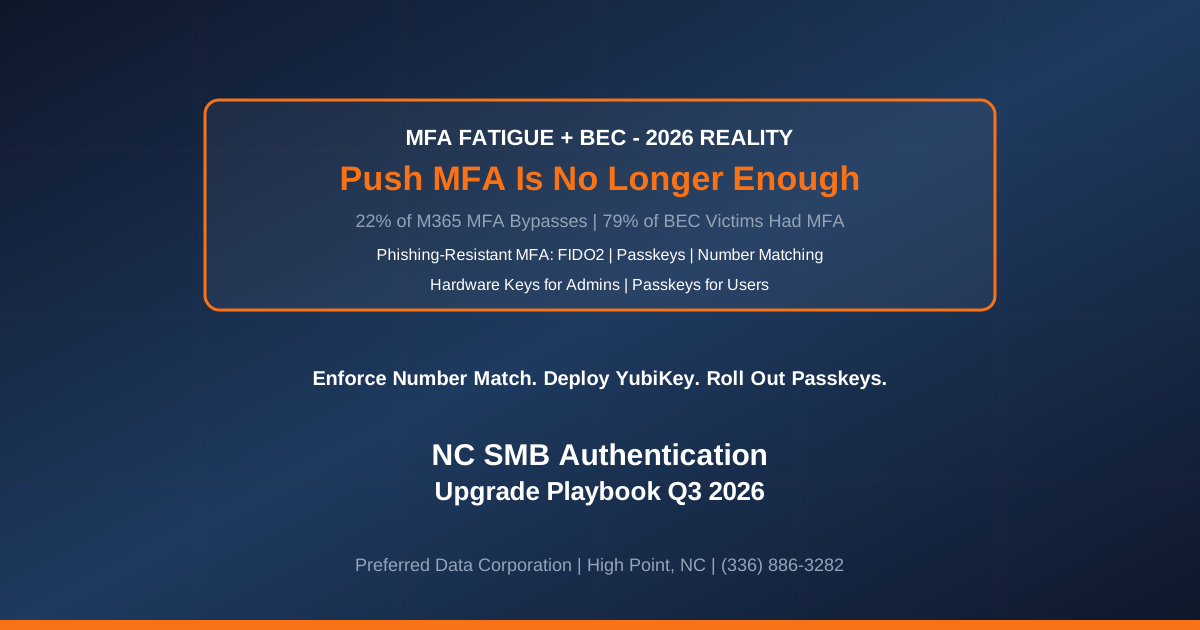
TL;DR: MFA fatigue — attackers spamming push notifications until a user taps "Approve" — accounted for 22% of successful MFA bypasses in Microsoft 365 environments in 2026, and approximately 79% of investigated business email compromise (BEC) victims had MFA enabled at the time of compromise. Per Aviatrix's 2026 threat research summary, the technique is now embedded in mainstream phishing kits sold on Telegram at $60-$300/month. For NC small businesses — Piedmont Triad manufacturers with cloud ERP logins, Triangle law and accounting firms with Microsoft 365 tenants, Charlotte-metro distributors with Salesforce and NetSuite exposure — "we already have MFA" is no longer the answer. The 2026 answer is phishing-resistant MFA: FIDO2 security keys, passkeys, and Entra Conditional Access with strict number matching. The push notification an employee taps in half a second is now the attack surface, not the defense.
Key takeaway: Push-notification MFA was appropriate control in 2020. In 2026, it is an insurance-covered but attacker-tested control. NC SMBs that (a) still use push notification as the sole MFA method for privileged accounts, (b) have not enabled Microsoft's number-matching mandate, and (c) have not deployed FIDO2 or passkeys for administrators and finance users are behind the current baseline (see the cyber insurance evidence packets renewal playbook).
Need a two-week phishing-resistant MFA rollout plan for your NC business? Contact Preferred Data Corporation at (336) 886-3282 for a right-sized authentication upgrade. BBB A+ rated, serving High Point, Greensboro, Winston-Salem, Charlotte, Raleigh, and the Piedmont Triad since 1987.
What Is MFA Fatigue and Why Is It Working So Well in 2026?
MFA fatigue — also called push bombing or prompt bombing — is a social engineering attack that combines a stolen password with a flood of MFA push notifications, typically sent overnight or during the workday when a user is distracted. Per PowerDMARC's MFA fatigue analysis, the attacker cannot begin until they already have a valid password (harvested via credential stuffing, phishing, or infostealer malware). Once they have the password, they trigger 20-100+ push notifications until the target — from habit, frustration, or genuine confusion — taps "Approve" once. That single tap grants a session cookie, and the attacker is inside.
Three reasons the attack is more effective in 2026 than in 2023.
- Infostealer malware is at record volumes. Password reuse across personal and work accounts, combined with the rise of infostealer-as-a-service, means many NC SMB employees have work credentials sitting in criminal marketplaces without knowing it. Once the password is available, MFA fatigue is the cheapest, fastest bypass.
- Push notifications are indistinguishable from legitimate access. A push notification at 2:15 PM on Tuesday from Microsoft Authenticator looks identical whether the source is the user's own login or an attacker's stolen-password login. The user cannot triage by context.
- BEC targets already have MFA. Per PowerDMARC's summary, 79% of investigated BEC victims had MFA enabled. This is not a "why don't people use MFA" problem; it is a "which MFA is enough" problem. Push notification MFA is no longer enough.
The Uber 2022 breach and the Microsoft-attributed Storm-0343 series of 2024-2026 attacks both used MFA fatigue as the primary bypass, and both entered the MITRE ATT&CK ID T1621 catalog as reference cases.
Why Are NC SMBs Uniquely Exposed to MFA Fatigue?
Three structural reasons NC SMBs are harder hit than enterprises.
- Single-tenant Microsoft 365 sprawl. A typical NC SMB has one Microsoft 365 tenant with 20-150 users, and every user has the same push-notification MFA policy. When an attacker successfully bombs one user, they get to session-cookie level, and the flat tenant structure makes lateral movement easy. Enterprises segment tenants and use Privileged Identity Management to raise the bar for admin access.
- Distracted workforce. Manufacturing shift managers, construction PMs on jobsites, and healthcare front-desk staff work in interrupted-attention environments where a random MFA prompt is more likely to be tapped without thinking. The attacker's workflow is calibrated for exactly this population.
- Weaker conditional-access posture. Enterprises use Entra Conditional Access to block sign-ins from anomalous geographies, unfamiliar devices, or risky sign-in patterns. Many NC SMBs have Business Basic or Business Standard licenses without the conditional-access features that would have flagged the bomber's sign-in before the push notifications went out.
The convergence explains the ratio: 22% of successful MFA bypasses come from push fatigue, and the SMB share of that figure is disproportionately high.
What Is Phishing-Resistant MFA and How Does It Actually Block These Attacks?
Phishing-resistant MFA is authentication that cannot be relayed, replayed, or approved out-of-band by a distracted user. Three technologies qualify.
- FIDO2 security keys (YubiKey, Feitian, Google Titan). A physical USB or NFC device that cryptographically signs the login challenge. There is no push notification to approve — the user has to be physically present with the key. Impossible to phish, impossible to bomb.
- Passkeys. A newer FIDO2-based standard bound to a device (phone or laptop) with biometric unlock. Same cryptographic guarantee as a security key, in a form factor that does not require carrying a separate physical device. Microsoft, Apple, and Google all support passkeys for their consumer and enterprise stacks in 2026.
- Microsoft Authenticator with strict number matching. Not quite phishing-resistant in the cryptographic sense but a large step up from raw push. The user has to enter a two-digit number displayed on the login screen into the app, which prevents the "tap-approve-in-half-a-second" failure mode. Microsoft made number matching the default for all Authenticator app users on May 8, 2023, but many NC SMBs still have exemptions in place from the transition period.
CISA's phishing-resistant MFA guidance explicitly recommends FIDO2 / WebAuthn for privileged accounts, and the NSA's related fact sheet makes the same recommendation for critical infrastructure operators.
What Are the Five Highest-Impact NC SMB Authentication Upgrades This Quarter?
A Q3 2026 phishing-resistant MFA rollout playbook in decreasing order of universal applicability.
- Enable strict number matching on Microsoft Authenticator, tenant-wide, no exemptions. If your tenant still has legacy push-approval users, remove the exemptions this month. Number matching is free with any Microsoft 365 license and blocks the "tap-approve-by-mistake" failure mode.
- Deploy FIDO2 security keys to every global administrator, finance approver, and IT admin. These are the accounts an attacker targets first, and the ROI on hardware keys ($40-$60 per key, times 5-15 users for a typical SMB) is measurable in weeks. Do not accept push-only MFA for anyone with production tenant administrator rights.
- Roll out passkeys to the remainder of the user base. For non-privileged users, passkeys bound to enrolled devices deliver 85-95% of the security benefit of hardware keys without the hardware cost. Microsoft, Apple, and Google all support passkeys in 2026, and Microsoft Authenticator provides a rollout path for M365 tenants.
- Configure Entra Conditional Access to block risky sign-ins before the push notification fires. Sign-ins from unfamiliar geographies, TOR exit nodes, or anomalous devices should require phishing-resistant MFA (not just push) or be blocked outright. This prevents the attacker from reaching the push-bomb step.
- Enable sign-in and audit logging with alerting on push-notification anomalies. More than 5 push notifications to a single user in a 10-minute window is an anomaly, and it should page IT and security. Most NC SMBs do not have this alerting configured; deploying it in Q3 2026 is a 4-8 hour engagement with a competent MSP.
Executed together, the five moves collapse the MFA fatigue attack surface by 90%+ for a typical 25-150 seat NC SMB.
MFA Method Comparison: Which Is Right for NC SMB Roles?
The following comparison shows the practical fit by role for a typical NC SMB.
| MFA Method | Phishing-Resistant | Cost per User | Right For |
|---|---|---|---|
| SMS text codes | No | ~$0 | Deprecated — do not use |
| Push notification (approve/deny) | No | ~$0 | Legacy — remove exemptions |
| Authenticator app + number matching | Partial | ~$0 | Standard user baseline |
| TOTP code (Google Authenticator) | No | ~$0 | Backup method only |
| Passkey (device-bound) | Yes | ~$0 (device already present) | Most users, 2026+ |
| FIDO2 security key (YubiKey, etc.) | Yes | $40-$60 hardware + IT time | Admins, finance approvers, executives |
| Windows Hello for Business | Yes | Included with M365 | Windows-managed device users |
| Entra Certificate-Based Auth | Yes | Requires PKI infrastructure | High-security regulated verticals |
For most NC SMBs, the practical policy in 2026 is: passkeys or hardware keys for admins and finance; passkeys or number-matched Authenticator for everyone else; SMS and unrestricted push are prohibited.
Which NC SMB Roles Should Get Hardware Keys First?
Five roles carry the highest post-compromise blast radius and should be first in line for FIDO2 keys.
- Global administrators, tenant administrators, and Conditional Access administrators. Anyone who can change the tenant's security posture is a first-order target.
- CFO, controller, AP/AR clerks, and anyone with wire authorization. BEC attacks target finance workflows first, and the 46% deepfake CFO fraud rate we covered separately is layered on top of MFA-fatigue account takeover.
- HR administrators with employee-data and payroll access. The PII exfiltration paths through HR SaaS are among the most damaging BEC outcomes.
- CEO, COO, and any executive with legal signing authority. Impersonation of the executive is the most common downstream use of the compromised account.
- IT administrators of critical business systems (ERP admin, EHR admin, Salesforce admin, LOB application admin). Anyone whose credentials open a business-critical system's admin console.
For a typical 50-seat NC SMB, this is usually 8-15 users who need hardware keys, at a total cost of $320-$900 for the initial deployment, plus 4-8 hours of IT time for configuration and user enablement.
Ready for a two-week phishing-resistant MFA rollout for your NC business? Contact Preferred Data Corporation at (336) 886-3282. Serving High Point, Greensboro, Winston-Salem, Charlotte, Raleigh, and the Piedmont Triad since 1987.
Frequently Asked Questions
What percentage of MFA bypasses come from push fatigue in 2026?
Approximately 22% of successful MFA bypasses in Microsoft 365 environments, per Securew2's MFA fatigue analysis. Related figures: 79% of investigated BEC victims had MFA enabled, and MFA prompt bombing was highlighted as a top-of-list threat in Aviatrix's 2026 threat research center after a wave of push-bombing attacks against Microsoft 365, VPN, and cloud application logins earlier in 2026.
Do I need hardware keys or are passkeys enough?
For most non-administrator users, passkeys are sufficient in 2026. For global administrators, finance approvers, and IT admins, PDC recommends hardware keys (YubiKey or equivalent) because passkeys are bound to a device and the device itself can be phished or stolen. Hardware keys require physical possession of the key, which raises the attacker's cost meaningfully. The typical NC SMB deployment mixes both: hardware keys for privileged accounts, passkeys for everyone else.
How much does a phishing-resistant MFA rollout cost for a 50-seat SMB?
Typical scope: $320-$900 in hardware (5-15 YubiKey-class keys for privileged users), plus $2,500-$6,000 in professional services for Entra Conditional Access design, passkey enablement, tenant-wide number-matching enforcement, and end-user enablement communications. Total 3-year cost of ownership including operating overhead is meaningfully lower than the cyber insurance premium reduction most carriers offer for phishing-resistant MFA on privileged accounts.
What does cyber insurance ask about MFA?
For 2026 renewals, cyber carriers ask about MFA (see the cyber insurance evidence packets renewal playbook). Phishing-resistant MFA (FIDO2 or passkeys) on admin and finance accounts is the stronger answer to give.
What is the difference between MFA fatigue and adversary-in-the-middle (AiTM) phishing?
MFA fatigue bombs the user with legitimate MFA prompts hoping one is approved by mistake. Adversary-in-the-middle phishing tricks the user into logging into a proxy site that relays the login (including the MFA code) to the real service and captures the session cookie. Different attacks, same failure mode: session-cookie theft. Phishing-resistant MFA (FIDO2/passkeys) breaks both because the cryptographic binding to origin makes relay impossible. PDC covers the AiTM angle separately in the AiTM phishing 146% surge post.
Can I roll out passkeys without a full identity project?
Yes. For Microsoft 365 tenants, passkey enablement in Microsoft Authenticator is a tenant-level toggle plus user enablement communications. Typical rollout is 4-6 weeks with a competent MSP, with pilot in weeks 1-2 (10-20 users), broad rollout in weeks 3-5, and cleanup/exceptions in week 6. No identity-project overhead; no hardware inventory work beyond the small subset of privileged users getting security keys.
Related Resources
- MFA fatigue explainer — Securew2
- MFA push bombing analysis — PowerDMARC
- MFA prompt bombing 2026 — Aviatrix Threat Research Center
- CISA phishing-resistant MFA guidance
- Microsoft Entra number-matching documentation
- Preferred Data Cybersecurity Services
- Preferred Data Managed IT Services
- Related: Cyber Insurance Evidence Packets: NC SMB Q4 Renewal Playbook
- Related: AiTM Phishing 146% Surge — Passkeys SMB Defense
- Related: Deepfake CFO Meeting Fraud — NC SMB Finance Approval Defense