
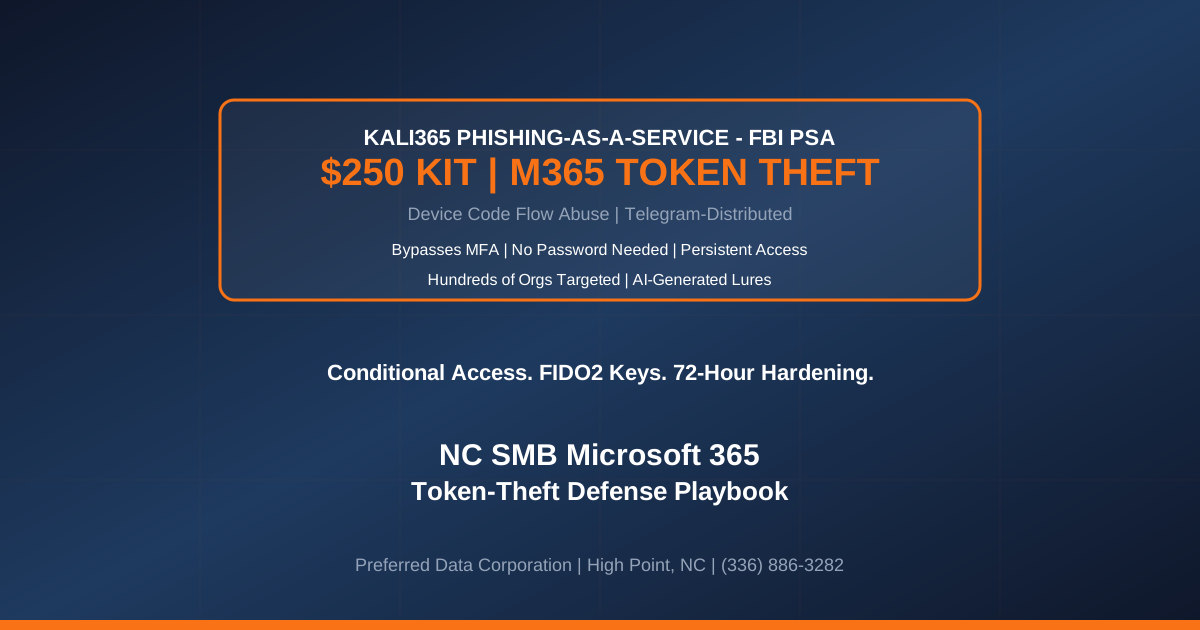
TL;DR: Kali365 is a Telegram-distributed Phishing-as-a-Service (PhaaS) kit that the FBI publicly warned about in PSA I-052126-PSA on May 21, 2026, and that Huntress, SpyCloud, Doppel, Malwarebytes, and Cyber Unit followed up on through June and July 2026 with detailed anatomy analyses. Renting for as little as $250 per 30 days, Kali365 abuses Microsoft's legitimate device-code authentication flow to harvest OAuth access and refresh tokens — meaning no password is stolen, no MFA prompt is triggered on the victim, and no traditional email-security signal is generated. Kali365 has already been used against hundreds of organizations, and its target profile — Microsoft 365 tenants of small and mid-market organizations — maps directly onto North Carolina's small business base. This is the emergency hardening playbook for NC SMBs.
Key takeaway: Password strength is irrelevant against Kali365. A user whose password is a 32-character FIDO2-generated random string is just as vulnerable to device-code phishing as a user with a weak password, because Kali365 never asks for the password. The only durable defense is a conditional-access policy that blocks device-code authentication for the entire tenant plus a rollout of phishing-resistant MFA (FIDO2, Windows Hello for Business, or Microsoft Authenticator with number matching pinned to a managed device).
Need help hardening Microsoft 365 against Kali365 and other device-code PhaaS kits? Contact Preferred Data Corporation — BBB A+ rated, 39+ years of NC IT expertise, on-site within 200 miles of High Point. Call (336) 886-3282.
What Is Kali365 and Why Did the FBI Issue a Public Service Announcement?
Kali365 is a Phishing-as-a-Service platform first observed in April 2026 and distributed through Telegram channels. It was significant enough for the FBI's Internet Crime Complaint Center (IC3) to publish PSA I-052126-PSA on May 21, 2026 — a rare public alert for a single phishing toolkit — because Kali365 combines three characteristics that break traditional SMB defenses.
- Rental price of $250 for 30 days. The economic barrier to launching an M365 phishing campaign is now less than a single hour of a mid-market MSSP consultant's time. Any threat actor with a Telegram account can rent the tooling.
- Abuses Microsoft's own device-code flow. The kit does not run a fake login page. Victims are directed to
microsoft.com/devicelogin— a real Microsoft URL that URL-scanning and web-proxy allow-lists trust — and enter a code the attacker has already generated. - Steals OAuth access + refresh tokens, not passwords. With refresh tokens, the attacker can maintain persistent access to Outlook, Teams, OneDrive, and SharePoint for the token's lifetime (up to 90 days for M365) without ever needing to re-authenticate or triggering an MFA prompt.
The FBI's PSA quantified the scale: hundreds of organizations targeted in the six weeks after Kali365 launched. Independent research from Huntress, SpyCloud, and Doppel published between June 15 and July 8, 2026 confirmed the campaign is accelerating, with sectoral concentration in professional services, manufacturing, healthcare, and financial services — all core NC SMB verticals.
Why Should NC Small Businesses Care About a $250 Phishing Kit?
Three data points explain why every NC SMB running Microsoft 365 is inside the target cone.
- Kali365's economics favor volume over precision. At $250 per month with AI-generated lure templates and campaign automation, affiliates run generalized campaigns against broad address lists. A 40-employee upholstery manufacturer in Hickory, a 12-attorney law firm in Winston-Salem, and a 25-employee HVAC contractor in Concord are all reachable at the same marginal cost.
- NC's SMB base is disproportionately Microsoft 365. Furniture, textile, food processing, construction, real estate, and professional-services SMBs across the Piedmont Triad, Charlotte metro, and Research Triangle overwhelmingly standardized on M365 for email, SharePoint, and Teams during 2020-2024. Every one of those tenants is a Kali365 target surface.
- Traditional email-security gateways cannot block the initial lure. The email contains a legitimate
microsoft.com/deviceloginURL. Secure Email Gateway (SEG) reputation scoring, URL rewriting, and even sandbox detonation all pass the message through as safe — because it is going to a real Microsoft page.
Key takeaway: If your defense stack is "Microsoft 365 with MFA plus a secure email gateway plus user training," you are the exact profile Kali365 was built to defeat. The kit is not sophisticated — it is architectural. It routes around the assumptions your defense stack was designed on.
How Does the Kali365 Attack Chain Actually Work?
The attack sequence, based on public reverse-engineering by Huntress, SpyCloud, and Sekoia, follows a compact seven-step chain that is now automated inside the kit.
- Affiliate rents Kali365 on Telegram and loads a target address list. AI-generated lures impersonate DocuSign, SharePoint file-share notifications, Teams meeting invites, or invoice reviews.
- Kali365 initiates a Microsoft device-code authentication request against the target tenant. Microsoft returns a device code and a
microsoft.com/deviceloginURL that the attacker embeds in the phishing email. - Victim receives the email and clicks the link. The link goes to the real Microsoft page — not a spoofed one.
- Victim enters the device code and completes MFA on their own device. From the victim's perspective this is a normal M365 login. Conditional access policies that check device compliance, network location, and MFA pass — because the victim's device is compliant, on a trusted network, and does complete real MFA.
- Microsoft issues OAuth access and refresh tokens to Kali365's polling infrastructure. The tokens are bound to the victim's identity, not the victim's device.
- Kali365 forwards the tokens to the affiliate's dashboard. The affiliate immediately gains authenticated API access to Outlook, Teams, OneDrive, SharePoint, and any Graph-permitted resource.
- Attacker pivots. Business Email Compromise (invoice redirection, payroll fraud), lateral phishing to internal contacts, data exfiltration from SharePoint/OneDrive, and long-lived persistence via refresh-token renewal.
Post-compromise dwell time from token capture to first fraudulent action is measured in minutes, not days, because the affiliate's monetization playbook is pre-built into the Kali365 dashboard.
What Are the Immediate Actions for NC SMBs to Block Kali365?
Emergency hardening runs in two workstreams over 30 days.
Workstream 1: Block device-code authentication tenant-wide (Days 0-3).
- Open Microsoft Entra admin center → Protection → Conditional Access → Create policy.
- Assign to All Users, All Cloud Apps.
- Set Conditions → Authentication Flows → Device code flow: Block.
- Grant → Block access. Enable policy in Report-only mode for 24 hours, review sign-in logs for any legitimate device-code sessions (rare — printers, IoT devices, some CLI tools), whitelist those via a targeted exclusion group, then flip to Enabled.
- This single policy blocks the entire Kali365 attack class.
Workstream 2: Roll out phishing-resistant MFA (Days 3-30).
- Standardize on FIDO2 hardware keys (YubiKey 5 or equivalent, $50-70/user), Windows Hello for Business, or Microsoft Authenticator with number matching pinned to Intune-managed devices.
- Retire SMS and voice-call MFA — both are trivially bypassable and neither is phishing-resistant.
- Enforce phishing-resistant MFA on all admin roles first, then all users with SharePoint/OneDrive access to sensitive data, then the entire tenant.
- Audit and rotate any long-lived OAuth grants (Enterprise Applications → user-granted consents) that pre-date the policy change — a compromised token from before the hardening is still valid.
Explore Preferred Data's cybersecurity services
Kali365 vs Traditional Phishing: How Do the Defenses Differ?
The right defense stack depends on which class of attack you are actually facing. Kali365-style device-code phishing routes around most of the controls SMBs have already paid for.
| Defense Control | Traditional Credential Phishing | Kali365 Device-Code Phishing |
|---|---|---|
| Secure Email Gateway (SEG) | Effective — blocks known-bad URLs | Ineffective — URL is real Microsoft |
| URL rewriting / safe links | Effective — sandboxes payload | Ineffective — no payload to sandbox |
| SMS / TOTP MFA | Effective — blocks credential replay | Ineffective — MFA is completed by victim |
| Conditional access (device compliance) | Effective — blocks unmanaged devices | Ineffective — victim device is compliant |
| Block device-code flow (CA policy) | Not applicable | Effective — blocks the attack class entirely |
| Phishing-resistant MFA (FIDO2) | Effective — blocks credential theft | Effective — prevents alternate-flow relay |
| User security awareness training | Moderate — recognize spoofed pages | Low — victims see legitimate Microsoft pages |
For NC SMBs, the takeaway is unambiguous: legacy defenses will not stop this attack class, and the two controls that do stop it — conditional access blocking device-code flow, and phishing-resistant MFA — are both configurations already available inside your existing Microsoft 365 subscription. This is not a budget problem. It is an execution problem.
Explore Preferred Data's Microsoft 365 hardening services
How Does Preferred Data Help NC SMBs Defend Against Kali365?
Preferred Data Corporation delivers Microsoft 365 hardening, phishing-resistant MFA rollout, and 24/7 SOC monitoring for NC manufacturers, healthcare providers, financial institutions, contractors, and professional services firms. With 39+ years of NC IT expertise, an average client retention of 20+ years, and an on-site radius of 200 miles from High Point, we can harden your M365 tenant this quarter.
- 72-hour conditional access hardening. Discovery of active device-code flows, staged Report-only rollout, exception whitelisting, and enforcement.
- FIDO2 hardware key procurement and rollout. Bulk procurement, enrollment automation, user training, and helpdesk runbook for lost-key scenarios.
- Managed cybersecurity for Microsoft 365. 24/7 SOC monitoring of sign-in logs, Entra ID risk detections, and OAuth grant anomalies with escalation to on-call incident response.
- Cyber-insurance renewal support. Documented conditional-access posture, phishing-resistant MFA rollout evidence, and CISA-aligned remediation records to keep renewal premiums flat.
Ready to close the device-code door before the next affiliate rents Kali365? Call (336) 886-3282 or contact our team.
Frequently Asked Questions
How is Kali365 different from earlier phishing kits like EvilProxy or Tycoon2FA?
EvilProxy and Tycoon2FA are Adversary-in-the-Middle (AiTM) kits that proxy a real Microsoft login page and steal the session cookie mid-flow. Kali365 does not proxy anything — it initiates a legitimate Microsoft device-code request and tricks the victim into approving it. That means classic AiTM detections (unusual TLS fingerprint, proxy-server IP reputation, mismatched geolocation between browser and origin) are not applicable to Kali365 traffic.
Is blocking device-code flow safe for a typical NC SMB tenant?
For most SMBs, yes. Device-code flow was designed for input-constrained devices — smart TVs, printers, IoT sensors, headless CLI tools. If none of those devices sign into your M365 tenant, blocking the flow has zero user impact. Run the conditional-access policy in Report-only mode for 24-72 hours first to confirm no legitimate sessions exist, then enforce.
Do we still need FIDO2 keys if we block device-code flow?
Yes. Blocking device-code flow closes the Kali365 attack class, but AiTM kits (EvilProxy, Tycoon2FA, Storm-1575) still target credential + TOTP flows. Phishing-resistant MFA — FIDO2, Windows Hello for Business, or number-matched Authenticator pinned to a managed device — is the durable control against both attack classes. Budget both controls together, not separately.
What are the indicators of compromise we should look for right now?
In Microsoft Entra sign-in logs, filter for authentication method "Device Code Flow" for the last 90 days. Any hit that is not a known IoT or CLI service is suspicious. Also review Enterprise Applications for user-granted OAuth consents to unfamiliar applications, especially any granted the Mail.ReadWrite, Files.ReadWrite.All, or offline_access scopes.
How long can a stolen refresh token remain valid?
By default, Microsoft 365 refresh tokens are valid for 90 days with rolling renewal, meaning an attacker who captures a refresh token can effectively maintain access indefinitely as long as they use the token before it expires. Revoking access requires resetting the user's session tokens in Entra (Revoke sessions on the user record) and, ideally, rotating the user's credentials in the same window.
How fast can Preferred Data harden our Microsoft 365 tenant?
For an active NC SMB inside our 200-mile service radius, the conditional-access block on device-code flow can be scoped, tested, and enforced inside 72 hours. Phishing-resistant MFA rollout typically runs 3-8 weeks depending on user count and change-management complexity. Call (336) 886-3282 to schedule the assessment.