
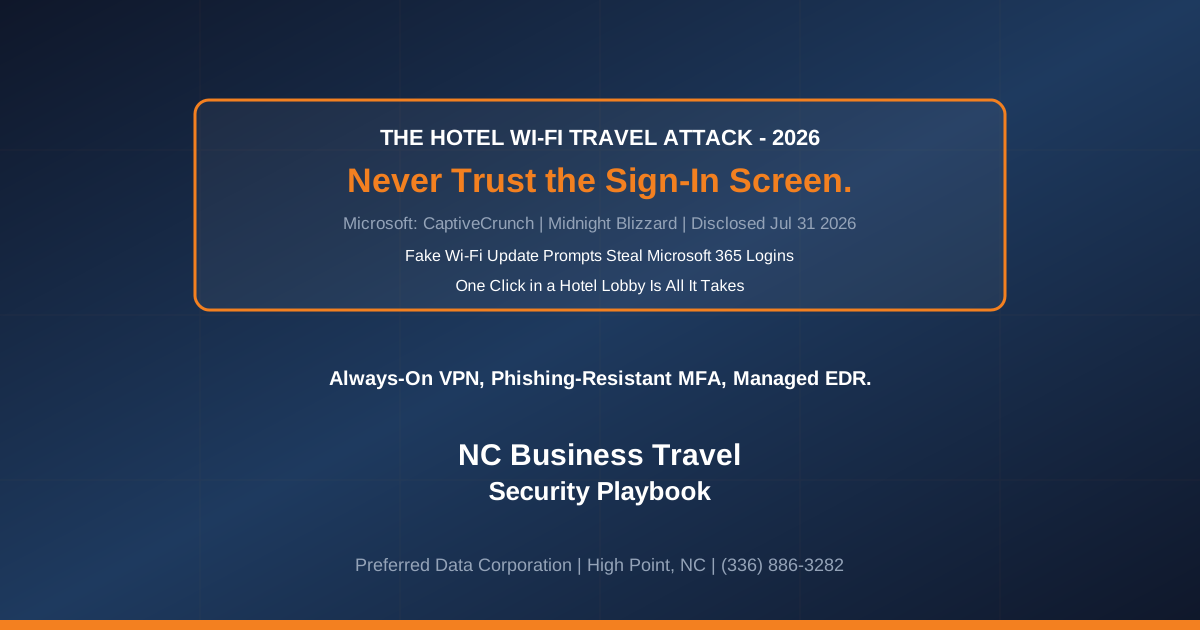
Your controller flies to a buyers' show, checks into the hotel, opens the laptop, and joins the guest Wi-Fi. A box slides up: "Browser update required to continue." She clicks it, because every hotel network nags about something. That single click is now among the most reliable ways a foreign intelligence service gets onto a company laptop.
On July 31, 2026, Microsoft disclosed a campaign it calls CaptiveCrunch, run by Storm-2945, a sub-cluster of the Russia-linked group Midnight Blizzard, that hijacks hotel and conference Wi-Fi sign-in pages to push fake update prompts and steal Microsoft 365 logins [1]. The attack has been running since early May and only succeeds if a person downloads and runs the file, which is exactly why a North Carolina business can stop it cold with a few standing rules.
Bottom line: The hotel network never touches your laptop directly. It talks your traveler into opening the door, then walks in. Fix that one decision and the tooling behind it, and CaptiveCrunch has nothing to work with.
Have people on the road this month? Call Preferred Data Corporation at (336) 886-3282 and we will tell you whether your current laptops, VPN, and Microsoft 365 sign-in rules would have stopped this attack. Local to High Point, BBB A+ rated, serving the Piedmont Triad since 1987.
What is CaptiveCrunch and why should a North Carolina business care?
The Wi-Fi login screen at a hotel or trade show is now a place where attackers hand you malware. That is what CaptiveCrunch is: a Microsoft-tracked campaign that hijacks captive-portal Wi-Fi to push fake updates and steal Microsoft 365 logins. Microsoft attributes it to Storm-2945, which it assesses as part of Midnight Blizzard, the actor the U.S. and U.K. governments have tied to Russia's Foreign Intelligence Service, the SVR [1]. Nation-state crews used to spend this kind of tooling on diplomats; now it is pointed at a sales rep with a company laptop and a hotel reservation.
Three facts make it a Triad problem, not a headline you can skim past:
- It has been live since early May 2026 and has hit hospitality Wi-Fi in several countries, though Microsoft has not publicly named the venues or countries affected [1][2]. Any laptop that joins a strange hotel or conference network is in scope.
- It steals the keys to your Microsoft 365 account. The payload grabs whatever the browser saved, from passwords to live session cookies to the Microsoft 365 and Entra ID sign-in tokens that let an attacker into your email without ever seeing the password [1][3].
- The way in is a person, not a server. There is no giant unpatched appliance to blame here. The initial access is a traveler clicking a convincing prompt, which is why awareness plus the right laptop settings beats any single security product [2].
The exposure is the same whether you have 20 employees or 250: one stolen Microsoft 365 token from a laptop in a hotel lobby can open the same inbox that approves your wire transfers.
Key takeaway: CaptiveCrunch is not an IT department problem that stays at the office. It comes home in the laptop bag, and the account it grabbed is the same one you use to approve payroll and read every email.
How does the hotel Wi-Fi attack actually work?
The attackers control the network's sign-in gateway and use it to lie to your device about where to go. On the networks Microsoft studied, the captive portal was also the DNS resolver, the service that turns a web address into a destination, so operators could forge DNS answers and steer traffic to fake pages [1][2].
From there, the trap has a few shapes:
- Fake update dialogs. The victim sees a prompt claiming a browser, Windows, DirectX, or "network repair" update is required before the internet will work. Researchers cataloged eight spoofed variants with names like winupdate, defender, netfix, and browser [3]. Approving one downloads the malware.
- ClickFix run-a-command lures. Some pages instruct the visitor to open a terminal or the Run box and paste a command, a technique called ClickFix that walks the user through infecting themselves [2].
- Fake Microsoft login pages. Part of the activity uses look-alike domains that imitate Microsoft sign-in and abuse the Entra ID device-code flow to capture credentials and authentication tokens directly [1].
Two malware families do the collecting. CornFlake is a full-featured Windows remote-access trojan that grabs screenshots, browser passwords, and keystrokes, can turn on the webcam and microphone, and opens a remote shell [1][3]. ChocoShell is a fileless PowerShell stealer built to lift Microsoft 365 sign-on tokens, browser cookies, saved passwords, and Wi-Fi credentials [3]. Microsoft has named no hotel or vendor and is still investigating how the gateways were compromised, with early signs pointing at shared equipment across the captive-portal supply chain [1].
Want to know whether your team's laptops would fall for this? Reach Preferred Data at (336) 886-3282 or read about our Cybersecurity and Managed IT services.
Who in your company is actually in the blast radius
The people most exposed are the ones you send out to represent the company: owners, outside sales reps, and field supervisors. Picture it. Your controller logs into the bank from a Charlotte hotel the Thursday before a show, clicks the "network repair" box to get online, and goes to bed. Monday, a wire she never authorized has cleared, and the fake update is why. That is the whole attack, start to finish, and it does not care whether you make sofas or steel.
High Point Market fills Triad hotels twice a year, in April and October, with buyers and reps carrying laptops full of unreleased pricing and dealer lists. The exposure reaches every industrial firm in the region, though: a furniture-component maker in Hickory sending people to Las Vegas Market, a Statesville contractor whose supers live on motel Wi-Fi, a Catawba Valley distributor whose owner answers email from an airport gate. A local partner who knows your calendar times a travel-security review to your show and travel season, before the hotels fill up, rather than after the wire is gone.
Here is the uncomfortable part. The one control that reliably defeats this attack, an always-on company VPN, is also the control your people quietly switch off because it makes a video call stutter. If your VPN is optional, it is off exactly when it matters. That is a policy failure, not a user failure, and it is fixable.
| Factor | Unmanaged traveler | Managed travel setup |
|---|---|---|
| Wi-Fi trust | Joins any hotel network, no VPN | Always-on full-tunnel VPN or cellular hotspot first |
| Update prompts | Clicks "update" to get online | Updates only from vendor apps, never a Wi-Fi page |
| Microsoft 365 sign-in | Password plus SMS code | Phishing-resistant MFA and conditional access |
| Laptop protection | Consumer antivirus, if any | Managed endpoint detection and response |
| If a token is stolen | No one notices for weeks | Sessions revoked, alerts fire, response starts |
| Who set the rules | The employee, on the fly | Written and enforced by your IT partner |
What should a NC small business do before the next trip?
Set the defenses before the traveler leaves; there is no good decision to make while staring at a "network repair required" box in a lobby. Most of this is configuration you may already own inside Microsoft 365.
- Make the VPN always-on and not optional. A full-tunnel VPN sends DNS lookups to your own resolvers before the venue's gateway can answer, the specific step that breaks CaptiveCrunch, per the mitigation ReliaQuest recommends [2]. Enforce it by policy so it cannot be casually disabled.
- Teach one rule: never run an update served by a Wi-Fi page. Real updates come from the vendor's own app or Windows Update, never from a hotel sign-in screen. Microsoft's own guidance is to treat hotel and conference Wi-Fi as untrusted and to skip any software or tool the portal offers [1][3].
- Turn on phishing-resistant MFA, conditional access, and token protection. Passkeys stop password phishing and conditional access can block sign-ins from unmanaged devices, but a live token stolen off a laptop can still be replayed. Add token protection or device-bound sessions and continuous access evaluation so a stolen token is tied to its device and can be cut off quickly.
- Run managed endpoint detection and response. Consumer antivirus will not catch a fileless PowerShell stealer like ChocoShell. Managed detection watches for the behavior itself, rather than waiting to recognize a known file [3].
- Have a token-revocation drill. If a device is suspected, you should be able to revoke Microsoft 365 sessions and force re-authentication fast. Know who runs that step before you need it.
- Prefer cellular for sensitive work. A phone hotspot or company SIM is a cleaner path than any guest network for banking, payroll, or customer data.
Ready to make travel safe for your team? Call (336) 886-3282 or explore our Managed IT and Network services.
How does Preferred Data protect traveling NC teams?
We build the travel setup so the risky choice is never left to a tired employee at a hotel desk. Preferred Data Corporation has run technology for North Carolina businesses since 1987, 39 years of watching how people actually use their laptops on the road. For traveling teams we lock the VPN on so nobody can quietly toggle it off, switch Microsoft 365 sign-in to passkeys, and set conditional-access rules that cut off a session the moment it appears in two cities an hour apart. Then we put the travel rules on a single page, because a binder nobody reads protects nobody.
Because we are local, on-site within 200 miles of High Point, we can get someone in front of a compromised machine quickly, instead of leaving you on a ticket queue while an attacker reads your inbox. For the furniture and furnishings companies that run on the High Point Market calendar, we schedule these reviews around the show, before the hotels fill up.
Do one thing this week. Before your next trip, or the next show that fills the hotels, let us check whether your laptops and Microsoft 365 settings would have stopped this attack. Call Preferred Data Corporation at (336) 886-3282 or reach us through our Cybersecurity, Managed IT, and Network Infrastructure pages. A short review shows you where a traveling laptop would fall, and what to change before anyone books a room. Local to High Point, serving the Piedmont Triad since 1987, BBB A+ rated.
Questions travelers and their bosses keep asking
Is hotel Wi-Fi safe for business use in 2026?
Treat it as untrusted. Microsoft's July 31, 2026 CaptiveCrunch warning shows attackers hijacking hotel and conference Wi-Fi sign-in pages to push fake updates and steal Microsoft 365 credentials [1]. It can be fine for casual browsing, but for company email, banking, or customer data, use an always-on VPN or a cellular hotspot.
What is CaptiveCrunch?
It is Microsoft's name for a hotel-Wi-Fi campaign that has been running since early May 2026, attributed to the Russia-linked group Midnight Blizzard through a sub-cluster Microsoft tracks as Storm-2945 [1]. Operators tamper with captive-portal networks so a fake browser update or a look-alike Microsoft sign-in page loads before you reach the internet, then use it to plant malware or capture your login.
How do I know if a Wi-Fi update prompt is fake?
Assume any update offered by a Wi-Fi sign-in page is fake. Real updates come from the vendor's own app or Windows Update, never from the screen that grants you internet access. If a captive portal tells you to install a browser update or run a command, close it and connect another way [2][3].
Can attackers get into email even with multi-factor authentication?
Yes. A live session token stolen off the laptop can be replayed without the password, which is what these infostealers target [1][3]. Passkeys and conditional access raise the bar but do not by themselves stop token replay, so pair them with token protection or device-bound sessions, continuous access evaluation, and fast session revocation. The job is to limit what a stolen token can reach and cut it off quickly.
We are a small manufacturer with a few salespeople who travel. Are we really a target?
Yes. The attack does not care about your size: it targets whoever joins the compromised network, and a stolen Microsoft 365 token from a 30-person distributor opens the same email and finance systems as one from a large firm. Small NC firms are attractive precisely because they rarely enforce travel security.
What is the single most effective protection?
An always-on, full-tunnel VPN that cannot be switched off casually. It routes your device's DNS through your own resolvers before the venue's gateway can hijack them, which is the specific step security researchers cite as breaking this attack chain [2]. Pair it with the habit of never installing anything a Wi-Fi page offers.
References
- Microsoft Security Blog. (2026). CaptiveCrunch: Midnight Blizzard targets travelers worldwide for malware delivery and credential theft. https://www.microsoft.com/en-us/security/blog/2026/07/31/captivecrunch-midnight-blizzard-targets-travelers-worldwide-for-malware-delivery-and-credential-theft/
- The Hacker News. (2026). Hijacked Hotel Wi-Fi Pushes Fake Updates to Deliver Surveillance Malware. https://thehackernews.com/2026/08/hijacked-hotel-wi-fi-pushes-fake.html
- Malwarebytes. (2026). Travelers targeted when logging into hotel Wi-Fi networks. https://www.malwarebytes.com/blog/news/2026/08/travelers-targeted-when-logging-into-hotel-wi-fi-networks
- Help Net Security. (2026). Russian hackers abuse hotel Wi-Fi networks to steal Microsoft 365 credentials and deploy malware. https://www.helpnetsecurity.com/2026/08/04/midnight-blizzard-hotel-wi-fi-networks-hacking/
- Infosecurity Magazine. (2026). Midnight Blizzard Targets Travelers via Captive Portals. https://www.infosecurity-magazine.com/news/captivecrunch-midnight-blizzard/