
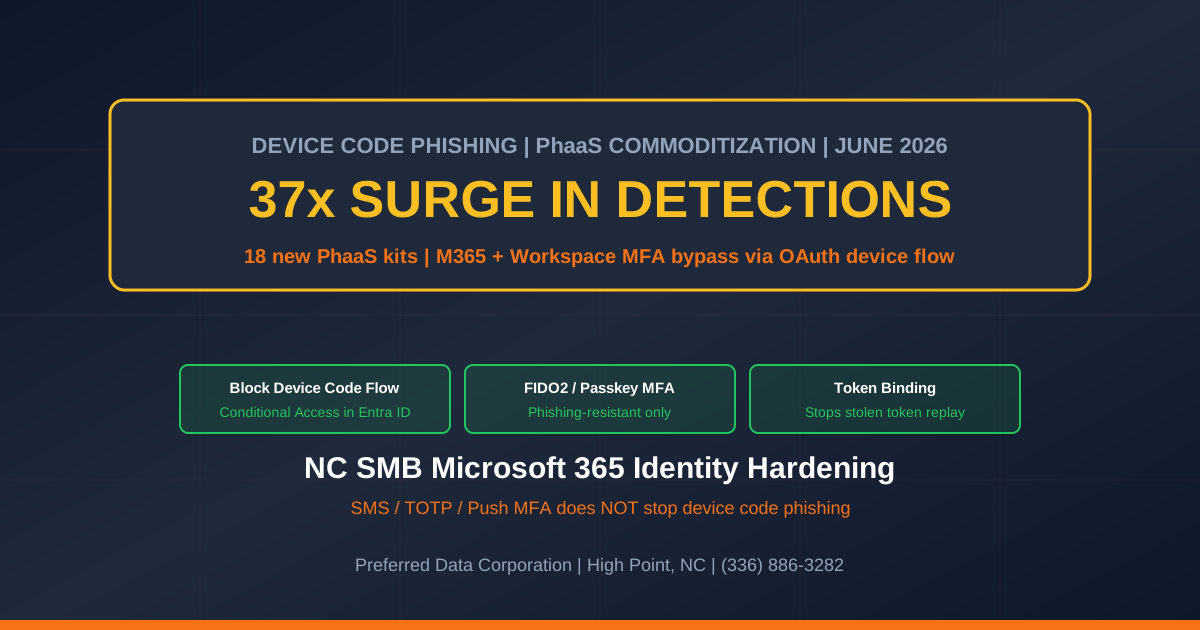
TL;DR: Per BleepingComputer, device-code phishing detections surged 37x in 2026 as 18 new phishing-as-a-service (PhaaS) kits hit the market and every major adversary-in-the-middle (AiTM) vendor added the technique to their platform. The attack abuses the legitimate OAuth device authorization grant used by Microsoft 365, Google Workspace, GitHub, and others - instead of stealing your password, the attacker tricks you into approving a session for a device they control. Multi-factor authentication does not stop it. For North Carolina small businesses, this is the most consequential identity attack shift of the year - because the M365 tenant that runs your email, file shares, and Teams chat is now phishable in a 30-second flow that walks straight around MFA.
Key takeaway: "We require MFA" is no longer a complete sentence. Device-code phishing steals an authenticated session, not a password. If your NC SMB still relies on SMS, push, or TOTP MFA, the attacker can land in your M365 tenant tomorrow morning at 9:01 AM.
Need help rolling out phishing-resistant MFA and conditional access? Preferred Data Corporation has run managed cybersecurity and managed IT for NC small businesses since 1987. Call (336) 886-3282 or request an M365 identity hardening review.
What is device code phishing and why is it different from a normal phishing email?
Device code phishing is an attack that abuses the OAuth 2.0 device authorization grant - a legitimate flow used by smart TVs, printers, IoT devices, the GitHub CLI, the Azure CLI, and dozens of M365 desktop apps to get a user to sign in on a "limited-input" device, per Push Security. The attacker initiates the device flow on a server they control, gets a short user code (like BCDFG-HJKLM), and then sends a phishing message asking the victim to visit microsoft.com/devicelogin, enter the code, and "complete a quick verification." When the victim approves, the attacker - not the victim - gets a fully authenticated session, complete with the same MFA factors the victim used.
| Attribute | Device code phishing detail |
|---|---|
| Surge | 37x detections in 2026 vs. baseline, per BleepingComputer |
| New PhaaS kits tracked | 18 actively marketed kits |
| MFA bypass | Yes (steals the session, not the password) |
| Target platforms | Microsoft 365, Google Workspace, GitHub, Azure, AWS |
| Victim interaction required | Visit microsoft.com/devicelogin + enter the code |
| Common lure | "Re-verify your Teams session" / "Your password is expiring" |
| Defense that works | Phishing-resistant MFA (FIDO2 / passkey) + Conditional Access |
| Defense that does not work | SMS, TOTP, push approvals - all are bypassed |
The attacker never sees the password, never sees the MFA factor, and never even has to host a fake login page. The legitimate login.microsoftonline.com page does all the heavy lifting. From the user's perspective, they have been asked to "approve a sign-in," which they do on a real Microsoft page, with their real password and their real MFA, and everything looks normal. The attacker, meanwhile, walks away with a refresh token that can be replayed for weeks.
Quotable definition: Device code phishing is an OAuth-flow attack that steals an authenticated session - not a password. The attacker starts a device-flow sign-in on a server they control, then phishes the user to approve the code at the real Microsoft login page. Because the session is approved by the legitimate platform, MFA is satisfied and the attacker inherits the result.
Three facts an NC SMB should write down:
- The surge is real and structural. A 37x jump is not a single campaign - it is PhaaS commoditization. Per BleepingComputer, every major AiTM PhaaS vendor (the kits that hosted reverse-proxy Microsoft 365 phishing in 2024-2025) has now added device-code phishing as a complementary technique. Defenders should assume this is the new baseline.
- It defeats most SMB MFA. SMS, TOTP, and push-approval MFA all complete successfully during the attack - because the user is signing in to the real Microsoft login page. Only phishing-resistant MFA (FIDO2 hardware key, passkey, or Windows Hello for Business) cryptographically binds the session to the device that initiated it.
- The "support" lure pivots to vishing. Modern device-code phishing kits ship with a vishing playbook: "Hi, this is Microsoft Support, we noticed unusual sign-in activity on your account. We'll send you a code to verify - it'll start with B-C-D-F-G." Help-desk impersonation is the highest-conversion delivery.
Why does device code phishing matter for North Carolina small businesses specifically?
Because the NC SMB Microsoft 365 footprint - the most common identity platform across manufacturing, construction, professional services, and healthcare in the Piedmont Triad and Charlotte - is the attack's primary target. The NC SMB victim profile maps cleanly:
- A High Point manufacturer with 60 M365 Business Standard seats, no Conditional Access policies, SMS-based MFA for everyone, and an executive assistant who handles "Microsoft Support" calls because IT is a managed-services contract. Easy take.
- A Greensboro insurance brokerage running M365 with TOTP-based MFA and a Help Desk that walks users through "verification codes" twice a week. Help-desk vishing is the standard delivery.
- A Charlotte law firm with M365 E3, push-approval MFA, and a "click yes when the popup asks" culture - the same culture that fueled MFA fatigue attacks in 2024-2025. A device-code prompt is even more convincing because it does not look like an MFA popup.
- A Piedmont Triad MSP managing 30 NC SMB tenants from a single delegated admin account with push-approval MFA. A successful device-code phish on the MSP admin = lateral access into 30 customer tenants.
Per Push Security, device-code phishing campaigns commonly impersonate Microsoft Teams update notifications, Outlook re-authentication prompts, IT Help Desk verifications, and HR-system invites. None of those look unusual to the average M365 user.
Key takeaway: The PhaaS kit market just removed the technical barrier. Any threat actor with $200 a month and a list of NC SMB email addresses can run a successful device-code campaign by the end of the week.
How does an NC SMB defend against device-code phishing in 30 days?
Run a seven-step sequence inside 30 days. The plan stages the controls so a small IT team can ship without breaking M365 for the business.
- Block the device-code grant for users who do not need it (Day 0-7). In Microsoft Entra ID, create a Conditional Access policy "Block device code flow" targeted at all users except a documented exception group (admins of devices that genuinely use the flow - smart TVs, conference-room kit). Microsoft's documented control: Conditional Access > Conditions > Authentication Flows > Device code flow > Block.
- Enroll executives + finance + IT in phishing-resistant MFA (Day 0-14). FIDO2 hardware keys (YubiKey, Titan, Feitian), Windows Hello for Business, or passkeys on Authenticator. Per Push Security, phishing-resistant MFA is the only factor that does not complete during a device-code phish. Start with the high-value 10-15 accounts.
- Enable Token Protection / Token Binding (Day 7-21). Microsoft's Conditional Access Token Protection ties the refresh token to the original device. A stolen token replayed from another machine fails. Available in Entra ID P1 and above.
- Roll phishing-resistant MFA to all users (Day 14-30). Hardware keys for staff who travel, passkeys on mobile for everyone else. Document the recovery flow (lost key + lost phone) before the rollout - help-desk recovery is the new attack vector.
- Train the help desk on the device-code vishing pattern (Day 0-7). A 30-minute scripted training: "if a user calls and says 'I'm trying to verify a code', the answer is always: hang up, call them back at the number in the directory, never read or accept any verification code over the phone."
- Subscribe to Microsoft Defender for Identity / Sentinel device-code alerts (Day 14-30). Detect attempted device-code flows from unmanaged devices. Even with the Conditional Access block, the attempt trail is useful for incident response.
- Audit MSP / managed-service admin accounts (Day 7-21). Delegated admin access into customer tenants is the asymmetric prize. Every MSP admin should be on a hardware key, with Conditional Access requiring phishing-resistant MFA, with monitored Just-in-Time access.
| Control | Day-30 target | Why it matters |
|---|---|---|
| Conditional Access "Block device code flow" | All users except exception group | Removes the attack flow for 99% of users |
| Phishing-resistant MFA for executives + finance + IT | 100% of high-value accounts | Hardens the accounts most likely to be targeted |
| Token Protection / binding | All Entra ID P1 users | Prevents stolen-token replay from another device |
| Phishing-resistant MFA for all users | 100% of M365 users | Closes the remaining attack surface |
| Help-desk vishing training | Every help-desk staff | Disrupts the highest-conversion delivery |
| Device-code attempt monitoring | Defender for Identity / Sentinel | Detects the attempts that the block prevented |
| MSP / delegated admin hardening | All admin accounts | Closes the multi-tenant amplifier |
Key takeaway: Block the flow you don't need, enforce phishing-resistant MFA on the accounts you can't afford to lose, and train the help desk to hang up when "Microsoft Support" calls. Three controls together turn a 37x surge into a non-event.
How does Preferred Data Corporation help NC SMBs defend against device-code phishing?
PDC has run managed cybersecurity and managed IT for NC SMBs since 1987 - including Microsoft 365 identity hardening for manufacturers, construction firms, law firms, and healthcare clinics across the Piedmont Triad. For the device-code phishing surge, PDC brings three things to the table:
- M365 identity baseline: Conditional Access deployment, device-code flow block, Token Protection enablement, and a documented exception policy for the rare devices that legitimately use the flow.
- Phishing-resistant MFA rollout: Hardware key procurement, passkey enrollment, recovery flow design, and a 30-day staged rollout with help-desk training and user comms in the right order.
- Help-desk + executive training: Scripted scenarios for "Microsoft Support calling" vishing attempts, a tabletop for the BEC fallout if a single account is compromised, and a 90-day refresh cycle as the PhaaS kits evolve.
For NC manufacturers in High Point and Greensboro, law firms across the Piedmont Triad, healthcare clinics in Charlotte, and MSPs serving NC SMBs - this is the 30-day cycle that retires the "MFA is enough" assumption.
Need help with a 30-day M365 identity hardening? Call (336) 886-3282 or book an identity defense review.
Frequently Asked Questions
What is device code phishing?
Device code phishing abuses the OAuth 2.0 device authorization grant - a legitimate sign-in flow built for limited-input devices like smart TVs and IoT. Per Push Security, the attacker starts a device-flow sign-in on their own server, then phishes the user to approve the resulting code at the real Microsoft / Google sign-in page. The attacker walks away with an authenticated session even though the user did the sign-in.
Does MFA stop device code phishing?
SMS, TOTP, and push-approval MFA do not stop it - because the MFA challenge completes legitimately during the attack. Only phishing-resistant MFA (FIDO2 hardware key, passkey, or Windows Hello for Business) cryptographically binds the session to the original device and prevents the stolen-token replay. Per BleepingComputer, the 37x surge is driven precisely by the fact that SMB MFA does not block the flow.
How do I block the device code flow in Microsoft 365?
In Entra ID, create a Conditional Access policy targeted at all users (with a documented exception group for devices that legitimately use the flow): Conditional Access > Conditions > Authentication Flows > Device code flow > Block. Exception group typically includes conference-room devices and the rare IoT integration. Document the exception list.
What is "phishing-resistant MFA" and how do I get it?
Phishing-resistant MFA is any factor that cryptographically binds the sign-in to the device that initiated it - FIDO2 hardware keys (YubiKey, Titan, Feitian), passkeys (mobile or platform), or Windows Hello for Business. Available in Microsoft 365 Business Premium and above. Hardware keys cost $25-$70 per user; passkeys are free for any Authenticator-enrolled mobile device.
My MSP manages our M365 tenant. Are MSP admins a higher risk?
Yes - significantly. A delegated admin account into multiple customer tenants is the asymmetric prize in the PhaaS economy. Every MSP admin should be on a FIDO2 hardware key, with Conditional Access requiring phishing-resistant MFA, with monitored Just-in-Time access. Ask your MSP for written attestation of these controls; if they cannot provide it, escalate.
Will my users push back on phishing-resistant MFA?
Less than you think, with a 30-day staged rollout. Hardware keys are simpler than push approvals for daily sign-in (just touch the key) and passkeys are the same gesture as Face ID / Touch ID on a phone. The largest organizational risk is the recovery flow - help-desk recovery is the new attack vector if the key is lost. Document the recovery process before the rollout, not during the first incident.
Does PDC train our help desk on the device-code vishing playbook?
Yes - a 30-minute scripted training plus a tabletop exercise where the help-desk staff are called by a simulated "Microsoft Support" attacker. The training is part of the 30-day identity-hardening engagement and refreshed every 90 days as PhaaS kits evolve.
Related Resources
- Managed Cybersecurity for NC Businesses - Identity hardening + phishing-resistant MFA rollout
- Managed IT for NC Businesses - Microsoft 365 management + Conditional Access governance
- Voice Cloning CEO Fraud / Vishing Defense
- Tycoon 2FA Takedown: PhaaS / AiTM Phishing Defense
- Verizon DBIR 2025: Stolen Credentials Identity Defense
- Contact Preferred Data Corporation - 30-day identity hardening for NC SMBs